

Fig Prompt
Fig Prompt · Image
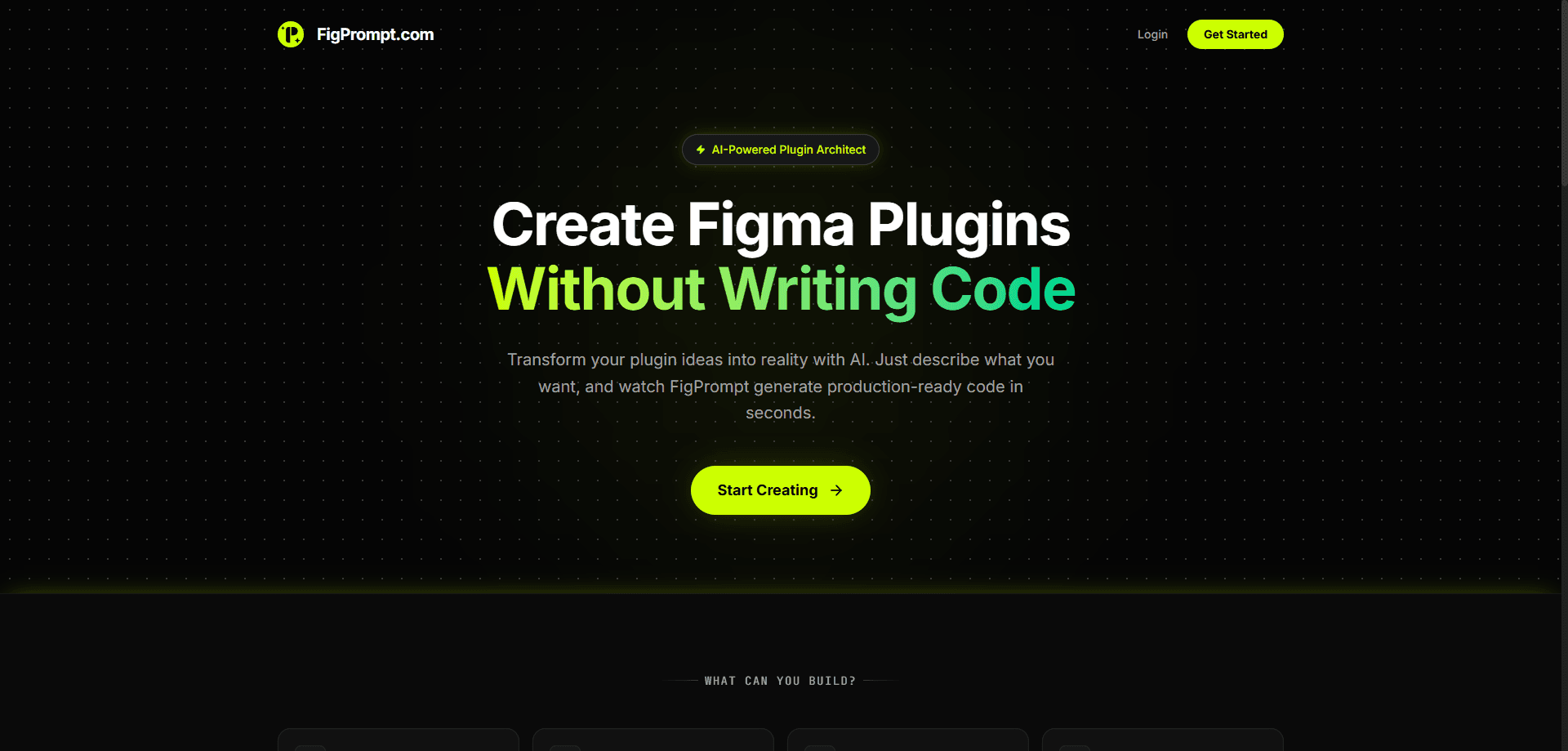
Fig Prompt is an AI tool that turns a plain-English description into a working Figma plugin. Instead of learning the Figma Plugin API, you write a sentence like "extract all colors from the selected layers and draw labeled swatches," and Fig Prompt generates the code, packages the files, and hands you a ZIP you can install right away. It's aimed at designers and developers who want to automate repetitive canvas work without hiring a programmer or reading API docs.
About Fig Prompt
What Is Fig Prompt
Fig Prompt is a web tool that writes Figma plugins from natural language. You describe the behavior you want, and it produces the three files every Figma plugin needs: code.js, ui.html, and manifest.json. You download them as a ZIP, load the plugin into Figma, and run it. According to the site, the first plugin takes about two minutes.
Think of it as a Figma plugin generator that speaks plain English. You don't need to know the Plugin API to build Figma plugin automation, because the tool handles that layer for you. Describe the task, check the output, install it. That's the whole loop.
The idea is simple. Figma's Plugin API is powerful, but most designers never touch it because the learning curve is steep and the payoff feels distant. Fig Prompt bets that many common needs, like renaming layers, rearranging a grid, or pulling colors out of a selection, can be described in one sentence instead of coded by hand.
The limit is worth naming. Fig Prompt builds plugins from your description, so the quality of the output tracks the clarity of the prompt. Vague instructions get vague plugins, and anything beyond common automation patterns may need you to iterate on the wording. It's a tool for practical, canvas-level automation, not a replacement for a real engineering workflow on complex products. Is that a dealbreaker? For most everyday automation, no. If your need is close to a pattern the site already shows, you'll probably get something usable on the first try.
Getting Started
- Open figprompt.com and sign in to your workspace.
- Type a description of the plugin behavior you want, such as "rename all selected layers sequentially based on their Y position."
- Review the generated
code.js,ui.html, andmanifest.jsonfiles in the editor. - Download the ZIP and load the plugin into Figma through the desktop app's development menu.
- Run the plugin on a frame or selection, then refine your prompt if the result isn't quite right.
Product Information
A quick look at Fig Prompt's pricing, supported platforms, and performance.
Best for
The users, tasks, and scenarios where this tool fits best.
Users
- Designers who repeat the same manual canvas tasks and want a plugin without hiring a developer.
- Product teams with a Figma-heavy workflow that need quick, throwaway automation tools.
- Developers who know what a plugin should do but would rather describe it than write the Plugin API boilerplate.
Tasks
- Extracting colors from selected layers and drawing a labeled palette on the canvas.
- Renaming layers in bulk by position, type, or order instead of clicking through each one.
- Converting high-fidelity frames into gray wireframe blocks to strip out styling fast.
- Arranging scattered items into a clean grid with consistent gaps.
Scenarios
- A designer prepping a file for handoff and needing layer names standardized before the developer opens it.
- A team prototyping an internal helper tool on a tight timeline and skipping the usual build setup.
- A solo designer cleaning up a messy file at the end of a project without breaking their flow.
Key features
Prompt-to-Plugin Generation
Fig Prompt reads a sentence and produces a complete, installable plugin. You don't write code or configure a build tool. The output includes the logic file, the interface file, and the manifest, already wired together so Figma can load it. For a no-code Figma plugin, this is about as direct as it gets.
Three-File Package Output
Every plugin Fig Prompt builds comes as a ZIP containing code.js, ui.html, and manifest.json, which is exactly what Figma expects for a development plugin, so you can drop it in without editing the structure or guessing at filenames. It saves the fiddly setup that stops most people from ever finishing a plugin.
Example-Driven Templates
The site shows working examples like a Palette Extractor, Batch Renamer, Instant Wireframer, and Grid Maker, and each one pairs a plain prompt with the plugin it generated, so you can copy the phrasing and adapt it to your own file in a few minutes.
Code You Can Read and Adjust
The generated files are plain JavaScript and HTML, not a locked black box. If you want to tweak a threshold or relabel a button, you can open code.js and edit it directly, which means a designer who picks up a little code over time keeps getting more out of the same tool.
Browser-Based Access
There's nothing to install on your machine to use Fig Prompt itself. You sign in, describe the plugin, and download the ZIP from the browser. The only local step is loading the finished plugin into the Figma desktop app, which is how Figma handles development plugins anyway.
Pros and cons
Pros
- Turns a plain-English idea into a working Figma plugin in about two minutes.
- Removes the need to learn the Figma Plugin API for common automation tasks.
- Output files follow Figma's expected structure, so there's no setup overhead.
- Example prompts give you a starting point when you're not sure how to phrase a request.
- Generated code stays editable if you want to fine-tune the behavior later.
Cons
- The result depends heavily on how clearly you describe the task, so vague prompts produce weak plugins.
- It covers common automation patterns best; complex or product-specific logic still needs a real developer.
- There's no API listed, so you can't wire Fig Prompt into a larger pipeline programmatically.
Frequently asked questions
It writes Figma plugins from a text description. You type what you want the plugin to do, and it generates the code files, packages them, and gives you a ZIP to install in Figma.
Related content
Explore related tools, skills, and articles for Fig Prompt.
Fig Prompt Alternatives

Google EmbeddingGemma 2
Google DeepMind · Writing · Image · CodingGoogle EmbeddingGemma 2 is a 740M-parameter open model that turns text, code, images, audio, and video frames into vectors in one 768-dimension space, running on phones and laptops.

Tractionwave
TractionWave · Image · MarketingTractionWave is an AI attention heatmap tool for static ads. Upload a PNG or JPG and it returns predicted attention, ranked hotspots, and fixes before you spend budget.

Imejis.io
Imejis.io · Image · MarketingImejis.io is an AI design studio for agents and marketing teams. Describe an image in plain words, and it writes the copy, builds the layout, reflows it to every size, then exports a finished file.