

FigwebX
Softlite.io · Image · Coding
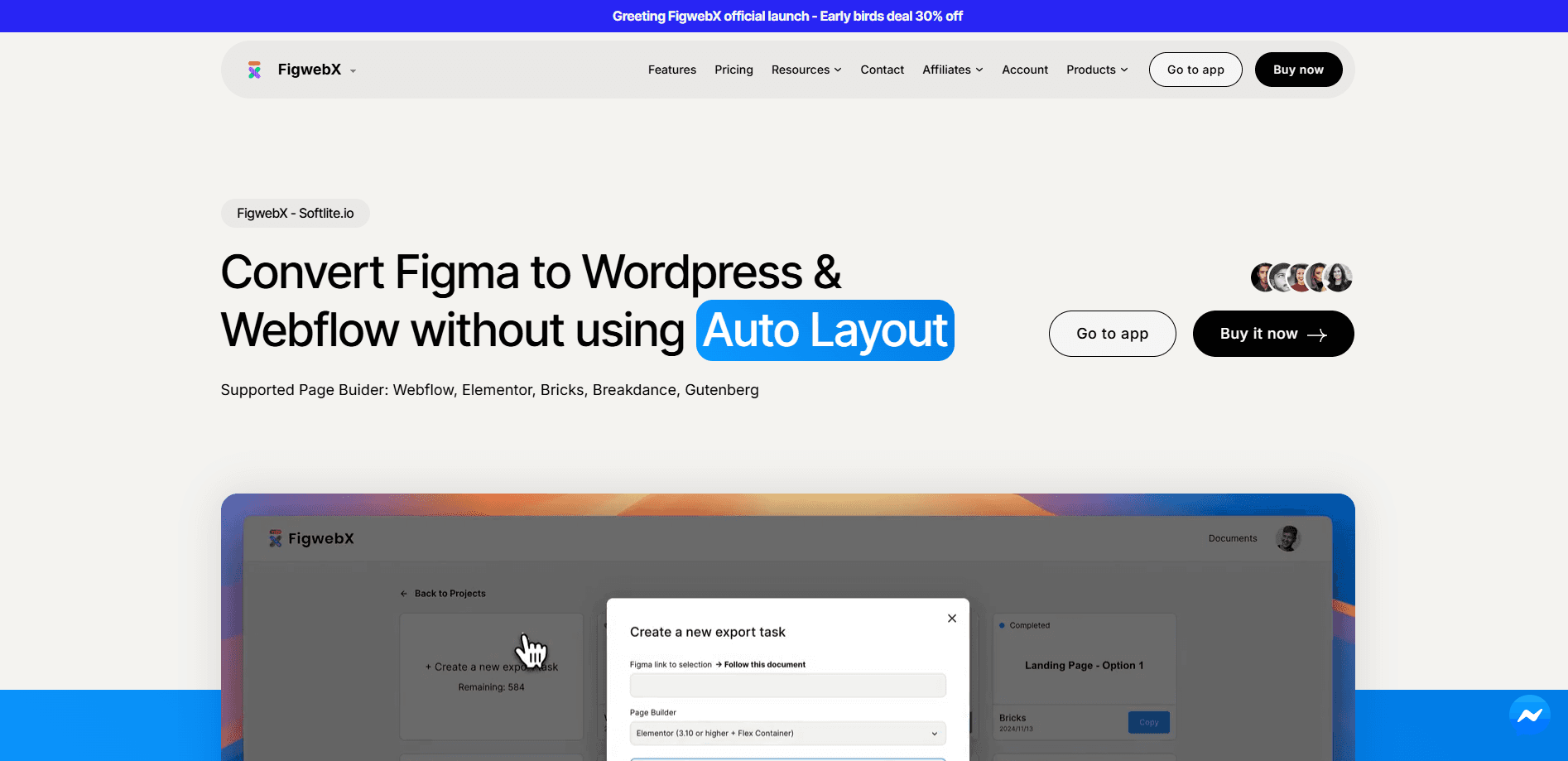
FigwebX is an AI plugin that converts Figma designs into responsive WordPress and Webflow sites without code, with no Auto Layout required. It supports Elementor, Gutenberg, Bricks and Breakdance.
About FigwebX
What Is FigwebX
FigwebX is a Figma to WordPress and Figma to Webflow converter built by Softlite.io. It reads a finished Figma file and rebuilds the design as real, editable page builder content on the web, so the layout you drew becomes a live site you can keep editing. The plugin's calling card is that it skips the one step that trips up most Figma to code tools: you don't have to lay everything out with Auto Layout first.
Anyone who has handed a Figma file to a developer knows the friction. The design is done, but rebuilding it in WordPress means hours of dragging containers, setting padding and fixing breakpoints by hand. FigwebX aims at that gap. It converts elements into native builder blocks rather than a flat image or a wall of custom HTML, and it sets up responsive behavior on its own so mobile and tablet views don't fall apart.
The tool is honest about its scope. It handles layout and elements, not dynamic behavior. Animations, sliders, accordions, contact forms and ecommerce features don't carry over from Figma, so a site that leans on those still needs manual work after the export. Treat it as a head start on structure, not a finished production site.
Getting Started
- Install the Softlite.io integration plugin in WordPress, then switch on Flexbox Container under Elementor settings and save
- Open your Figma file and copy the design elements you want to move over
- In the WordPress editor, right click and paste, or press Ctrl and V, to drop the design into the page builder
- Refine the responsive grid and fine-tune any elements, then publish the page
Product Information
A quick look at FigwebX's pricing, supported platforms, and performance.
Best for
The users, tasks, and scenarios where this tool fits best.
Users
- WordPress developers
- Freelance web designers
- Agencies producing client sites
- Webflow users without code
Tasks
- Converting a finished Figma page into WordPress
- Converting a Figma screen into Webflow
- Building a responsive layout from a static design
- Launching a landing page fast
- Reusing designs across a team
Scenarios
- A client signs off on a Figma mockup and you need it live this week
- You design in Figma but ship in WordPress
- A small studio runs many landing pages
- You only need one section moved
Key features
Figma Conversion Without Auto Layout
The core promise is that you don't need Auto Layout to convert a design. Most Figma to code tools ask you to structure frames with Auto Layout first, which means reworking a file you already finished. FigwebX reads normal Figma layers and still produces a responsive result, so the design handoff doesn't turn into a second design job.
Support for Major Page Builders
FigwebX outputs into the builders most WordPress teams already use: Elementor, Gutenberg, Bricks Builder and Breakdance, plus Webflow. It converts elements into native blocks for each target rather than a generic template, so what lands in the editor is something you can keep customizing with the builder you know. The Gutenberg Block Template shortcode lets you drop converted elements into any theme or builder, including Divi, Beaver Builder and Flatsome.
Automatic Responsive Design
The plugin sets up responsive behavior on its own, so you don't hand-tune padding and breakpoints for every screen size after the export. That saves the tedious pass where a desktop design falls apart in the mobile view. If you do want device-specific tweaks, you can still adjust them by hand in the builder after the conversion.
Static Layout and Element Conversion
FigwebX turns layout and elements into editable builder content, which means text, buttons, images and containers stay adjustable rather than locked into a flat render. This is the difference between getting a starting structure and getting a screenshot. You keep editing in the builder, and the design stays workable as the site grows.
Elementor Free and Pro Support
The conversion works with both Elementor Free and Elementor Pro. That means you don't need the paid version to use it, and the choice comes down to your own design requirements rather than a plugin restriction. Teams already on Pro can lean on its extra widget set after the Figma elements land.
Webflow Output
Beyond WordPress, FigwebX converts Figma designs into Webflow as well. Designers who ship on Webflow get the same benefit: their Figma screens become editable structures inside Webflow instead of being rebuilt piece by piece in the editor.
Export-Based Licensing
Access runs on monthly export quotas tied to your plan. The free tier allows five exports a month, the paid tiers raise that to 50, 100 or 1000 a year, and the paid plans unlock all output builders and full responsiveness. One thing to plan around: deleting an export task still counts against the quota, so a slot is used the moment you run it.
Pros and cons
Pros
- Converts Figma to WordPress and Webflow without Auto Layout, so a finished design doesn't need to be restructured first
- Outputs native blocks for Elementor, Gutenberg, Bricks, Breakdance and Webflow rather than a flat template
- Handles responsive layout automatically, which removes the manual breakpoint pass after export
- A free plan lets you run five exports a month before you pay
- Works with Elementor Free, so the paid builder isn't required
Cons
- Dynamic Figma features don't transfer, so animations, sliders, accordions, contact forms and ecommerce still need manual setup
- Deleting an export task still uses a quota slot, which means a wrong export costs you a run
- The server returns an AI plugin for layout only, so a site with interactive components will need extra work after conversion
- Self-serve cancelation is limited, and requests go through email or the PayPal and FastSpring dashboards
Frequently asked questions
FigwebX converts Figma designs into responsive WordPress and Webflow sites without coding. It turns your design elements into editable page builder blocks for Elementor, Gutenberg, Bricks Builder, Breakdance and Webflow, and it sets up responsive behavior for you.
Related content
Explore related tools, skills, and articles for FigwebX.
FigwebX Alternatives

Google EmbeddingGemma 2
Google DeepMind · Writing · Image · CodingGoogle EmbeddingGemma 2 is a 740M-parameter open model that turns text, code, images, audio, and video frames into vectors in one 768-dimension space, running on phones and laptops.

Tractionwave
TractionWave · Image · MarketingTractionWave is an AI attention heatmap tool for static ads. Upload a PNG or JPG and it returns predicted attention, ranked hotspots, and fixes before you spend budget.

Imejis.io
Imejis.io · Image · MarketingImejis.io is an AI design studio for agents and marketing teams. Describe an image in plain words, and it writes the copy, builds the layout, reflows it to every size, then exports a finished file.