

FileAI
FileAI · Productivity
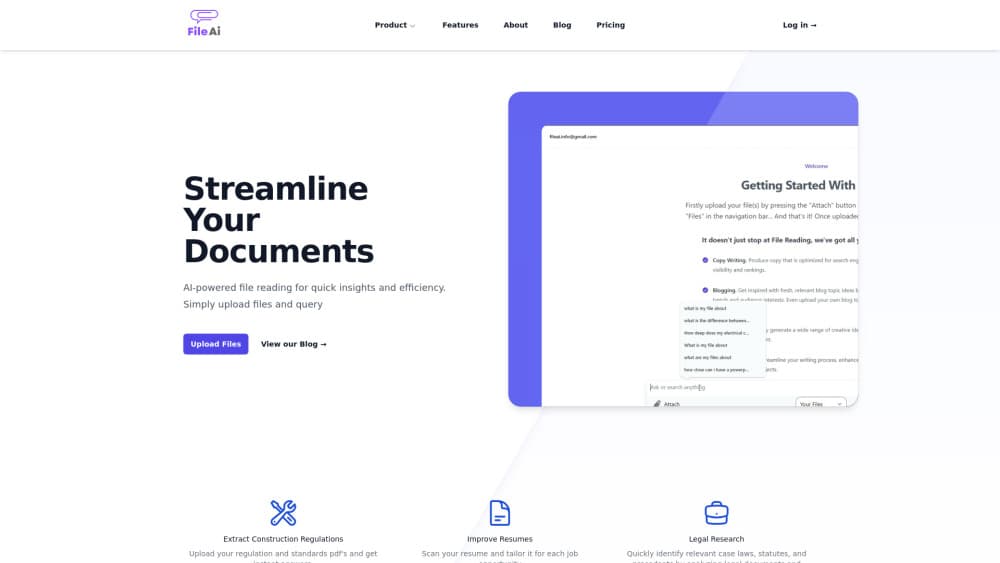
FileAI is an AI document Q&A tool for PDFs, contracts and policies. It answers in plain English and links each answer to the page it came from, so you can check it in seconds.
About FileAI
What Is FileAI
FileAI is a web app for reading long documents without reading every page. You upload a contract, lease, insurance policy, research paper or deck of lecture slides, then ask questions in ordinary language. Answers come back with numbered sources, and opening one jumps your PDF to the highlighted sentence.
The product exists because general chatbots are hard to audit. They will read a file for you, yet you can't always tell whether an answer came from page six of your document or from something the model half remembers. FileAI is built around that gap. Every claim points at a passage, and when the document doesn't cover the question, it says so instead of filling the space.
It's a small independent product, built and supported by one developer in Australia. That shapes what you get. Support is a direct email, and the feature set stays narrow: no team workspaces, no mobile app, and no reading of scanned pages or photos yet. As a document analysis tool for text-based files, the narrow focus works in your favor.
Getting Started
- Create a free account with an email address, or open the sample consulting agreement in the demo without signing up.
- Upload a file: PDF with selectable text, Word, PowerPoint, plain text, Markdown, HTML or JSON. The free plan caps each file at 20 MB.
- Ask a question the way you would ask a colleague, such as how much notice you need to end a lease.
- Open a source number to see the exact passage on its page, then keep asking follow-up questions in the same document.
- Delete the file when you're done, which removes the stored copy and the copy held by the model provider.
Product Information
A quick look at FileAI's pricing, supported platforms, and performance.
Best for
The users, tasks, and scenarios where this tool fits best.
Users
- Renters and homebuyers
- Small business owners and freelancers
- Students and researchers
Tasks
- Contract analysis before signing
- Building an RFP compliance matrix
- Turning a tender pack into a checklist
Scenarios
- Reviewing a lease the week before you sign
- Checking an insurance policy after damage
- Prepping a study guide from lecture slides
Key features
Answers With Page-Level Sources
Every answer carries numbered citations. Click one and the document opens at the passage it came from, highlighted on the page for PDFs. That turns a chatbot reply into something you can audit, which is the difference between a useful summary and a guess you can't check.
Honest Gaps
When your file doesn't answer the question, FileAI says so. It won't invent a clause that isn't in the contract or a coverage term that isn't in the policy. For contract analysis this matters more than speed, because a confident wrong answer costs money.
Broad File Support
You can upload PDFs with selectable text, Word documents, PowerPoint decks, plain text, Markdown, HTML and JSON. Most office documents people actually work with are covered. Scanned PDFs and photos of pages are the exception, and that's a real limit for paper archives.
One-Off Document Checks
Beyond question answering, FileAI sells focused checks for specific paperwork. The RFP compliance matrix pulls instructions, evaluation factors, forms and deadlines into one spreadsheet for US$99 per RFP. The HOA document check lists fees, assessments, reserves and lawsuits for US$39, and Australian users get a tender pack breakdown at A$79 plus a strata report check for New South Wales properties.
Privacy You Can Trace
Files sit in private encrypted storage and other users can't see them. Text goes to a model provider to produce answers, and that provider doesn't train on API data. Deleting a file removes both copies, and deleting the account clears every file and chat with it.
Careful Mode
Careful mode spends more effort on each question, which suits dense contracts and technical papers where a rushed read misses the qualifier that changes the meaning. It's available on the free plan, so you can judge the difference before paying.
Pros and cons
Pros
- Every answer links to the sentence behind it, so you can verify a clause in seconds instead of trusting a summary.
- The free plan is genuinely usable: 10 documents, about 40 questions a month and a 20 MB file cap, with no card required.
- Pro at US$19 a month raises the ceiling to 100 documents and about 800 questions, which fits weekly contract and policy work.
- The RFP compliance matrix and HOA document check solve narrow, expensive jobs for a one-off fee rather than a subscription.
- Files are never used for training, and deletion removes the copies held by the model provider too.
Cons
- Scanned PDFs and photos of pages aren't supported, so paper archives need their own text layer before they're useful here.
- Accounts are single-user with no shared workspaces, which rules it out for teams that want one library of documents.
- The one-off checks are tied to US and Australian paperwork, so users elsewhere get the question answering and little else.
Frequently asked questions
FileAI answers questions about documents you upload and shows where each answer came from. You ask in plain English, and it replies with numbered sources that open at the relevant passage, which makes it a chat with PDF tool you can fact-check.
Related content
Explore related tools, skills, and articles for FileAI.
FileAI Alternatives

Base Code
Base44 (Wix) · Coding · ProductivityBase Code is a shared cloud development environment from Base44. Teammates describe changes to an existing GitHub codebase in chat, preview them live and send them back as pull requests.

Knocket
Knocket (Tencent RTC team) · Productivity · Business · ChatbotKnocket is a free live chat and contact page tool that lets visitors message you from your website, app, or a shareable link, with every reply handled from Telegram or one inbox.

FloorGen
Vinit Kumar (FloorGen) · Productivity · China AIFloorGen is a browser-based floor plan maker that turns a sentence or a sketch into an editable 2D plan and a 3D walkthrough. Export to PDF, DXF or video, and draw without an account.