

Fill A Form AI
Fill A Form AI · Productivity
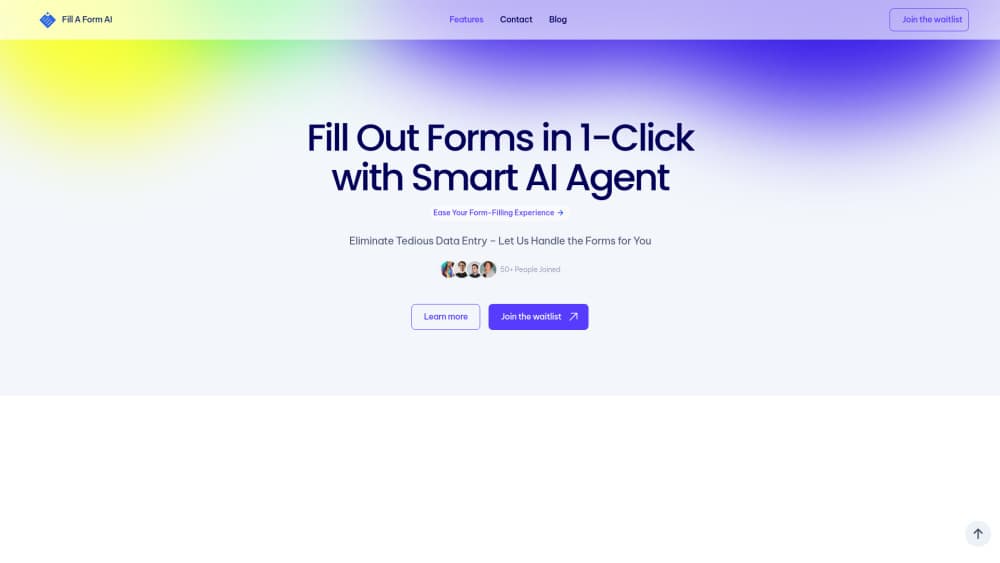
Fill A Form AI is a Chrome extension that fills web forms in one click, reusing answers from your past submissions and your own documents, with shared libraries for teams.
About Fill A Form AI
What Is Fill A Form AI
Fill A Form AI is a Chrome form filler extension plus a small web dashboard for people who fill the same kind of form over and over. Job applications, client intake sheets, survey panels, checkout pages, internal request forms. You install the extension, it reads the fields on the page, and it writes the answers for you. The vendor's pitch is a single click rather than a browser profile that pastes stale data into the wrong box.
The mechanism that separates this AI form filler from plain browser form autofill is memory. The agent keeps the forms you've already submitted, so when a new page asks for your notice period, your portfolio link, or the reason you're leaving your current role, it looks up what you wrote last time instead of guessing from a phone number and an address. The vendor also says answers get pulled from your own uploaded material, which is the part that matters for long free-text questions. According to the site, more than 1,000 people have joined so far.
The limits are worth knowing before you pay. It's Chrome only, so Safari, Firefox, and mobile browsers are out. There's no free tier listed on the pricing page, no public API reference, and the support FAQ on that page still carries leftover placeholder copy from the site template. Every submission also deserves a read before you hit send, since a confident wrong answer on a job application costs more than typing it yourself.
Getting Started
- Install the Fill A Form AI extension from the Chrome Web Store and pin it to the toolbar.
- Create an account and pick a plan, then add the material the agent should learn from, starting with the forms you've already filled and any documents you want it to draw on.
- Open a page with a form and click the extension. It detects the fields, fills what it can, and flags the questions it can't answer from your history.
- Check each answer, correct anything that drifted, and submit. The submission gets stored, so the next form of the same type takes less work.
Product Information
A quick look at Fill A Form AI's pricing, supported platforms, and performance.
Best for
The users, tasks, and scenarios where this tool fits best.
Users
- Job seekers applying at volume
- Recruiters and HR staff
- Small business owners juggling client onboarding
Tasks
- Job application autofill
- Repeat client intake
- Survey and research panel forms
- Moving data into a spreadsheet
Scenarios
- Applying to twenty roles in a week
- Onboarding a new client every few days
- Testing your own signup flow
Key features
Field Detection Without Per-Site Setup
The extension reads the page and works out which inputs are forms, including the ones built from custom components that ignore standard browser autofill. You don't build a template for each site. Click once, and the agent maps name, email, phone, address, and dropdown fields on its own.
Auto-Fill From History
Every submission becomes training data for your own account. The next form that asks a similar question gets the answer you gave before, wording included. Auto-fill from history is the feature to test first, since quality depends on what you've fed it.
Answers Sourced From Your Own Documents
Long free-text boxes are where most autofill Chrome extension tools give up. Fill A Form AI looks through the material you've uploaded, plus your past answers, and drafts a response instead of leaving the field blank. The output reads like your writing because it's built from it, which helps on motivation statements and cover letter boxes.
Shared Libraries for Teams
Form libraries can be grouped by department, project, or client, and shared with the people who need them. Updates propagate, so a changed company address doesn't have to be fixed in five places. This is the part aimed at agencies and in-house teams rather than solo users.
Google Sheets Integration
Submitted values sync to a spreadsheet, which turns form responses into a table you can sort, filter, and chart. For recruiters tracking applications or ops teams logging requests, it removes the copy-paste step between the browser and the report.
Dynamic Content Insertion
While you fill a form, the agent suggests content that fits the field in front of you, which keeps a long application from stalling on the one question you didn't prepare for. Treat the suggestions as drafts, not final copy.
API Access for Scripted Runs
The vendor offers API access for web form automation: filling and submitting forms, then capturing a screenshot of the result. It's sold through a contact form rather than a self-serve key, and each plan includes a monthly call quota starting at 1,000.
Pros and cons
Pros
- Works on any site with a form, since detection happens at runtime instead of through per-site templates.
- Reuses your previous answers word for word, which is what repeat job applications and intake forms actually need.
- The team library plus Sheets sync makes it more than a personal convenience for agencies and HR teams.
- Entry pricing at $19/mo with a 1,000-call API quota covers a single heavy applicant without a sales call.
- Answers drafted from your own documents sound like you, not like a generic AI paragraph.
Cons
- Chrome only. Safari, Firefox, and mobile browsers get nothing, so a phone-based application still means typing.
- No free plan is listed, and the pricing page FAQ still shows template placeholder text, so you have to email support to learn what counts as an AI model run.
- Every field needs a human read before submission. A wrong salary figure or a swapped company name is worse than a blank box.
- API documentation isn't public. You request access and figure out the details from the vendor, which slows down any automation project.
Frequently asked questions
It's an AI form filling agent that works inside Chrome. The extension reads the fields on a page, pulls answers from your past submissions and your uploaded documents, and writes them in. You review and submit.
Related content
Explore related tools, skills, and articles for Fill A Form AI.
Fill A Form AI Alternatives

Base Code
Base44 (Wix) · Coding · ProductivityBase Code is a shared cloud development environment from Base44. Teammates describe changes to an existing GitHub codebase in chat, preview them live and send them back as pull requests.

Knocket
Knocket (Tencent RTC team) · Productivity · Business · ChatbotKnocket is a free live chat and contact page tool that lets visitors message you from your website, app, or a shareable link, with every reply handled from Telegram or one inbox.

FloorGen
Vinit Kumar (FloorGen) · Productivity · China AIFloorGen is a browser-based floor plan maker that turns a sentence or a sketch into an editable 2D plan and a 3D walkthrough. Export to PDF, DXF or video, and draw without an account.