

Finetunefast
FinetuneFast · Image · Other
FinetuneFast is a boilerplate code library for fine-tuning text-to-image, LLM, and multimodal models, adding training, data prep, deployment, and RAG examples so builders ship AI apps faster.
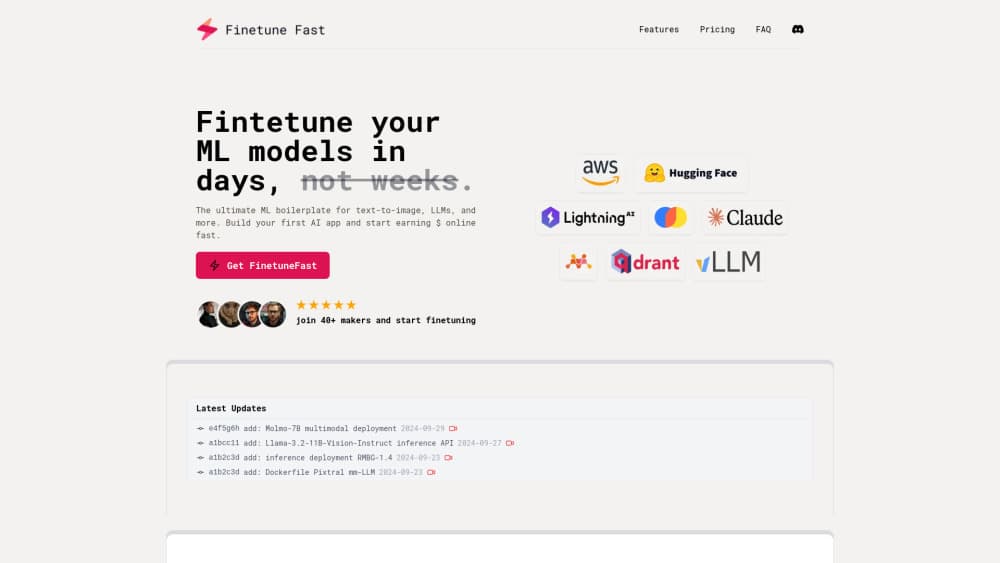
About Finetunefast
What Is FinetuneFast
FinetuneFast sells a set of finished code templates for people who want to fine-tune a machine learning model without building the whole pipeline themselves. Fine-tuning means taking a pre-trained model and training it further on your own data so it adapts to a specific job, whether that is a personal art style or a support chatbot that speaks in your company's terms. AI model fine-tuning like this usually needs a training pipeline, a data loader, and a deployment path, which is exactly what the product packages.
The pitch comes from Patrick, an ML engineer who built the project after years of setting up training runs from scratch. The product lists the hours that a typical fine-tuning project burns before anything ships: roughly four hours on environment setup, six on cleaning training data, four on API integration, two on evaluation, three on deployment, and endless hours scaling infrastructure as models grow. FinetuneFast bundles those steps into pre-configured scripts, so you skip the plumbing and spend the time on the model itself.
The trade-offs matter here. This is a template library, not a hosted platform with a dashboard. You still need to run the code, connect your own GPU or cloud compute, and know your way around a terminal or notebook. The templates favor common open models and workflows, so an unusual architecture may need work FinetuneFast does not do for you. Updates arrive through a Discord community and, on the top plan, lifetime releases.
Getting Started
- Buy a plan on finetunefast.com and download the boilerplate files. There is no free tier, and you pay once rather than per month.
- Open the training notebooks or scripts and point them at your dataset. The data loading pipelines expect your files in the documented format.
- Set your base model and training options. For text-to-image or LLM work, you typically pick a checkpoint such as a LoRA training run or a full fine-tune and adjust the hyperparameters.
- Run training on your own GPU. Multi-GPU support is included, so you can spread a large job across cards.
- Deploy the finished model with the inference boilerplate, which generates an API endpoint and sets up monitoring and logging for you.
Product Information
A quick look at Finetunefast's pricing, supported platforms, and performance.
Best for
The users, tasks, and scenarios where this tool fits best.
Users
- Solo developers and indie makers
- Small AI teams on a budget
- ML engineers tired of setup work
- Founders building an AI SaaS
Tasks
- Fine-tuning text-to-image models
- Fine-tuning LLMs
- Preparing training data
- Deploying a model behind an API
- Adding retrieval to an AI app
Scenarios
- A designer training an image model on a personal art style
- A developer launching an AI SaaS
- A researcher running controlled experiments
- A hobbyist learning fine-tuning
Key features
Training boilerplates
The core of the product is a set of pre-configured training scripts for text-to-image, LLM, and multimodal models. Instead of writing a training loop and wiring a data loader from scratch, you adjust a few options and start a run. The scripts cover the parts that usually break first, like efficient data loading and hyperparameter tools.
Data preparation pipelines
Fine-tuning stalls most often on messy data, and the boilerplate treats that as a first-class step. The pipelines clean, format, and organize your files before training, which is the task the product itself estimates at around six hours on a typical project. You still supply good data, but the plumbing around it is already written.
Multi-GPU training support
Multi-GPU support works out of the box, so a large fine-tune does not have to run on a single card. You spread the job across the GPUs you have, which shortens long training runs and lets a small team use hardware it already rents.
One-click deployment and auto-scaling
The inference boilerplate takes a trained model and stands up a serving path: one-click deployment, auto-scaling infrastructure, a generated API endpoint, and monitoring and logging. That covers the gap between a checkpoint in a notebook and a model your app can actually call.
Inference and RAG templates
Alongside training code, the package ships production-ready inference boilerplates and RAG examples. RAG, or retrieval-augmented generation, lets an AI app pull in outside documents so its answers stay grounded in your own content. These templates are what turn a fine-tuned model into a product feature.
No-code fine-tuning option
For people who do not want to touch the training code, a no-code model fine-tuning path handles the fine-tuning steps through a guided setup. It is aimed at makers who care about the result more than the internals, and it sits alongside the full-code route rather than replacing it.
Pros and cons
Pros
- Cuts the setup, data prep, and deployment time that dominates a first fine-tuning project, based on the hours the product lists.
- One-time price with unlimited projects, so cost does not scale with how many models you train.
- Covers the full path from training to a served API endpoint, including RAG examples that most AI apps need.
- All In plan adds Discord support and lifetime updates, useful when you plan to keep building.
Cons
- No free tier, so you cannot test the templates before paying.
- It is a code library, not a managed platform, so you bring your own GPU or cloud compute and still run everything yourself.
- Support is community-based on Discord, which means help depends on who is around rather than a guaranteed response time.
- The templates lean toward common open models and workflows, so an unusual setup may need code you write yourself.
Frequently asked questions
It provides boilerplate code for fine-tuning and deploying ML models, covering training scripts, data pipelines, deployment, and RAG examples for text-to-image, LLM, and multimodal work. You buy the templates, then run them on your own hardware.
Related content
Explore related tools, skills, and articles for Finetunefast.
Finetunefast Alternatives

Google EmbeddingGemma 2
Google DeepMind · Writing · Image · CodingGoogle EmbeddingGemma 2 is a 740M-parameter open model that turns text, code, images, audio, and video frames into vectors in one 768-dimension space, running on phones and laptops.

Tractionwave
TractionWave · Image · MarketingTractionWave is an AI attention heatmap tool for static ads. Upload a PNG or JPG and it returns predicted attention, ranked hotspots, and fixes before you spend budget.

Imejis.io
Imejis.io · Image · MarketingImejis.io is an AI design studio for agents and marketing teams. Describe an image in plain words, and it writes the copy, builds the layout, reflows it to every size, then exports a finished file.