

Flashlab
Flashlab · Leaning
Flashlab is an AI flashcard maker that turns PDFs and YouTube videos into study decks and quizzes, then drills them with spaced repetition and active recall.
About Flashlab
What Is Flashlab
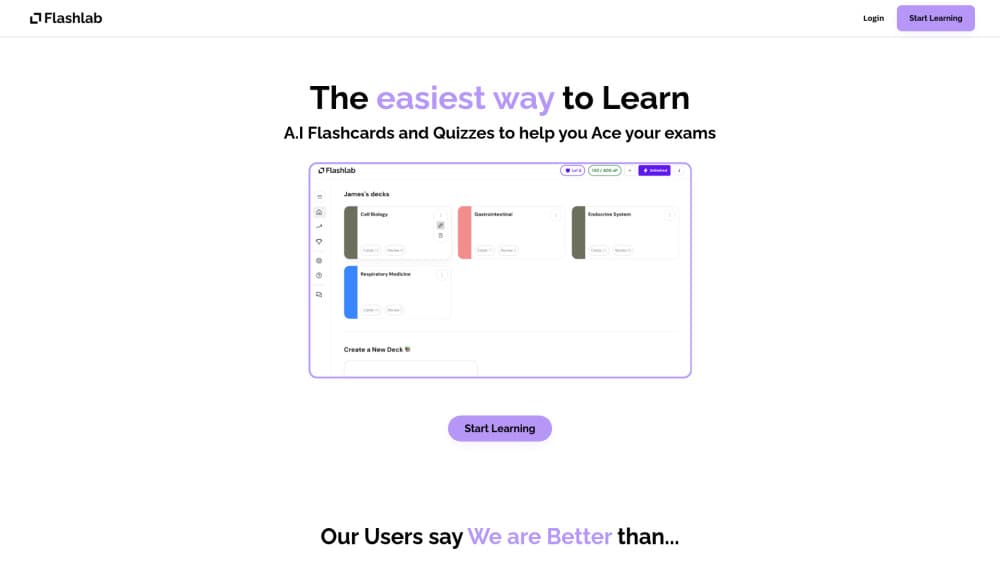
Flashlab is a study tool that builds flashcards and quizzes from material you already have. You upload a PDF or paste a YouTube link, and the app reads the content and writes a deck of question-and-answer cards for you. From there you study the deck, take auto-generated quizzes, and let the app decide when each card should come back.
It fits students who want to stop hand-writing cards. Exam prep, language vocabulary, and dense lecture notes all work, since the importer handles text the same way whether it comes from a textbook chapter or a recorded lesson. The pitch is simple: spend the time you would have spent making cards on actually studying them.
The limits matter too. Flashlab runs in a browser, so there's no offline app to install and no mobile download. The AI reads what you feed it, which means a messy scan or a video with poor audio can produce thin or off-target cards you'll need to edit. And because the strongest tools sit behind the paid side, the free plan is best treated as a trial, not a long-term study setup.
Getting Started
- Create a free Flashlab account in your browser.
- Use Magic Import to upload a PDF or paste a YouTube video link, and let the app generate a deck and a quiz.
- Edit the generated cards, or add your own, until the deck matches what your exam covers.
- Open Learn Mode and answer the active recall prompts as the spaced repetition schedule brings cards back.
Product Information
A quick look at Flashlab's pricing, supported platforms, and performance.
Best for
The users, tasks, and scenarios where this tool fits best.
Users
- University and high school students
- Language learners
- Exam candidates in dense subjects
Tasks
- Turning a textbook PDF into a flashcard deck
- Turning a YouTube lecture into cards
- Self-testing with multiple-choice quizzes
Scenarios
- The week before finals
- Commuting review
- Building a study habit
Key features
Magic Import from PDFs and YouTube
This is the entry point to everything else. Upload a PDF or paste a YouTube video link, and Flashlab reads the content and writes a deck for you. The YouTube side is the draw for students who learn from recorded lectures, since you get cards from a video without sitting through it twice. Once the deck lands, you edit and add cards the way you would in any flashcard app.
Spaced repetition that tracks card difficulty
Flashlab runs a spaced repetition schedule, the same idea behind most serious study apps. It watches how easy or hard each card feels to you and brings the tough ones back sooner, while easy cards wait longer. The point is retention, not cramming. You answer, the schedule adjusts, and the app keeps working the cards you keep missing.
Active recall cards
Instead of simple flip cards, Flashlab uses active recall cards that ask you to fill in missing words. Making you produce an answer rather than recognize one is what makes recall stick. It's harder in the moment, and that friction is the feature. The app frames this as the technique that carries you through exams.
Auto-generated quizzes
Every deck can turn into multiple-choice questions. The quiz builds itself from your cards, so you can test yourself without writing questions by hand. This works best as a check before an exam, when you want to know which topics you still can't answer under a little pressure.
Gamified progress with XP and streaks
Flashlab leans on game mechanics to keep you coming back. You earn XP and level up as you master cards, track achievements, and watch a streak counter for the days you studied. A streak system is a nudge, and it's honest about what it does: it turns a chore into something you don't want to break.
Deck editing and custom cards
Generated decks aren't locked. You can rewrite AI-made cards, fix a wrong answer, or add your own to cover material the importer missed. That control matters because no importer is perfect. Treating the AI output as a first draft, then sharpening it by hand, is how you end up with a deck worth studying.
Pros and cons
Pros
- Magic Import builds a first deck from a PDF or a YouTube link in one step.
- Spaced repetition and active recall cover both timing and technique, not just storage.
- Auto-generated quizzes turn the same cards into a self-test without extra work.
- Free tier lets you test the importer before paying.
Cons
- It's a browser tool only, so there's no offline mode and no mobile or desktop app.
- Card quality depends on your source, so a poor scan or a low-quality video yields weak cards you must fix.
- No public API is documented, so you can't wire Flashlab into your own study setup.
- Paid pricing isn't published on the site, which makes it hard to plan the cost up front.
Frequently asked questions
Flashlab turns your study material into AI flashcards and quizzes. You upload a PDF or a YouTube link, the app generates a deck and a quiz, and then spaced repetition and active recall drive your review sessions.
Related content
Explore related tools, skills, and articles for Flashlab.
Flashlab Alternatives

HireKey
HireKey · Voice & Language · Productivity · LeaningHireKey is an AI job search copilot built by a former tech recruiter. It checks role fit, tailors resumes, runs interview practice and tracks every application.

Lune
Retrograde Labs · Productivity · LeaningLune is a research search engine for scientific AI agents. It runs as an MCP server that lets Claude, ChatGPT and Cursor search peer-reviewed computer science papers and cite them.
Coddy
Coddy · Coding · LeaningCoddy is a gamified platform to learn to code through short interactive lessons in 20+ languages, with a browser editor, an AI tutor and free certificates.