

Flux 1 AI
Black Forest Labs · Image
Flux 1 AI is Black Forest Labs' text-to-image model that turns prompts into detailed images for creators, designers, and developers.
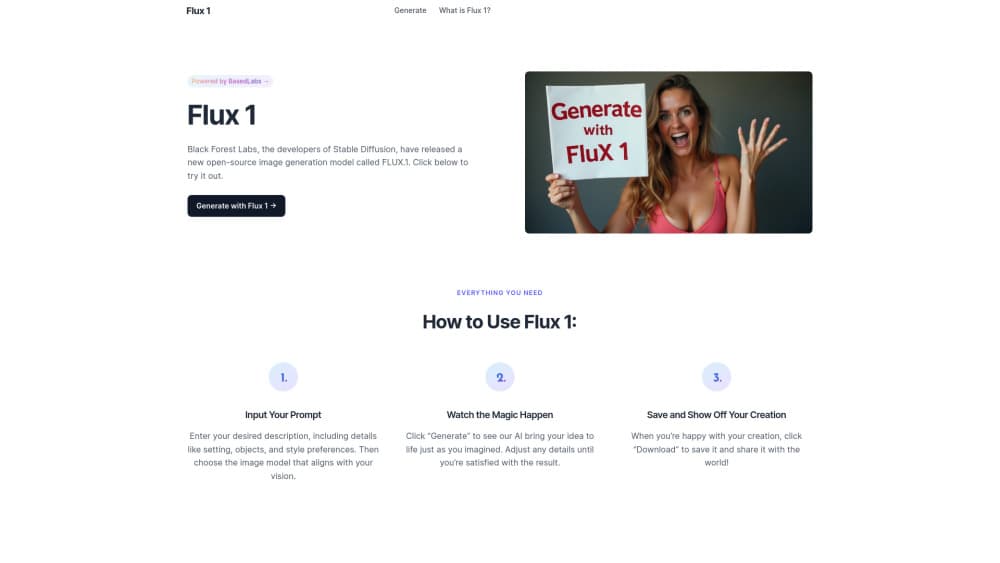
About Flux 1 AI
What Is Flux 1 AI
Flux 1 AI is a family of text-to-image models built by Black Forest Labs, the team behind much of the original Stable Diffusion work. You type a description, and the model renders an image that matches it. It works as an AI art generator, a design helper, and a building block for apps. The whole line runs on a 12 billion parameter architecture, and Black Forest Labs says it beats older rivals like Midjourney v6 and DALL-E 3 on prompt adherence and detail, because the model holds tightly to long, layered descriptions that used to trip up earlier systems. Take those comparisons as the vendor's claim, not a neutral test.
What sets it apart is the choice of versions, because a single model can't be the fastest, the best, and the most open all at once, so Black Forest Labs split the work across three builds with different priorities. FLUX.1 [pro] is the strongest and ships through an API, so you don't run it yourself. FLUX.1 [dev] is the open-weight build for developers and researchers, and it comes with a non-commercial license. FLUX.1 [schnell] is the fast one. It runs roughly ten times quicker than the others and is tuned for personal use and local machines. One thing to keep in mind: the top version isn't downloadable at all, so anyone who wants the best quality has to go through the API or a hosted platform.
Speed matters. Running FLUX.1 [dev] or [schnell] locally needs a solid GPU and plenty of memory, since the models are large and a basic laptop simply won't cut it, so if you want to try it without buying hardware, hosted tools are the easier path.
Getting Started
- Sign up on the official site or a hosted platform that carries FLUX.1 models.
- Pick a version: [schnell] for speed, [dev] for open-weight flexibility, or [pro] for the best output.
- Write a prompt describing the scene, subject, and style you want.
- Choose an aspect ratio and resolution, then hit Generate.
- Review the result, tweak details, and download the image you like.
Product Information
A quick look at Flux 1 AI's pricing, supported platforms, and performance.
Best for
The users, tasks, and scenarios where this tool fits best.
Users
- Content creators
- Developers and researchers
- Product teams
Tasks
- Concept art
- Marketing visuals
- Rapid prototyping
Scenarios
- Solo creator on a budget
- A studio running its own servers
- An app developer wiring up image generation
Key features
Three Versions for Different Needs
Flux 1 AI splits into [pro], [dev], and [schnell]. Pick [pro] when quality comes first, [dev] when you want open weights to experiment with, or [schnell] when you need an image in seconds rather than minutes. The trade-offs are real. Faster usually means a little less detail.
Strong Prompt Adherence
The model sticks closely to what you describe, including tricky layouts like several objects placed in specific spots. Simple prompts work fine, and longer ones hold together better than they do on many older generators. That matters. Get the composition right the first time and you skip a pile of retries.
Fast Generation with Schnell
FLUX.1 [schnell] is built for speed, running about ten times faster than its siblings. That's the version to reach for when you're brainstorming and want to see a dozen options before lunch. So what do you give up? Some polish, mostly. That's usually a fair trade early on.
Open-Weights Options
FLUX.1 [dev] and [schnell] ship as open weights, so you can download them, run them locally, and adjust them for your own projects. This is what made the model popular with the open-source crowd. Note the licenses differ: [dev] is non-commercial, [schnell] is more permissive. Read the fine print before you ship.
API Access for Developers
Black Forest Labs offers an API for [pro], so developers can add image generation to their apps without hosting anything. Pricing is per image and lower than some closed rivals, which matters once your app starts generating thousands of images a month and the bill stops being a rounding error. If you don't want to manage GPUs, this is the simplest route.
Pros and cons
Pros
- Prompt adherence is strong. Complex scenes come out close to what you described.
- Three versions let you balance quality, speed, and openness depending on the job.
- Open weights for [dev] and [schnell] give you full control when you run it yourself.
- An API for [pro] means you can ship features without owning hardware.
Cons
- The best version, [pro], isn't downloadable, so you can't self-host the top quality.
- Local use of [dev] or [schnell] needs a good GPU and plenty of memory, which rules out basic machines.
- [dev] carries a non-commercial license, so business use takes some checking.
Frequently asked questions
It generates images from text prompts. People use it as an AI art generator for marketing visuals, product mockups, and concept work, plus app features through the API. If you can describe it, you can probably render it.
Related content
Explore related tools, skills, and articles for Flux 1 AI.
Flux 1 AI Alternatives

Google EmbeddingGemma 2
Google DeepMind · Writing · Image · CodingGoogle EmbeddingGemma 2 is a 740M-parameter open model that turns text, code, images, audio, and video frames into vectors in one 768-dimension space, running on phones and laptops.

Tractionwave
TractionWave · Image · MarketingTractionWave is an AI attention heatmap tool for static ads. Upload a PNG or JPG and it returns predicted attention, ranked hotspots, and fixes before you spend budget.

Imejis.io
Imejis.io · Image · MarketingImejis.io is an AI design studio for agents and marketing teams. Describe an image in plain words, and it writes the copy, builds the layout, reflows it to every size, then exports a finished file.