

Flair AI: Image & Video Maker
Flux AI (flux-ai.io) · Image
Flair AI is an AI image and video maker that runs FLUX, Kontext, Nano Banana and Seedream models in one workspace, turning prompts or photos into art, product shots and short clips.
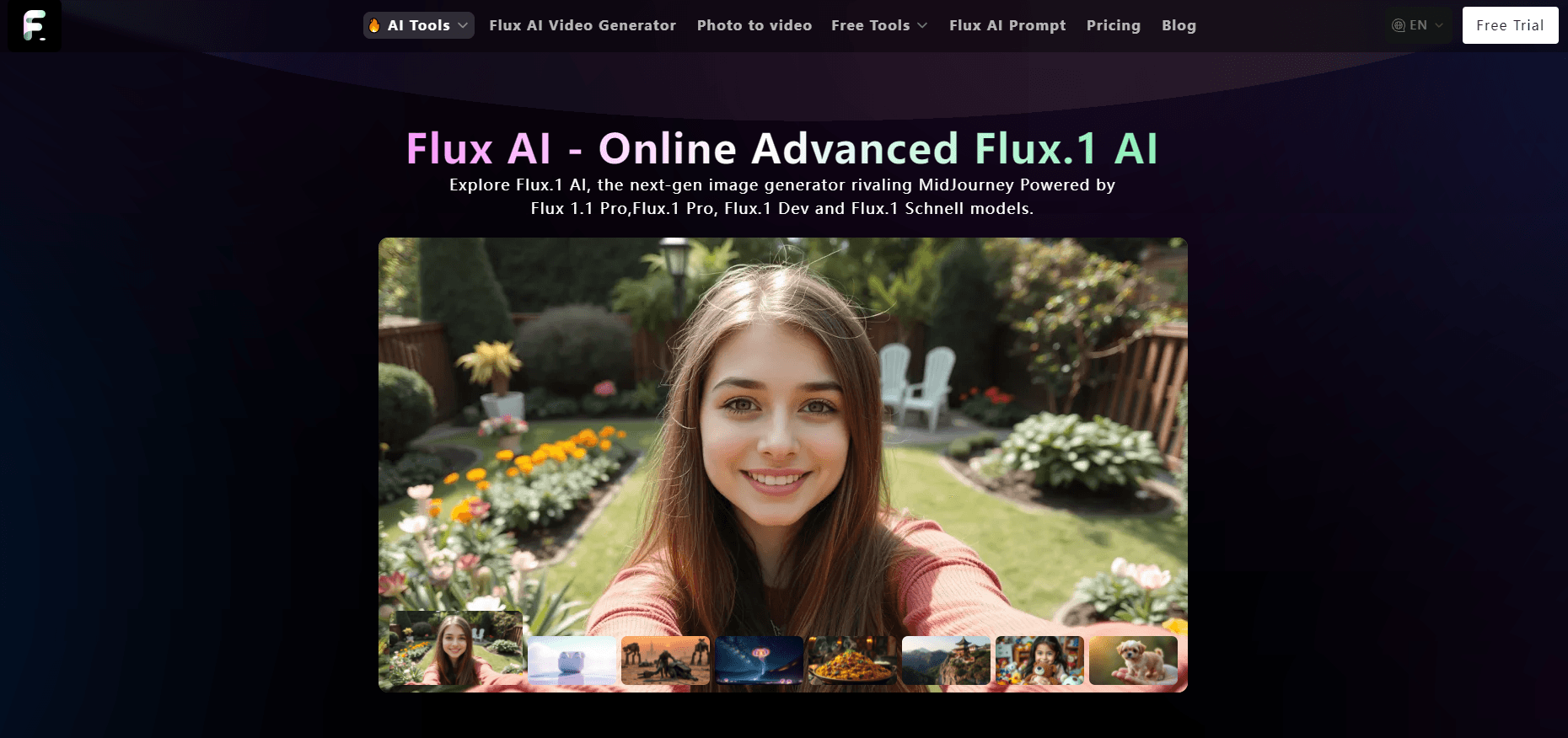
About Flair AI: Image & Video Maker
What Is Flair AI
Flair AI is a browser and mobile front end for a large set of image and video models. The web app lives at flux-ai.io, and the same account opens the Android app listed on Google Play as Flair AI: Image & Video Maker. The site bills itself as a Flux AI image generator, and that's the draw. Inside, you get a text to image tab, an image editor built on FLUX Kontext, a video tab, and a gallery of one click tools for headshots, product photos and background swaps.
The pitch is simple. You don't rent a GPU or wire up nodes. You pick a model, describe what you want, and spend credits. That puts the tool in the same room as Midjourney and Ideogram, with one difference that matters: the model list is public, and the credit cost of each model is printed next to it. FLUX.1 schnell costs 10 credits per image. FLUX.1 pro costs 60. Nano Banana Pro at 4K costs 100.
The tradeoff is that Flair AI owns none of these models. Black Forest Labs ships FLUX, Google ships Nano Banana, ByteDance ships Seedream. Flair AI rents them, so a model can disappear, change price, or sit in a slow queue when demand spikes. Nothing here trains on your own photos either, which rules out the custom character consistency that a fine tuned workflow gives you.
Getting Started
- Open flux-ai.io and sign in with an email address or a Google account. The Android app takes the same login.
- Choose a workspace: Image, Video, or one of the ready made tools such as AI Headshot Generator or AI Product Photography.
- Type a prompt or upload a reference photo, pick a model from the list, then set the aspect ratio and image count.
- Hit Generate, wait for the render, then download the file or push it into the video tab for animation.
Product Information
A quick look at Flair AI: Image & Video Maker's pricing, supported platforms, and performance.
Best for
The users, tasks, and scenarios where this tool fits best.
Users
- Social media creators
- Small shop owners
- Designers testing a look
- Curious beginners
Tasks
- Turning a product photo into a lifestyle shot
- Editing an existing image without redrawing it
- Making a short clip for a post
- Building a profile picture or headshot
Scenarios
- A launch week with ten listings to dress up
- Testing ad creative before spending on media
- A newsletter or blog that needs one header image a week
- Prototyping a concept for a client pitch
Key features
One Workspace for the Whole FLUX Line
The model list is the reason people land here. FLUX.1 schnell for drafts, FLUX.1 dev for everyday work, FLUX.1.1 pro and pro ultra when detail matters, plus Kontext Pro and Kontext Max for editing. Every entry shows its credit price, so you can pick a cheap model for a test and a costly one for the final frame. Switching models on the same prompt is one click, not a new install.
Kontext Editing That Keeps the Original Intact
FLUX Kontext edits what you point at instead of regenerating the whole picture. You can replace a background, change the color of a jacket, add text to a sign, or merge two reference photos into one scene. Faces, logos and layout survive the edit, which is the part most image models get wrong. Multi image editing costs the same 50 or 100 credits per render as the single image mode.
Text to Video and Photo Animation
The video tab takes a written prompt or a still image and returns a short clip, with an option to add audio. Photo animation is the practical use: take the product shot you just made and give it a slow push in or a turntable spin for a social post. It won't replace a video editor for anything longer than a few seconds, so think of the Flux AI video generator as a one shot tool for teasers and loops, not for a full edit.
Ready Made Tools for Repeat Jobs
About a dozen presets sit beside the main generator: AI Headshot Generator, AI Product Photography, AI Background Changer, Ghibli AI, Action Figure Generator, AI Hair Cut, Old Photo Restore, Photo to Cartoon, Remove Object and Try on. Each one is a tuned prompt behind a form, which is why they cost less than a full custom render. They're the fastest path for someone who doesn't want to learn prompting.
Credit Pricing That Follows Model Cost
Credits are the only currency. Schnell runs 10 per image, Gemini Flash Edit 10, Seedream 4.0 30, Nano Banana Pro 50, Kontext Max 100, and a 4K Nano Banana Pro render 100. The one time Ultra pack lists at $19.99 for 10,000 credits during the current discount, includes one month of premium features and private generations, and those credits stay valid for 100 days. You can size a job before you pay for it.
Web, Android, iOS and an API
The same account works in the browser and in the mobile apps, so a draft started on a phone can be finished on a laptop. For teams building products, flux-ai.io sells production API access to Flux 3 video generation, which means the same models can sit behind your own interface instead of the website.
Pros and cons
Pros
- Model choice is unusually broad for a single subscription, spanning FLUX, Kontext, Seedream, Nano Banana, Ideogram, Imagen and Qwen.
- Every model shows its credit price up front, so budgeting a batch of images doesn't require guessing.
- Kontext editing holds faces, text and product shapes far better than a plain image to image pass.
- The preset tools cover headshots, product photography and background swaps without any prompt writing.
- A free starting balance lets you test output quality before buying credits.
Cons
- Credits expire after 100 days, so light users end up paying for capacity they never spend.
- No training on your own photos means a character or a specific product look can drift between renders.
- Video output is short and simple, with no timeline, transitions or music library, so longer edits still need a real editor.
- Queue times stretch when a new model launches, and free or low tier renders wait longest.
Frequently asked questions
It generates images and short videos from text or from photos you upload. Typical jobs are product shots, social media art, headshots, background swaps and a few seconds of motion from a still. The web app and the mobile app share one account and one credit balance.
Related content
Explore related tools, skills, and articles for Flair AI: Image & Video Maker.
Flair AI: Image & Video Maker Alternatives

Google EmbeddingGemma 2
Google DeepMind · Writing · Image · CodingGoogle EmbeddingGemma 2 is a 740M-parameter open model that turns text, code, images, audio, and video frames into vectors in one 768-dimension space, running on phones and laptops.

Tractionwave
TractionWave · Image · MarketingTractionWave is an AI attention heatmap tool for static ads. Upload a PNG or JPG and it returns predicted attention, ranked hotspots, and fixes before you spend budget.

Imejis.io
Imejis.io · Image · MarketingImejis.io is an AI design studio for agents and marketing teams. Describe an image in plain words, and it writes the copy, builds the layout, reflows it to every size, then exports a finished file.