
Flux AI Lab
Flux AI Lab · Image
Flux AI Lab is a browser playground for Black Forest Labs' FLUX.1 image models. It turns text prompts into photorealistic pictures and offers FLUX.1 Schnell and Dev for free.
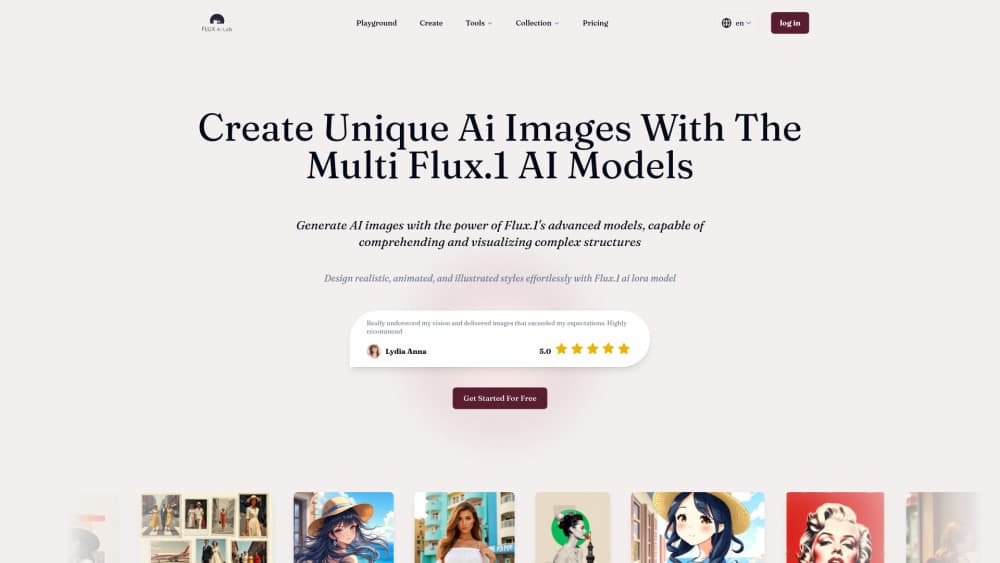
About Flux AI Lab
What Is Flux AI Lab
Flux AI Lab is an online image generator built on the FLUX.1 model series from Black Forest Labs. You type a prompt, pick a model, and get a finished picture in the browser. There's nothing to install.
The platform leans on three FLUX.1 variants. FLUX.1 Pro is the top pick for quality, FLUX.1 Dev balances speed and output for everyday work, and FLUX.1 Schnell is the quick one that runs the fastest. All three share the same family strengths: strong prompt following, clean text inside images, and a good grip on human hands, a detail earlier AI image generators struggled to render.
The setup is a credit system. A free account unlocks the lighter models and a starting batch of credits. Heavier runs, like FLUX.1 Pro or the Pro Ultra model, draw more credits, and options like LoRA styles or private generation sit behind the paid plans. If you expect dozens of images per day, watch the credit burn. Flux AI Lab pricing comes down to how many credits you buy, not a flat monthly fee.
Getting Started
- Go to fluxailab.com and click Get started for free, or log in if you already have an account.
- Open the Playground and pick a model: FLUX.1 Pro, FLUX.1 Dev, or FLUX.1 Schnell.
- Type a detailed prompt. For a more photographic look, the site suggests adding an EXIF-style prefix such as IMG_1018.CR2.
- Pick a LoRA or ControlNet style, then set image size and adjust the style strength.
- Hit generate. FLUX.1 Schnell returns a picture in seconds; Pro takes longer.
- Save the result to your collection or download it, then move on to the tools like the YouTube Thumbnail Maker or Logo Generator.
Product Information
A quick look at Flux AI Lab's pricing, supported platforms, and performance.
Best for
The users, tasks, and scenarios where this tool fits best.
Users
- Marketers and content creators
- Designers and illustrators
- Brand and product teams
Tasks
- Text to image
- Text-in-image rendering
- Style transfer and character art
Scenarios
- Making YouTube thumbnails
- Designing logos and brand assets
- Building product and fashion mockups
Key features
Three FLUX.1 models in one place
Flux AI Lab puts FLUX.1 Pro, FLUX.1 Dev, and FLUX.1 Schnell behind the same playground, so you switch quality against speed in a dropdown. Pro targets the cleanest output, Dev is the middle ground for daily jobs, and Schnell is built for quick drafts. Running all three from one account saves juggling separate sites.
LoRA and ControlNet style controls
The platform layers LoRA and ControlNet styles on top of the base models. In plain terms, these are add-ons that push the picture toward a chosen look or lock an image to a reference layout. You can chase a photographic finish, a painted one, or a specific artist style without retraining anything yourself.
Readable text in images
FLUX.1 renders words inside a generated picture better than most rivals, which is why the platform pushes it for posters, logos, and packaging. If your design needs a legible slogan or product label, the model often gets the spelling right on the first pass.
Brand consistency from one photo
A dedicated tool builds a batch of images that keep the same product or character consistent, starting from a single reference shot. That helps brand teams hold a look steady across a campaign instead of regenerating from scratch each time.
Built-in maker tools
Beyond the raw playground, Flux AI Lab ships focused tools: a YouTube Thumbnail Maker, a Logo Generator, a Poster Maker, and a Ghibli Character Style generator. Each one preloads prompts and settings for its task, so you skip fiddling with parameters meant for a different job. For anyone new to FLUX AI image generation, these prebuilt flows are the quickest way in.
Credit-based access with a free tier
A free account unlocks FLUX.1 Schnell and Dev plus a pool of starting credits, and the site notes no login is needed for those lighter runs. Paid plans trade money for credits, with commercial use and private generation reserved for paying users.
Pros and cons
Pros
- Three FLUX.1 models sit under one account, so you match output to the job without switching sites.
- FLUX.1 Schnell and Dev are open to free accounts, making it easy to test before paying.
- LoRA and ControlNet styles give real control over the look, not just a prompt.
- Text rendering stays legible, a weak spot for many text-to-image tools.
- Purpose-built tools for thumbnails, logos, and posters cut setup time.
Cons
- FLUX.1 Pro and Pro Ultra burn credits fast, so heavy use adds up quickly.
- Private generation and commercial rights sit behind paid plans, which rules out free tier for client work.
- No public API is documented, so you can't wire the models into your own pipeline.
- Higher-tier models need more compute, so Pro runs take noticeably longer than Schnell.
Frequently asked questions
Flux AI Lab is a browser-based AI image generator built on Black Forest Labs' FLUX.1 model series. You describe an image in text and the platform produces it, with no software to install.
Related content
Explore related tools, skills, and articles for Flux AI Lab.
Flux AI Lab Alternatives

Google EmbeddingGemma 2
Google DeepMind · Writing · Image · CodingGoogle EmbeddingGemma 2 is a 740M-parameter open model that turns text, code, images, audio, and video frames into vectors in one 768-dimension space, running on phones and laptops.

Tractionwave
TractionWave · Image · MarketingTractionWave is an AI attention heatmap tool for static ads. Upload a PNG or JPG and it returns predicted attention, ranked hotspots, and fixes before you spend budget.

Imejis.io
Imejis.io · Image · MarketingImejis.io is an AI design studio for agents and marketing teams. Describe an image in plain words, and it writes the copy, builds the layout, reflows it to every size, then exports a finished file.