

Flux Image
Black Forest Labs · Image
Flux Image is Black Forest Labs' image model family, now led by FLUX 3 Image. You can prompt it, place elements with boxes, or edit one region at a time.
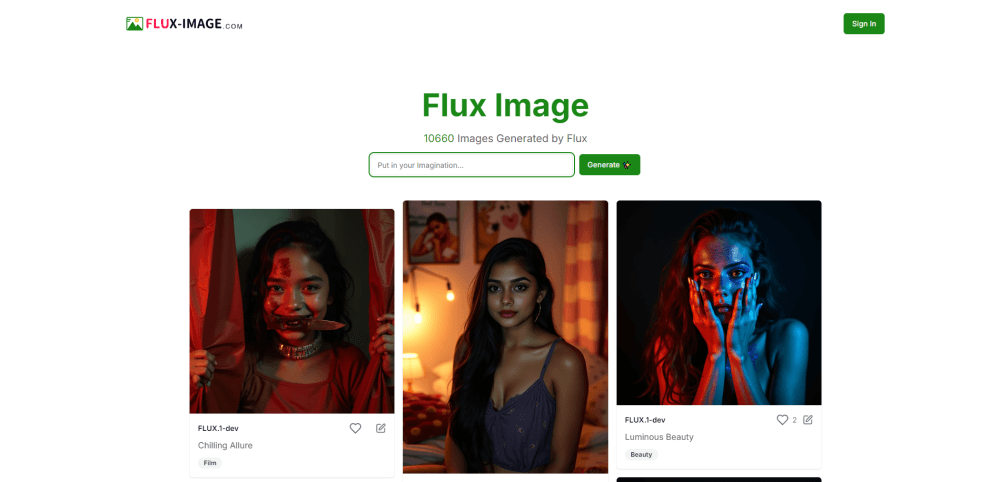
About Flux Image
What Is Flux Image
Flux Image is the image side of the FLUX lineup from Black Forest Labs, the Berlin lab founded by the team that built Stable Diffusion. The first release landed in August 2024 as a 12 billion parameter text to image model. Since then the family has grown into several lines: FLUX.1, FLUX.2, FLUX Tools and the current FLUX 3 generation, which also covers video and robotics alongside still images.
What separates the current models from a plain prompt box is placement. As a FLUX image generator, the newer releases let you plan the frame instead of gambling on wording. FLUX 3 Image lets you describe a scene as a list of boxes with a description for each one, so a headline, a product and a background sit where you planned them. You can skip the boxes and write a normal prompt too, and the same model handles edits, reference images and upscaling work through the companion tools.
The catch is that Flux Image is a model line, not a single app. Nothing here is a subscription design tool with a timeline and a template library. You either use the hosted playground and API from Black Forest Labs, or you run open weights builds on your own GPU. Per image pricing means cost tracks output volume, and high volume work adds up faster than a flat monthly plan would.
Getting Started
- Create an account at the Black Forest Labs dashboard and confirm your email. A default organization and project get set up for you.
- Add credits under API and Credits. One credit equals one US cent, and ten to twenty dollars is enough to test several models.
- Generate an API key in your project. Copy it right away, because the key is shown once.
- Send a request with a model name, a prompt and a resolution. Read the cost field in the response if you want to track spend.
- To skip code, open the playground and run the same models in a browser. To skip the hosted service entirely, download an open weights build and run it locally.
Product Information
A quick look at Flux Image's pricing, supported platforms, and performance.
Best for
The users, tasks, and scenarios where this tool fits best.
Users
- Designers who need a specific layout
- Marketing teams producing ad variants
- Developers shipping image features
Tasks
- Social and ad creative in several aspect ratios
- Product shots on plain backgrounds
- Iterating on one region of a finished image
- Character consistent storytelling
Scenarios
- A small studio that needs ten campaign images by Friday
- A team that must keep images on its own servers
- An agent or automation pipeline
Key features
Bounding box composition
You describe the frame as a set of boxes, each with an id and a short description, and the model fills them in as one coherent picture. A festival poster test with five elements, a dome, a town, swimmers, a crowd and a headline, reads as a designed image rather than a lucky prompt. For anyone who has fought a prompt for twenty tries to move one object, this is the feature that matters.
Native 2K and 4K rendering
FLUX 3 Image renders at full resolution instead of upscaling a small frame afterwards, which keeps textures, faces and color transitions intact. That changes the workflow for print and large format work, where a soft upscale usually shows up first in skin and fabric. You still pay more for more pixels, and the pricing is set per resolution class.
Pixel perfect regional edits
Edits apply to the region you select, and everything you didn't touch stays exactly where it was. In practice, that means you can change one label or one color and keep the rest of an approved image untouched. This is the difference between an AI image editing pass that ships and one that gets rejected for shifting the whole composition.
Multi reference generation
You can feed up to ten reference images and get a single composed result, which is how product placement and character work stay consistent. Ten inputs is generous compared with most hosted models, and the output keeps the lighting of the references instead of pasting cutouts. It helps most when the references are clean and shot under similar light.
Open weights you can host
FLUX 3 Image Klein, a 5.6 billion parameter build released in October 2026, is the open weights member of the family and runs on your own hardware. That covers teams with data residency rules or GPU capacity already paid for. The open weights image model route takes setup work, and throughput depends on the card you own.
One API across image, video and tools
The same platform serves FLUX 3 Image, FLUX 3 Video with native audio, FLUX 3 Max and the FLUX Tools endpoints for fill, expand, erase, upscale and virtual try on. Video is billed per second by resolution, images per picture, all from one credit balance. For a product that needs a still and a clip of the same scene, keeping one vendor and one bill saves real integration time.
Pros and cons
Pros
- Layout control through boxes gives predictable compositions that prompt only tools can't match.
- Native 4K output removes the softness that usually shows up when a small render gets upscaled for print.
- Open weights builds let regulated teams keep images and prompts inside their own network.
- Pay per image pricing means a quiet month costs almost nothing, with no seat fees.
- Editing preserves untouched regions, so approved frames survive a round of revisions.
Cons
- There is no free tier on the hosted API. You add credits before the first call, which rules out a quick test without a card.
- The product is a model line rather than an app, so templates, layer editing and asset libraries are on you or on a partner tool.
- High volume gets expensive fast. A thousand 4K images is a real line item, while a flat subscription competitor would cap the bill.
- Self hosting needs a modern GPU and setup time, and quality across quantized community builds varies.
Frequently asked questions
Partly. The hosted API and playground are pay as you go, and you add credits before generating anything. The open weights builds, including FLUX 3 Image Klein, cost nothing to download and run on hardware you already own.
Related content
Explore related tools, skills, and articles for Flux Image.
Flux Image Alternatives

Google EmbeddingGemma 2
Google DeepMind · Writing · Image · CodingGoogle EmbeddingGemma 2 is a 740M-parameter open model that turns text, code, images, audio, and video frames into vectors in one 768-dimension space, running on phones and laptops.

Tractionwave
TractionWave · Image · MarketingTractionWave is an AI attention heatmap tool for static ads. Upload a PNG or JPG and it returns predicted attention, ranked hotspots, and fixes before you spend budget.

Imejis.io
Imejis.io · Image · MarketingImejis.io is an AI design studio for agents and marketing teams. Describe an image in plain words, and it writes the copy, builds the layout, reflows it to every size, then exports a finished file.