

Flux Pro Image Generator
Flux AI Pro (flux-pro.net) · Image
Flux Pro Image Generator is a browser based AI image generator from flux-pro.net. It runs Black Forest Labs FLUX models on a credit system, ranging from fast drafts to 4MP finals.
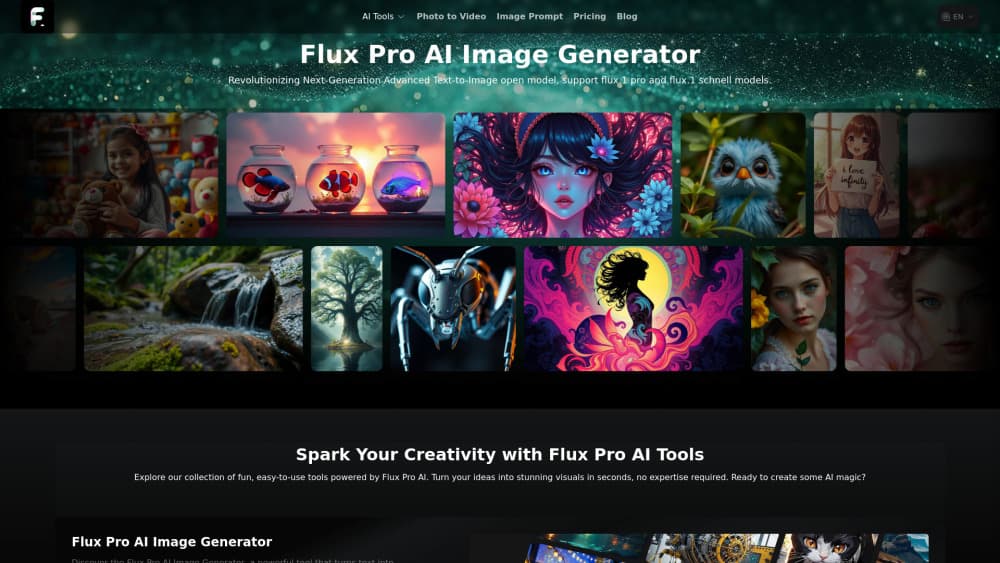
About Flux Pro Image Generator
What Is Flux Pro Image Generator
Flux Pro Image Generator is the image tool inside flux-pro.net, an independent site that hosts Black Forest Labs' FLUX models behind a friendly web interface. It's not the official Black Forest Labs product. The studio behind it licenses the models, adds its own prompt box, aspect ratio presets, and download options, then sells access through credits.
The useful part is model choice in one place. The same panel runs FLUX.1 schnell for quick drafts, FLUX.1 dev and FLUX.1 Pro for heavier work, FLUX 1.1 Pro for balanced output, and FLUX 1.1 Pro Ultra when you need a 4MP final. FLUX Kontext Pro and Max sit alongside for edits, and a Flux Dev LoRA option covers tuned styles. You pick a model, spend its credit cost, and download the file in WEBP, PNG, or JPG.
The catch is that everything runs on credits, and the free pool is small. A new account starts with 60 credits, which covers one FLUX.1 Pro image or six fast Schnell drafts. Daily check in adds 20 more. Anyone producing images at volume will end up on a paid plan, and the site makes no secret of that.
Getting Started
- Open flux-pro.net and sign in with an email account. The free 60 credits land in your balance right away.
- Type a prompt in the box, up to 500 characters, or upload a reference image. A prompt helper button rewrites a rough idea into a fuller description.
- Pick a model and an aspect ratio. Eight presets are offered, including 9:16 vertical for phone screens and stories.
- Press Generate, then wait in the shared queue on the free tier.
- Download the result as WEBP, PNG, or JPG, and check the history panel for earlier runs.
Product Information
A quick look at Flux Pro Image Generator's pricing, supported platforms, and performance.
Best for
The users, tasks, and scenarios where this tool fits best.
Users
- Casual experimenters
- Designers on a deadline
- Small marketing teams
Tasks
- Drafting concepts fast
- Producing print ready art
- Editing an existing shot
- Turning an image into a prompt
Scenarios
- A weekend side project
- An ecommerce batch
- A pitch deck
Key features
Multiple FLUX Models in One Panel
Seven models share the same prompt box, so switching from a cheap draft to a final render is a dropdown change. Schnell costs 10 credits an image, dev costs 30, FLUX.1 Pro costs 60, FLUX 1.1 Pro costs 50, and Ultra costs 75. Kontext Pro and Max add image editing at 50 and 100 credits. That spread lets you test a prompt cheaply and commit only when the composition works.
Credit Pricing With a Free Daily Allowance
New accounts open with 60 credits, and a daily check in adds 20. The free tier also allows 5 prompt generations and 5 image to prompt runs a day, with a 15 day history. Standard costs $9.99 a month for 5,000 credits, and Professional costs $29.99 for 21,000. At 60 credits per FLUX.1 Pro image, Professional works out to roughly 350 images, or about 9 cents each.
Prompt Helper and Image to Prompt
The prompt helper takes a short phrase and expands it into a fuller scene description, which helps when you know the mood but not the wording. The image to prompt tool does the reverse: feed it a picture and it returns a text description. Both are small features that save real time when you're iterating on a style.
Aspect Ratios and File Exports
Eight aspect ratio presets cover square posts, wide banners, and 9:16 vertical for stories and phone wallpapers. Downloads come as WEBP, PNG, or JPG, so the same render can go straight into a web page or a print layout. A history panel keeps earlier generations reachable, which matters when you want to revisit a variation instead of regenerating it.
Kontext Editing and Video in the Same Account
FLUX Kontext Pro and Max handle instruction based edits, such as removing an object or restyling a scene, without a separate subscription. The same account also reaches the site's video generator, priced from 100 credits for a 5 second standard clip. Credits are shared, so you decide whether a month's balance goes to stills or motion.
Pros and cons
Pros
- All the main FLUX models sit behind one login, so you don't juggle four different demo sites to compare output.
- Free credits arrive on signup and top up daily, which makes the AI image generator testable before any payment.
- Credit costs are published per model, and the arithmetic is easy to check against a monthly budget.
- Commercial rights are included on both paid plans, which removes a common worry for client work.
- Kontext editing and video generation share the same balance, so one subscription covers more than stills.
Cons
- The free tier runs on a shared queue, so a busy hour can mean a long wait before your image appears.
- 60 welcome credits buy exactly one FLUX.1 Pro image, which is thin if you want to compare models.
- Credits expire with the billing cycle, and unused balance doesn't roll into the next month.
- No public developer API is documented for this site, so teams that want to automate batches have to look elsewhere.
- Some marketing claims on the site, such as 4K RAW output and a 1187 Elo score, refer to the underlying FLUX models rather than this wrapper.
Frequently asked questions
It's a web app on flux-pro.net that runs Black Forest Labs' FLUX image models behind a credit system. You write a prompt, choose a model and aspect ratio, and download the result. The site is independent from Black Forest Labs.
Related content
Explore related tools, skills, and articles for Flux Pro Image Generator.
Flux Pro Image Generator Alternatives

Google EmbeddingGemma 2
Google DeepMind · Writing · Image · CodingGoogle EmbeddingGemma 2 is a 740M-parameter open model that turns text, code, images, audio, and video frames into vectors in one 768-dimension space, running on phones and laptops.

Tractionwave
TractionWave · Image · MarketingTractionWave is an AI attention heatmap tool for static ads. Upload a PNG or JPG and it returns predicted attention, ranked hotspots, and fixes before you spend budget.

Imejis.io
Imejis.io · Image · MarketingImejis.io is an AI design studio for agents and marketing teams. Describe an image in plain words, and it writes the copy, builds the layout, reflows it to every size, then exports a finished file.