

Fluxdream
FluxDream · Image
Fluxdream is a browser-based AI image generator and photo editor that runs GPT Image 2 and the Nano Banana family on one credit balance, with a prompt library and one free guest edit a day.
About Fluxdream
What Is Fluxdream
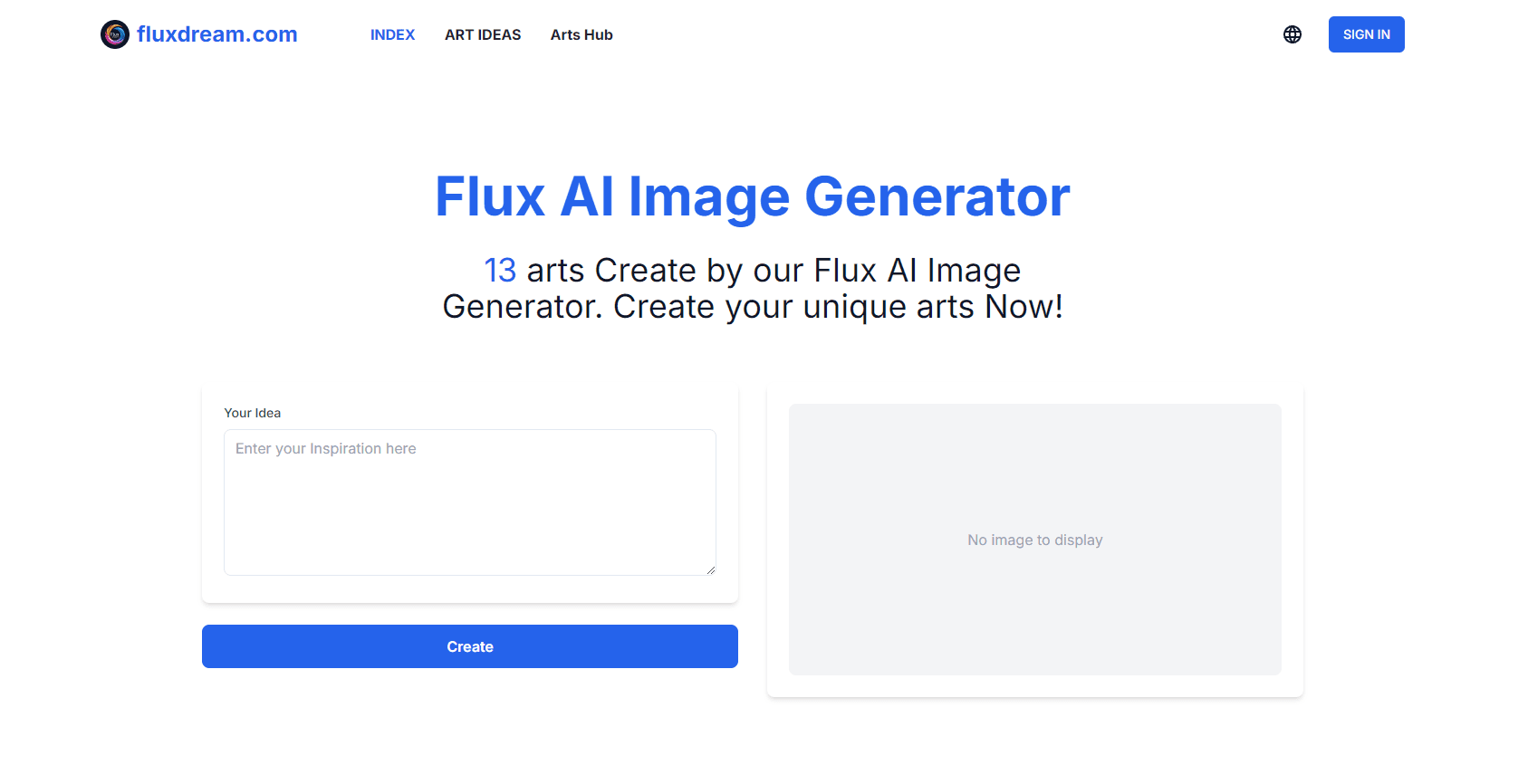
Fluxdream is a web workspace for making and editing pictures with hosted AI models. You type a prompt or drop in a reference photo, pick one of the engines on offer, and get finished images back in the same tab. The site started around the FLUX.1 image model and now lists GPT Image 2 and the Nano Banana family as the engines behind the plans, so the AI art generator label on the homepage points at a set of hosted models.
The problem it goes after is fragmentation. Most people end up with one subscription for generation, a second tool for background removal, and a third for restoring an old scan. Fluxdream puts a canvas, a photo editor with five named edit tasks, a prompt library, and a history list behind a single login. One credit balance pays for whichever model you pick.
Two limits matter before you pay. Credits are metered per image and the better engines cost more, so the cheap habits of unlimited generation don't carry over. And there's no public API documentation, which rules it out as a piece of production infrastructure for a dev team. It's a place to make pictures, not a platform to build on.
Getting Started
- Open fluxdream.com and try the editor as a guest. Pick an edit task such as Replace Background or Remove Object, upload one JPEG, PNG, or WebP file up to 10 MB, and describe the change in a sentence.
- Sign in when you want to download. A free account comes with 5 welcome credits that stay valid for 7 days.
- Move to the canvas for full generation. Write a prompt, or attach a reference image, then choose the model you want for that job.
- Compare cost before you commit. Each model shows its credit price, so you can see whether a 1K draft on GPT Image 2 or a Nano Banana Pro pass fits the budget.
- Save what worked. Every result lands in your history with the wording and settings attached, so a good prompt can be reused instead of rewritten.
Product Information
A quick look at Fluxdream's pricing, supported platforms, and performance.
Best for
The users, tasks, and scenarios where this tool fits best.
Users
- Social media marketers
- Small e-commerce sellers
- Hobbyists and curious beginners
Tasks
- Removing an unwanted object
- Replacing a background
- Restoring an old photo
- Making colour variants
Scenarios
- A product photo that's fine except for the setting
- A long run of blog headers
- A batch of ad variations before a deadline
Key features
Multi-model canvas
The main generator takes a text prompt or a reference image and sends it to the engine you choose. GPT Image 2 covers cheap 1K drafts at 1 credit per image, Nano Banana 2 runs 3 credits, and Nano Banana Pro runs 6. Putting several engines behind one canvas means you can match the model to the job instead of to your subscription.
A photo editor built on one-sentence edits
The editor asks for a description rather than a set of sliders. For AI image editing that means five wired tasks: Replace Background, Remove Object, Change Color, Restore Photo, and Transfer Style. Upload one file, write the change, and the edit happens on your original photo rather than on a template. That distinction matters most with hair, glass, and semi-transparent edges, where copying and pasting never looks right.
Prompt library with the results attached
Thousands of prompts sit next to the pictures they produced. If you're stuck on how to phrase an object removal or a colour change, you can read wording that already worked, adapt it, and skip most of the trial and error. It's the closest thing the site has to a shared technique guide.
Credits priced per model
Every offer shows an estimated image count before checkout. Starter at $15 a month gives 120 credits, Pro at $29 gives 250, and Ultimate at $139 gives 1,600, with annual billing taking 20% off. One-time packs from 100 to 6,500 credits handle a spike without a plan change.
History that remembers the settings
Results are stored with the wording, model, and settings that produced them. An edit that worked in March can be run again in September. Generation history is private by default, which matters if you're working on client material.
Focused image tools
Small single-purpose pages cover the jobs people search for: converting a photo to a cartoon, relighting a shot, making a Polaroid frame, deleting unwanted objects, editing portraits, and a seasonal Halloween costume generator. They open without a learning curve and use the same credits as the main canvas.
Pros and cons
Pros
- One credit balance covers both GPT Image 2 and Nano Banana, so there's no second subscription when you switch models.
- Paid plans output up to 4K and no watermark is stamped on the download.
- A guest edit every rolling 24 hours lets you test output quality before creating an account.
- The prompt library shows wording next to the image it made, which shortens the guessing phase.
- Everything runs in a mobile browser, so an edit doesn't need a desktop install.
Cons
- The free allowance is thin. Five welcome credits expire after 7 days and guests get one edit per day.
- Subscription credits expire at the next grant, so a quiet month doesn't bank value for a busy one.
- Nano Banana Pro at 6 credits per 1K image drains a Starter plan in about 20 images.
- No public API documentation and no desktop app, so batch work means staying in the browser tab.
Frequently asked questions
Yes, within limits. Guests get one edit in each rolling 24-hour window without registering, and a new account receives 5 welcome credits valid for 7 days. After that, work runs on credits from Starter, Pro, or Ultimate.
Related content
Explore related tools, skills, and articles for Fluxdream.
Fluxdream Alternatives

Google EmbeddingGemma 2
Google DeepMind · Writing · Image · CodingGoogle EmbeddingGemma 2 is a 740M-parameter open model that turns text, code, images, audio, and video frames into vectors in one 768-dimension space, running on phones and laptops.

Tractionwave
TractionWave · Image · MarketingTractionWave is an AI attention heatmap tool for static ads. Upload a PNG or JPG and it returns predicted attention, ranked hotspots, and fixes before you spend budget.

Imejis.io
Imejis.io · Image · MarketingImejis.io is an AI design studio for agents and marketing teams. Describe an image in plain words, and it writes the copy, builds the layout, reflows it to every size, then exports a finished file.