

Flux AI
Black Forest Labs · Image
Flux AI is a web-based AI image generator that turns text prompts into high-quality images in seconds, built for beginners and pro designers alike.
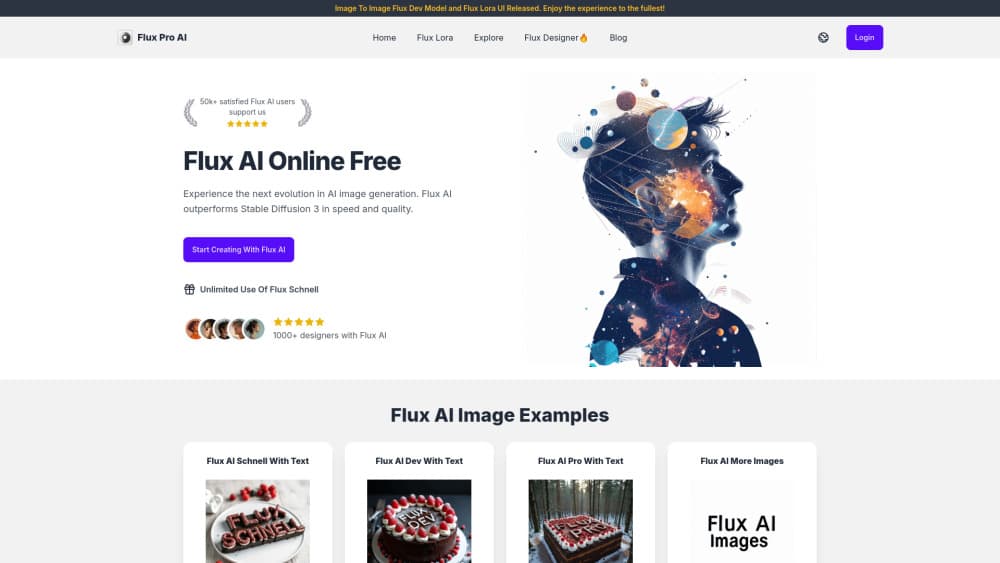
About Flux AI
What Is Flux AI
Flux AI is an online AI image generator that runs on the Flux.1 family of models, including Flux.1 Pro, Flux Dev, and Flux Schnell. You type a prompt, pick a model, and get an image back in seconds. The underlying models come from Black Forest Labs, the research team behind the original Stable Diffusion work, so the output quality sits near the top of what text-to-image tools can do right now.
The site wraps those models in a simple web interface. That matters because the models themselves are open source and often run through ComfyUI, a node-based tool that assumes you know your way around a GPU. Flux AI skips all of that. No install. No drivers. No VRAM math. You sign up, get free daily credits, and start generating.
Pricing is where the real choice lives, since each model burns a different number of credits. Schnell is the cheap one at 1 credit per image, Dev costs 2, and Flux.1 Pro and Flux 1.1 Pro run 4 each. The free plan gives you 5 credits a day and locks you to Schnell, which is fine for testing but slow and not licensed for commercial work. If you plan to sell what you make, you'll need a paid tier.
Getting Started
- Create an account on the Flux AI website with an email address and password.
- Claim your free daily credits, or pick a paid plan if you need higher-volume output.
- Type a text prompt describing the image you want, then choose a model such as Schnell or Flux.1 Pro.
- Set any available options like aspect ratio, then hit generate and wait a few seconds.
- Download the finished image, or revisit it later from your history if you're on a paid plan.
Product Information
A quick look at Flux AI's pricing, supported platforms, and performance.
Best for
The users, tasks, and scenarios where this tool fits best.
Users
- Beginners who want AI art without installing ComfyUI or managing a GPU.
- Graphic designers who need fast concept images and moodboards.
- Marketers producing social media visuals on a tight budget.
- Hobbyists experimenting with AI art generators in their spare time.
Tasks
- Turning text prompts into finished images for posts, thumbnails, and slides.
- Generating quick visual concepts during early project brainstorming.
- Producing product mockups and background art at scale.
- Testing prompt ideas across models to see which one fits a style.
Scenarios
- When you need a usable image in under a minute and don't want to open a desktop app.
- When you're on a laptop without a dedicated graphics card and can't run a local model.
- When a client asks for three visual directions by end of day.
- When you're learning prompt writing and want fast feedback.
Key features
Multiple Flux Models in One Place
Flux AI puts several models behind a single interface, so you can switch between Flux Schnell, Flux Dev, Flux.1 Pro, and Flux 1.1 Pro without leaving the page. Schnell is built for speed and costs 1 credit per image, while the Pro models take 4 credits and return more detail and better prompt adherence. Having them side by side means you can test a prompt on a cheap model first, then spend the expensive credits only on the version you actually like. Cheap first. Pro later.
Fast Text to Image Generation
The selling point here is speed. Schnell, whose name means "fast" in German, is designed to return an image in a handful of seconds rather than the minute-plus some competing tools take. That speed changes how you work, because you can run twenty variations of a prompt in the time it used to take to run three. Sound useful? For anyone doing iteration-heavy creative work, that's the difference between a tool you keep open and one you forget about.
Credit-Based Pricing with a Free Tier
Every model has a credit cost, and you buy credits through monthly plans or one-time packs. The free plan hands you 5 credits a day. That's enough to try the tool without a card. Premium starts at $15.9 a month for 800 credits, Advanced at $22.9 for 1,500, and Enterprise at $55.9 for 3,000. The math is straightforward once you know that a Schnell image costs 1 credit and a Flux.1 Pro image costs 4.
Image-to-Image and LoRA Support
Beyond plain text prompts, the platform supports image-to-image work and LoRA styles, letting you feed in a reference image or a trained style instead of starting from nothing. LoRA training itself is listed as coming soon. Not ready yet. Still, for users who care about consistency across a series of images, this is the feature that matters most, since it's how you keep a character or brand look stable from one generation to the next.
Creator Toolset Beyond Images
The site bundles text, video, and digital human tools alongside the image generator, positioning itself as an all-in-one AI creator platform rather than a single-purpose image tool. If your work mixes stills and short clips, having both in one account saves you from juggling subscriptions. It's a broader pitch than most Flux frontends make. Just watch the credit math.
Simple Web Interface for Non-Coders
There's nothing to install. The whole product runs in a browser, which is the main reason people pick it over running Flux locally. Running Flux.1 Dev on your own machine means downloading tens of gigabytes of model weights and owning a GPU with enough VRAM, and even then ComfyUI's node graphs are a steep climb. Flux AI trades that control for convenience. For most users, that's a fair trade. Not a bad deal either.
Pros and cons
Pros
- Free tier with 5 daily credits lets you test every-day image generation before paying.
- Multiple Flux models under one roof, so you can match cost to task.
- Generation finishes in seconds on Schnell, fast enough for rapid prompt iteration.
- Browser-based, so it works on a laptop without a dedicated GPU.
- Paid plans include a commercial license and permanent history records.
Cons
- The free plan only unlocks Schnell, so you can't try the Pro models without paying.
- Free-plan images aren't licensed for commercial use, which rules out client work.
- No public API, so developers can't wire it into their own apps or pipelines.
- Slow generation on the free tier makes it a poor fit for high-volume batches.
Frequently asked questions
Flux AI is an AI image generator for turning written prompts into pictures. You describe what you want, and the tool produces an image, which you can then download and use for posts, designs, or concept work.
Related content
Explore related tools, skills, and articles for Flux AI.
Flux AI Alternatives

Google EmbeddingGemma 2
Google DeepMind · Writing · Image · CodingGoogle EmbeddingGemma 2 is a 740M-parameter open model that turns text, code, images, audio, and video frames into vectors in one 768-dimension space, running on phones and laptops.

Tractionwave
TractionWave · Image · MarketingTractionWave is an AI attention heatmap tool for static ads. Upload a PNG or JPG and it returns predicted attention, ranked hotspots, and fixes before you spend budget.

Imejis.io
Imejis.io · Image · MarketingImejis.io is an AI design studio for agents and marketing teams. Describe an image in plain words, and it writes the copy, builds the layout, reflows it to every size, then exports a finished file.