
Focal
Focal · Coding · Leaning
Focal is an AI research platform that turns saved PDFs and web pages into a searchable library, with summaries and citation-backed answers. The service is now closed to new signups.
About Focal
What Is Focal
Focal is a web app for people who read for a living. You drop PDFs and web articles into a library, read them in a clean viewer, and ask an AI copilot questions that come back with citations pointing to the exact source. The team pitched it as a replacement for the usual mess of browser tabs, reference managers, and scattered notes.
It sat between a reference manager and a knowledge management system. The selling point was traceability. Answers were grounded in the documents you uploaded, not in general model knowledge, and each claim carried a link back to a page. Focal also handled the chores: summarizing a 60-page report, pulling key points, formatting references in APA, MLA, IEEE, Chicago, or Harvard, and grouping highlights under tags.
One thing matters more than any feature. Focal has shut down. The homepage now carries a farewell note from the team, and existing customers can sign in only until the end of their current billing period. If you need a research tool to start using today, this is not it. What follows covers what the product did, what it cost, and which pieces are worth hunting for in a replacement.
Getting Started
- Create an account at app.getfocal.co and pick a plan or start the free trial.
- Add sources by uploading PDFs or saving web articles into your library.
- Open a document, highlight passages, and tag the ones you want to revisit.
- Ask the Copilot a question about one source or the whole library, then check the citations it returns.
- Export summaries, outlines, or formatted references for a paper, report, or memo.
Product Information
A quick look at Focal's pricing, supported platforms, and performance.
Best for
The users, tasks, and scenarios where this tool fits best.
Users
- Students writing a thesis or a long paper
- Academic researchers
- Consultants and analysts
- Non-fiction writers
Tasks
- Literature review
- PDF summarization
- Source-checked answers
Scenarios
- Thesis prep with 40 papers and a deadline
- Due diligence on a company
- A reading backlog of saved articles
Key features
Copilot Answers With Citations
The Copilot answered questions across one document or an entire library. Every response included links to the pages it drew from, so you could verify a number or a quote in a couple of clicks. That citation habit is the main reason the tool suited academic work, where an unsourced sentence is worse than no sentence.
Summaries at Two Depths
Focal could compress a document into a short overview or a longer breakdown with key points. The AI read the full text rather than the abstract, which mattered for reports that bury the conclusion in an appendix. You could also generate an outline for a paper or memo from the same source set.
A Reader That Strips the Clutter
Saved web articles opened in a clean reading view without ads, pop-ups, or navigation. PDFs rendered in the same place, so a project's sources lived in one interface. For anyone who saves articles all week and reads them on Sunday, that alone saved a step.
Highlight and Tag Workflow
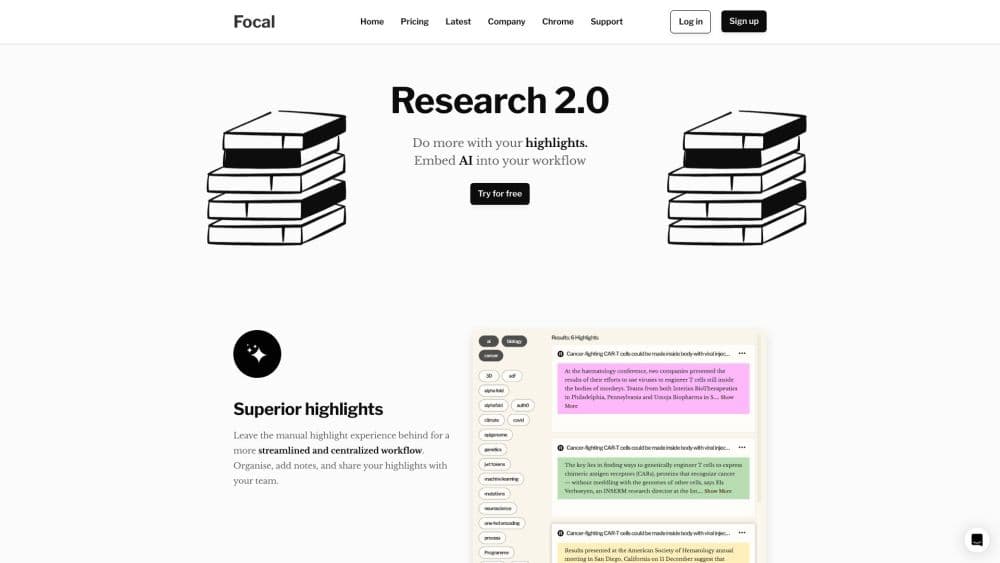
Highlights, comments, and tags gave the library a structure beyond folders. You could mark a passage, tag it by theme, and later pull every highlight on that theme across dozens of sources. Teams used the same layer to leave comments for each other on specific passages.
Reference Formatting in Five Styles
The citation generator produced references in APA, MLA, IEEE, Chicago, and Harvard. It pulled metadata from the uploaded files and tied each entry to the passage it supported. Copying a formatted bibliography into a manuscript took seconds instead of an afternoon.
Shared Workspaces for Teams
Paid team plans included shared workspaces, with five seats on the base tier and extra seats billed monthly. Members could share sources, highlights, and comments in one place. Access controls kept a client project separate from internal reading.
Pros and cons
Pros
- Citations link back to the exact page, which makes fact-checking fast and keeps AI answers honest.
- Five reference styles cover most university and publisher requirements without a separate citation tool.
- The reader removes ads and clutter from saved articles, so the library doubles as a reading queue.
- Cross-document questions work on a whole project, not just one file at a time.
- Team workspaces and per-seat pricing fit small research groups better than per-user enterprise contracts.
Cons
- The service has closed. New users cannot sign up, and existing accounts end with the current billing period.
- Data export required contacting the founder directly, which is a slow path if you need your library in a hurry.
- There was no public API, so the research workflow could not be wired into other tools.
- Free access was limited to a short trial with three sources, which was tight for testing a real project.
Frequently asked questions
Focal was an AI research platform for reading, organizing, and querying documents. You saved PDFs and web pages to a library, then used a Copilot to summarize them or answer questions with citations. The company has since shut the product down.
Related content
Explore related tools, skills, and articles for Focal.
Focal Alternatives

Udon
Udon · Coding · ProductivityUdon turns an Apple Silicon Mac into a home server you run from a browser, with container controls, file shares, and an optional AI sysadmin.

offstage
offstage cloud · Coding · Productivityoffstage gives AI coding agents and CI jobs a real Mac: a fresh macOS account on Apple silicon, driven over an API and billed by the second.

BotBus
Chengdu Tuyang Tusen Technology Co., Ltd. · Coding · ProductivityBotBus lets you control AI coding agents from your phone and watch: approve commands, start tasks and read results while the code stays on your desktop.