

Focus Buddy
FocusBuddy (Y Combinator S24) · Productivity · AI Assistant
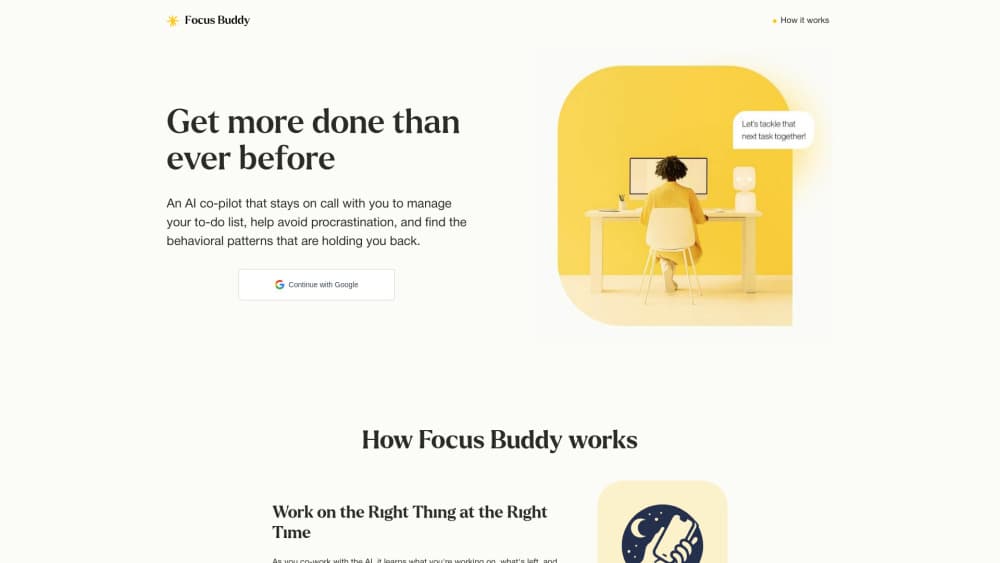
FocusBuddy is an AI productivity coach that runs in the background on your computer and talks with you by phone while you work, keeping tasks on track and catching distraction.
About Focus Buddy
What Is FocusBuddy
FocusBuddy, often written Focus Buddy, is an AI productivity coach built by a Y Combinator S24 team. It sits in the background on your computer and speaks with you while you work, so the support arrives in the middle of a task rather than the night before. The team behind it, Adnan Sherif and Yash, worked on the Google Pixel team as a product manager and an ML engineer before starting the company.
Think of it as an ADHD focus app that talks rather than one that just counts down. Where a plain timer sits silent, this spends the day in conversation, and the team frames the whole loop as productivity coaching that happens in real time. The product starts with people who have ADHD. The team points to 17 million adults and children in the US with the condition and to the hours they lose each day to distraction and task paralysis. The wider group is the 80 million knowledge workers in high-income countries who struggle to stay on task, according to the company. FocusBuddy treats the coach as a presence you talk to, not a dashboard you check. Users hold a phone call with the AI for three to four hours a day while they work.
The main limit is availability. FocusBuddy is free for general use, but the personalized version is a paid plan offered to a select few, per the company. There is no self-serve signup page that turns anyone into a customer in a minute, and the product works through conversation, so it fits people who are comfortable talking out loud while they work.
Getting Started
- Sign up on the FocusBuddy website and join the list for early access
- Have your first call with the coach to go over your to-do list and shape a schedule for the day
- Start your first task and ask for check-ins at the cadence you want
- Reply when the coach speaks up, and let it help you reprioritize when something pulls you off track
- End the day with a short reflection so the AI can prepare the next morning's plan
Product Information
A quick look at Focus Buddy's pricing, supported platforms, and performance.
Best for
The users, tasks, and scenarios where this tool fits best.
Users
- Adults with ADHD
- Knowledge workers who stall on deep tasks
- People who already co-work or journal for focus
- Founders and solo operators
Tasks
- Daily planning
- Focus accountability
- Distraction recovery
- Daily reflection
- Time estimation
Scenarios
- A morning planning call
- A draft that runs over
- An afternoon slump
- Working alone from home
- End of day
Key features
Work on the Right Thing at the Right Time
As you co-work with the AI, it tracks what you're working on, what's left and what's done. It keeps your to-do list current and surfaces a high-priority task when your attention drifts to something smaller. The point is that you don't stop to fix the list yourself. The coach holds the plan so you can stay in the work.
Check-Ins That Hold You Accountable
The coach checks in while you work, and you answer out loud over the phone. In practice it works like an AI accountability coach, the kind that waits for no prompting. It helps you talk through a concern, work past perfectionism and get over the hump of starting. This is the part that separates FocusBuddy from a timer. A timer tells you time is passing. The check-in asks what's happening and pulls you back when a task is running long.
Insights Into How You Work
Because the AI is present as you work, it builds a picture of your patterns: where you burn out, what distracts you, where your time estimates slip and when you're sharpest. It shares these insights weekly, with real-time coaching on the roadmap. For anyone who has never seen their own work habits from the outside, that record is the hard part to get on your own.
Voice-First Coaching
The interaction is a conversation, not a form. You talk with the coach while you work, and it answers and speaks up on its own when it notices something. It works as a voice AI coach rather than a text box, and the team frames this as proactive AI check-ins, meaning the coach starts the exchange rather than waiting for a prompt. That matters for ADHD users, since the whole problem is remembering to ask for help in the first place.
Free for General Use
FocusBuddy is free for general use, and a paid personalized version is available to a select few, according to the company. Free covers the core coaching loop: talking with the AI while you work and getting check-ins. The paid tier is framed around personalization rather than locked features. The team hasn't published standard rates, so pricing is arranged directly.
On-Demand and Always Available
The coach is available around the clock, for as long as you need in a session. There's no appointment to book and no session cap you'd hit mid-task. Users hold calls of three to four hours a day while they work, which is the intended shape of the product rather than the exception.
Privacy Through Anonymity
The company frames the coaching as anonymous. You talk to the AI rather than to a human coach, so there's no person on the other end keeping notes on your workday. The team lists being anonymous and affordable together as one of the reasons it built the product this way.
Pros and cons
Pros
- The coach speaks up on its own, so you don't have to remember to ask for support
- Works through voice while you work, which fits tasks where stopping to type breaks focus
- Tracks your to-do list and keeps it current as the day moves, without you updating it
- Builds a record of your distraction and burnout patterns and shares it weekly
- Free for general use, so the core coaching loop costs nothing to try
Cons
- The paid personalized version is limited to a select few, and there's no published price
- It runs on your computer and by phone call, so it isn't a mobile app you carry in a pocket
- Talking out loud for hours a day doesn't suit shared offices or open-plan rooms
- Insights are shared weekly, and real-time coaching was still on the roadmap at the time of writing
Frequently asked questions
FocusBuddy is an AI productivity coach that runs in the background on your computer and talks with you by phone while you work. It keeps your to-do list current, checks in to hold you accountable, helps you get past perfectionism and distraction, and shares weekly insights into how you work.
Related content
Explore related tools, skills, and articles for Focus Buddy.
Focus Buddy Alternatives

Base Code
Base44 (Wix) · Coding · ProductivityBase Code is a shared cloud development environment from Base44. Teammates describe changes to an existing GitHub codebase in chat, preview them live and send them back as pull requests.

Knocket
Knocket (Tencent RTC team) · Productivity · Business · ChatbotKnocket is a free live chat and contact page tool that lets visitors message you from your website, app, or a shareable link, with every reply handled from Telegram or one inbox.

FloorGen
Vinit Kumar (FloorGen) · Productivity · China AIFloorGen is a browser-based floor plan maker that turns a sentence or a sketch into an editable 2D plan and a 3D walkthrough. Export to PDF, DXF or video, and draw without an account.