

folk
Nozomio Labs · Productivity
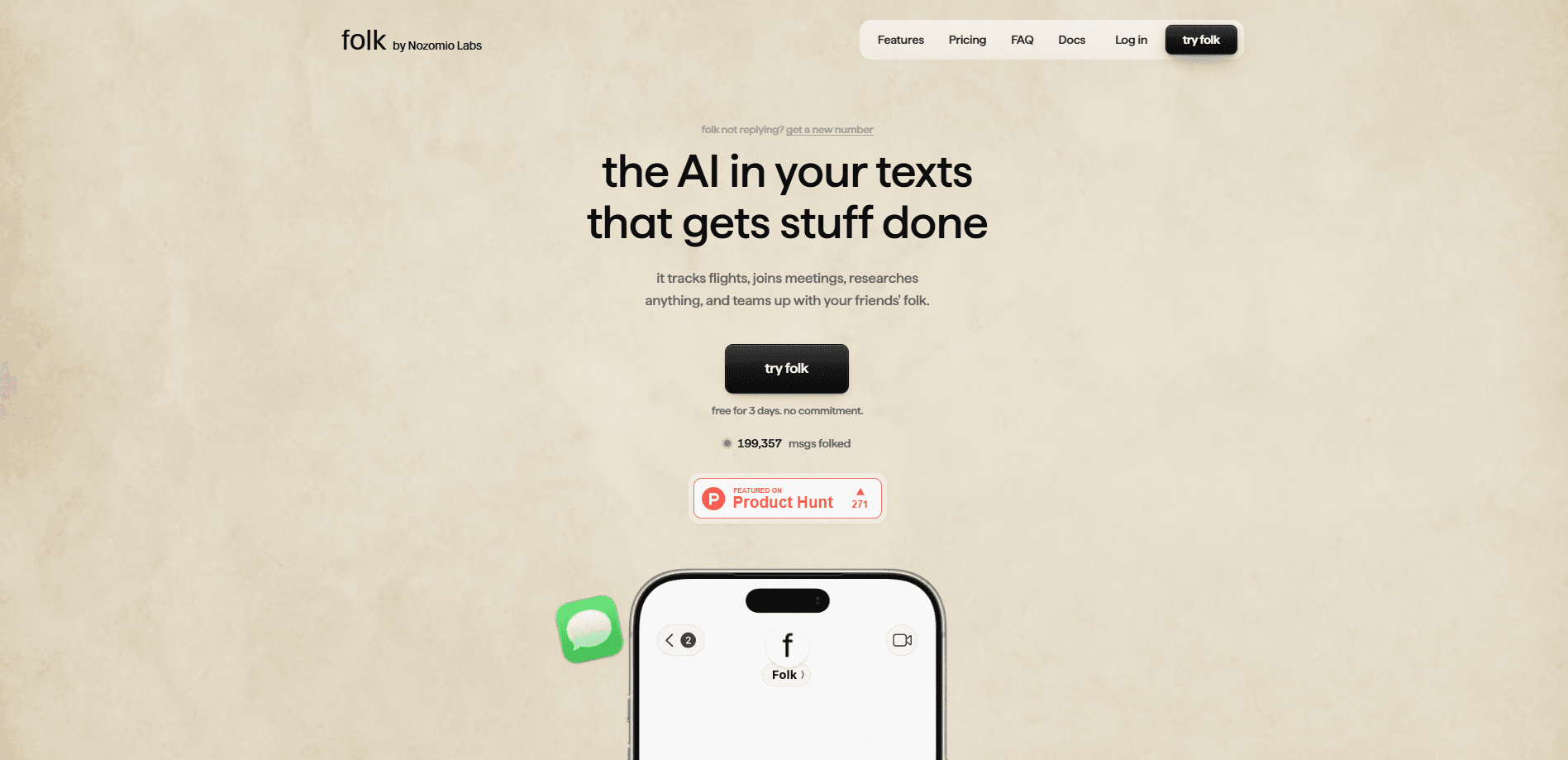
folk is an AI companion that lives inside your iMessage, Telegram, and WhatsApp chats instead of a separate app. It texts you first. It checks in on gym days and study sessions, logs meals from a photo, and remembers what you told it months ago. Built by Nozomio Labs, it runs on your own isolated cloud computer, so it can browse the web, search your email, and take real actions like booking a table or watching a flight price.
About folk
What Is folk
folk is a personal AI friend you text the way you text anyone else. Instead of opening a browser tab and typing into a blank box, you get messages from it during the day: a nudge before the gym, a question about the essay you said you'd finish, a verse in the morning if you want one. The pitch here is accountability. Simple as that. The product is aimed at people who already know what they should do and need something to keep them honest about it.
Under the surface, each user gets their own isolated cloud computer plus a persistent memory graph. That combination is what separates an AI accountability friend from a plain chatbot. folk can run code, browse the web, and connect to your Gmail, Google Calendar, Notion, Strava, Canvas, and GitHub, and any MCP-compatible tool, then carry context between conversations. The company says it never trains models on your data.
The biggest limitation is worth stating up front. folk isn't a therapist, and it won't act like one. If something sounds serious, it points you to crisis resources and a real person. It also lives entirely inside messaging apps, so anyone who wants a dedicated dashboard or deep settings screen will find it thin. What you get instead is a habit tracker, a study partner, and a personal assistant that all share one thread and one memory.
Getting Started
- Sign up on the folk website with your phone number, which also sets any regional pricing automatically.
- Connect the accounts you want folk to see, like Gmail, Google Calendar, Strava, or Canvas.
- Open your messaging app and text folk your first goal, such as "gym Mon/Wed/Fri at 7, ask me the night before."
- Set the tone you want, from gentle to relentless, and pause it whenever you need a break.
- Ask for anything else while you're there, like a price watch, a study lock-in, or a daily verse.
Product Information
A quick look at folk's pricing, supported platforms, and performance.
Best for
The users, tasks, and scenarios where this tool fits best.
Users
- Students
- Gym-goers and habit builders
- People in therapy or managing mental health
Tasks
- Habit and streak tracking
- Calorie and meal logging
- Money watching
Scenarios
- A 7am gym slot you keep skipping
- An essay due in three days
- A flight you're watching for a price drop
Key features
Lives in your messaging apps
folk runs on iMessage, Telegram, and WhatsApp, with WhatsApp switching on country by country, so there's nothing new to install. Nothing to learn. Think of it as a Telegram AI chatbot, an iMessage friend, and a WhatsApp buddy rolled into one. You text it like a friend, and it texts you first instead of waiting for you to open a tab. No tab. No inbox. No separate reminder app.
Persistent memory that doesn't expire
Every conversation feeds a memory graph, so folk remembers your goals, your gym days, and what you told it months ago. Who wants a study partner that forgets? Memory survives a downgrade to the free tier, which matters if you just want to try Pro for a month.
Isolated cloud computer with real actions
Each user gets an always-on cloud computer, letting folk browse the web, run code, and take actions like booking a table or tracking a flight. That's the real shift. This is the part that turns it from a chat buddy into a personal assistant.
Background watchers and routines
Background watchers run checks while you're asleep, covering habits, money, and reminders. It never sleeps. The free plan allows up to 3 running at once, and Pro removes the cap. One-off reminders are unlimited either way.
Study lock-ins and deadlines
Ask folk to lock you in for two hours on an essay, and it sets the sprints, checks in between them, and asks what you finished. It works. Connect Canvas and it knows your deadlines, so nudges start before the panic does.
Connected apps and deep research
folk links to Gmail, Google Calendar, Drive, Notion, Strava, Canvas, and GitHub, plus any MCP-compatible tool. That's a long list. You can search your email, get deep research, or bring your own Anthropic, OpenAI, or OpenRouter key.
Pros and cons
Pros
- Lives in apps you already use, so there's no new app to remember to open.
- Free tier is genuinely usable: unlimited chatting, every feature, and 3 background watchers with no card.
- Persistent memory keeps context across months, making check-ins feel personal rather than generic.
- Real actions via its own cloud computer, from booking tables to watching flight prices.
- Regional pricing drops Pro to $5/month in many countries automatically.
Cons
- No real dashboard, so everything runs through chat and power users may want more control.
- WhatsApp support is still rolling out country by country, so not everyone can use it there yet.
- The Pro smarter engine costs extra, and the free tier's 3-watcher cap can feel tight for heavy habit stacks.
Frequently asked questions
folk answers questions, searches your email, browses the web, takes real actions, sets reminders, logs meals from photos, tracks habits and streaks, and watches prices or flights for you. It does this from inside iMessage, Telegram, or WhatsApp rather than a separate app.
Related content
Explore related tools, skills, and articles for folk.
folk Alternatives

Udon
Udon · Coding · ProductivityUdon turns an Apple Silicon Mac into a home server you run from a browser, with container controls, file shares, and an optional AI sysadmin.

offstage
offstage cloud · Coding · Productivityoffstage gives AI coding agents and CI jobs a real Mac: a fresh macOS account on Apple silicon, driven over an API and billed by the second.

BotBus
Chengdu Tuyang Tusen Technology Co., Ltd. · Coding · ProductivityBotBus lets you control AI coding agents from your phone and watch: approve commands, start tasks and read results while the code stays on your desktop.