

Format Magic
Format Magic Pty Ltd · Productivity
Format Magic is an AI document formatter that turns plain text, Word or PDF files into polished Word or PDF documents in about a minute.
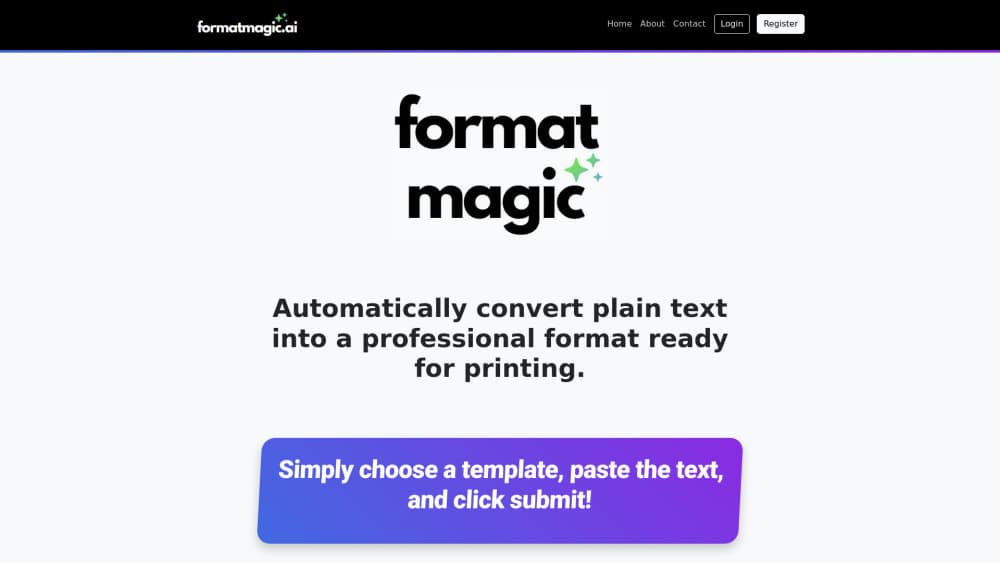
About Format Magic
What Is Format Magic
Format Magic is a web app that fixes the part of document work most people hate: making text look presentable. You paste raw text or upload an existing Word or PDF file, pick a template, and the tool applies headings, lists, tables and layout for you. The output comes back as a Word document or a PDF you can edit, share or print.
The problem it targets is specific. People spend hours fighting Word styles instead of writing, and AI tools make it worse by dumping unstructured text blocks that need manual cleanup. Sound familiar? Format Magic handles both. It reformats ChatGPT or Gemini output into something readable, and it restyles messy existing files without touching the words themselves. The company's own line is that it changes how your document looks, not what it says.
It runs in a browser. Nothing to install. It's built for desktop but works on mobile too. As a document formatting tool, it stays out of your way. The main limits are the free tier and the page caps per plan. Free output carries a small watermark at the bottom of every page, and each plan caps how many pages you can produce per month and per single request.
Getting Started
- Sign up with an email, which takes no credit card on the free plan.
- Choose a category and a template, or upload your own Word template on higher tiers.
- Paste your text, or upload a Word, PDF or text file to extract from.
- Toggle the emphasis, headings and image options if you want the source styling preserved.
- Click submit, then edit the output and download it as a Word document or PDF.
Product Information
A quick look at Format Magic's pricing, supported platforms, and performance.
Best for
The users, tasks, and scenarios where this tool fits best.
Users
- Busy professionals
- Job seekers
- Educators and students
- Consultants and agencies
Tasks
- Formatting plain text
- Formatting ChatGPT or Gemini output
- Reformatting Word and PDF files
- Switching designs fast
- Building branded templates
Scenarios
- A report that has to go out today but the layout is a mess
- An AI draft that's one wall of text
- A team that needs every client document on-brand
Key features
Plain Text to Polished Document
Paste unformatted text from notes, emails or any simple editor and Format Magic applies structure and styling automatically. It reads the content, builds headings and lists, and returns a print-ready layout. This is the core flow the product is built around, and it's the fastest way to turn a rough draft into something shareable.
AI Output Formatting
The tool takes raw output from ChatGPT, Gemini or other AI writers and adds template styles to headings, lists, paragraphs and tables. It'll format ChatGPT output, Gemini output, anything. Instead of manually cleaning up a text block, you drop it in and get a readable document back. That closes a real gap, since AI tools produce content far faster than people can style it.
Reformatting Word and PDF Files
Upload an existing Word or PDF file and Format Magic restyles it against a clean template without altering your words. It pulls out text, and on paid plans images too, then places them back into the new layout. For anyone stuck maintaining old, inconsistently styled files, that's the quickest route to a modern look.
Template Library and Instant Switching
There's a full library of built-in templates, and you can switch the output to any design in a click without reprocessing from scratch. Templates cover formal, designed and other categories, and the Base Template gives you a starting point for a custom design. Having many options matters here, because the right look depends on the audience.
Template Customizer
On the Pro tier you can apply color schemes and adjust heading sizes, then save that design to My Templates for one-click reuse. Premium unlocks the Full Template Customizer, which adds your brand colors, fonts, logo and spacing. That's what makes a stack of documents look consistent rather than assembled from mixed sources.
Output Editor and Document Tools
Before you download, an output editor lets you fix headings and tweak the result. Every plan includes cover pages, an automated table of contents, page numbering, and the ability to convert to PDF at any time. These are the details that decide whether a document reads as finished or as a draft.
Upload Your Own Word Templates
Premium users can bring existing .docx designs and format documents straight into them. Uploaded templates join your saved designs in My Templates. For teams that already have a house style in Word, this means they don't have to rebuild it inside the tool.
High-Volume Processing
Usage is measured in characters, with page estimates shown for clarity. The Premium plan covers roughly 2,500 pages of output per month and up to about 70 pages per request, which suits businesses producing documents at volume. Higher limits are the main reason to move up a tier.
Pros and cons
Pros
- Fast turnaround: the site promises formatting in as little as 60 seconds, which beats manual Word cleanup.
- Handles both raw text and existing files: paste plain text, or reformat an old Word or PDF without retyping.
- Clean AI workflow: formatted ChatGPT and Gemini output saves a manual cleanup step.
- Strong template and branding options: instant template switching, plus color, font and logo control on higher tiers.
- Free tier to test: no credit card required, so you can try the core flow before paying.
Cons
- Free plan watermarks output: a small footer appears on every page, so anything external needs a paid tier.
- Page caps per plan: monthly and per-request limits mean heavy users hit a ceiling and have to upgrade.
- Image extraction is limited on free: only the first 5 images per uploaded document carry over, which matters for image-heavy files.
- PDF output is legacy: the company flags PDF as a legacy feature that won't get new updates, and points users to Word.
Frequently asked questions
It's an AI document formatter. You give it plain text, formatted ChatGPT output, or a Word or PDF file, pick a template, and it returns a formatted Word or PDF document. It changes the presentation, not the words.
Related content
Explore related tools, skills, and articles for Format Magic.
Format Magic Alternatives

Base Code
Base44 (Wix) · Coding · ProductivityBase Code is a shared cloud development environment from Base44. Teammates describe changes to an existing GitHub codebase in chat, preview them live and send them back as pull requests.

Knocket
Knocket (Tencent RTC team) · Productivity · Business · ChatbotKnocket is a free live chat and contact page tool that lets visitors message you from your website, app, or a shareable link, with every reply handled from Telegram or one inbox.

FloorGen
Vinit Kumar (FloorGen) · Productivity · China AIFloorGen is a browser-based floor plan maker that turns a sentence or a sketch into an editable 2D plan and a 3D walkthrough. Export to PDF, DXF or video, and draw without an account.