

Fotify
Fotify · Image
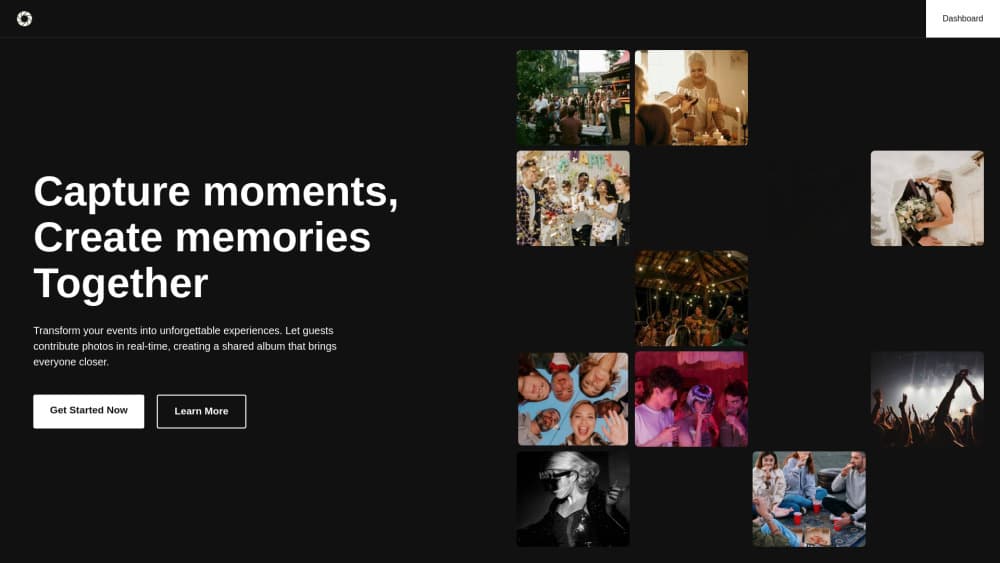
Fotify is an event photo sharing platform. Guests scan a QR code, upload from any phone, and photos hit a live photo wall. Digital invitations, RSVP tracking, and AI moderation are built in.
About Fotify
What Is Fotify
Fotify collects the photos your guests take and puts them on a screen everyone can see. No app install, no account for the guest, no group chat full of blurry shots the next morning. Someone scans a QR code at the door, picks photos from their camera roll, and the shot shows up on the live photo wall within seconds.
The platform also runs the guest list side of an event. You build digital invitations, track RSVPs, assign tables, and print a QR pass that a bouncer can scan. Everything sits in one dashboard, which is why wedding planners and corporate event teams end up using it for the whole night rather than just the photo part.
The catch is that it's a per-event purchase. Nothing here is a monthly subscription you keep alive between parties, and there's no free tier for unlimited photos. You pay when you have something to celebrate.
Getting Started
- Create an account at dashboard.fotify.app and start a new event with a name, date, and location.
- Pick a plan, or stay on the free event to test the flow with 50 photos.
- Design the upload page, add your invitation artwork, and import the guest list from a spreadsheet or paste it in.
- Show the QR code at the venue, or send it on the invitation so guests can upload before they arrive.
- Watch the live photo wall fill up, approve or hide shots as a moderator, then download everything as a ZIP.
Product Information
A quick look at Fotify's pricing, supported platforms, and performance.
Best for
The users, tasks, and scenarios where this tool fits best.
Users
- Couples planning a wedding
- Corporate event and HR teams
- Event planners and venues
Tasks
- Collecting photos from people who won't download an app
- Keeping an unmoderated feed clean
- Running an RSVP list with entry control
- Handing over memories after the party
Scenarios
- A wedding reception with 150 guests and a projector
- A company party where HR needs control
- A hybrid conference with remote attendees
Key features
QR Code Uploads Without an App
Guests point a camera at the code and a branded upload page opens in the browser. They can add photos and short video clips from the camera roll or shoot inside the page. No signup, no password, no store listing to argue about.
Live Photo Wall
Uploads appear on a carousel that you can throw on any screen at the venue. New shots slide in as they arrive, which keeps people checking the display between conversations. You control what shows up and how fast it cycles.
AI Moderation
The platform scores each upload and holds back anything explicit or unrelated before it hits the wall. On paid events the filter runs in full, and moderators can still approve, hide, or delete by hand. For a school event or a corporate party, this is the feature that makes the screen safe to leave unattended.
AI Assistant Connector
You can attach Claude, ChatGPT, Gemini, or Muse to your account through an MCP connector at server.fotify.app/mcp. From there you import guest lists, build seating from a floor plan photo, redraw invitation designs, and schedule emails by chatting. Nothing goes live without your approval, and the guardrails run on the server side.
Invitations, RSVP, and Seating
Digital invitations carry the RSVP form, the QR pass, and each guest's table assignment. Drag and drop seating pulls straight from RSVP data, and you can export the layout for the venue. Email and SMS delivery uses credits, while link, QR, and WhatsApp sharing are free.
Privacy and Album Controls
Albums stay private by default, with public sharing as an opt-in link. Full-resolution photos up to 50MB and 100 megapixels are supported on paid plans, branding can be removed, and the gallery stays open for a set window after the event so late uploads still land.
Pros and cons
Pros
- Guests need nothing but a phone camera, which removes the usual "I'll send them later" problem.
- One purchase covers the invitation, RSVP tracking, seating, and the photo wall, so you're not stitching four tools together.
- AI moderation plus human moderators means the screen in the room stays presentable.
- The MCP connector lets an AI assistant handle guest imports and seating, which saves real setup time on large events.
- Photos download as full-resolution ZIP files, not compressed previews.
Cons
- Pricing is per event, so frequent hosts end up paying repeatedly instead of holding one subscription.
- The free event caps you at 50 photos and a 7-day upload window, which is tight for anything bigger than a dinner.
- Guests on old browsers or locked-down corporate Wi-Fi sometimes need help getting the upload page to load.
- Photo and video limits differ by plan, and long videos are capped at 100 clips on Premium, so you have to check before promising guests unlimited video.
Frequently asked questions
No. They scan the QR code and the upload page opens in the phone browser. Fotify is a web app for guests, so nothing goes through the App Store or Google Play.
Related content
Explore related tools, skills, and articles for Fotify.
Fotify Alternatives

Google EmbeddingGemma 2
Google DeepMind · Writing · Image · CodingGoogle EmbeddingGemma 2 is a 740M-parameter open model that turns text, code, images, audio, and video frames into vectors in one 768-dimension space, running on phones and laptops.

Tractionwave
TractionWave · Image · MarketingTractionWave is an AI attention heatmap tool for static ads. Upload a PNG or JPG and it returns predicted attention, ranked hotspots, and fixes before you spend budget.

Imejis.io
Imejis.io · Image · MarketingImejis.io is an AI design studio for agents and marketing teams. Describe an image in plain words, and it writes the copy, builds the layout, reflows it to every size, then exports a finished file.