
Fotor
Everimaging · Image · China AI
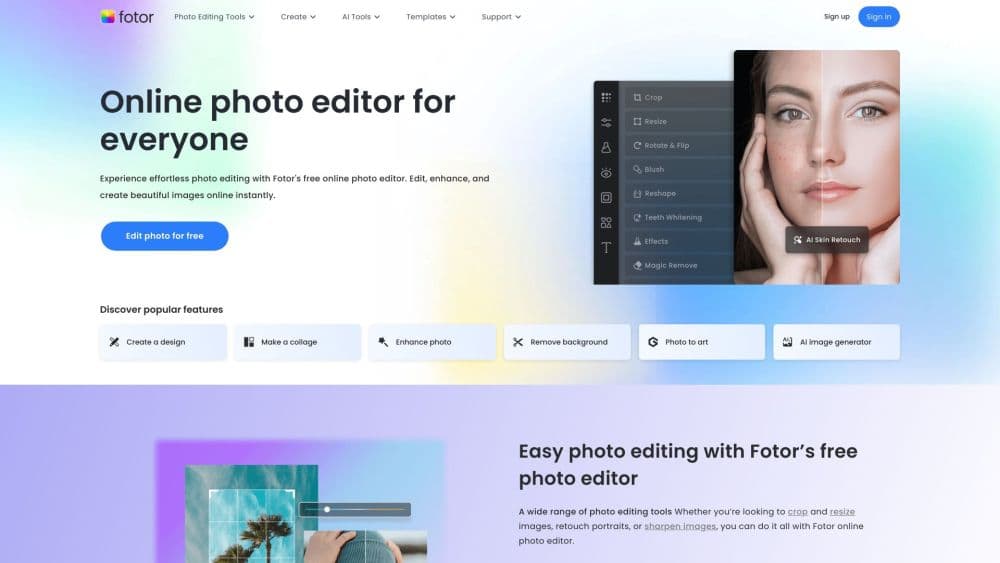
Fotor is an AI photo editor and design tool that cleans up images, removes backgrounds, generates art from text prompts, and builds social graphics right in a browser or an app.
About Fotor
What Is Fotor
Fotor is an online photo editor built around AI shortcuts, and it doubles as a graphic design tool for people who do not want to fight with professional software. You open a browser or an app, upload an image, and pick the fix you want: sharpen a blurry shot, wipe a stranger out of the background, turn a selfie into an anime portrait, or write a prompt and let the AI image generator draw something from scratch.
The appeal is breadth at a low entry point. One account covers retouching tools, background removal, image upscaling, AI headshots, and a template library for social posts, posters, and logos. According to Fotor, more than 800 million people use it worldwide, and the free tier covers the basics without a card, which makes it a common first stop for casual editors.
The limits show up as you lean on it. The free plan caps exports and tags them, the genuinely useful AI tools run on credits, and the deepest batch work sits behind Pro, Pro+, or Max. Everything lives on Fotor's servers, so you depend on their uptime and their handling of your photos.
Getting Started
- Open fotor.com or install the app and sign in with an email, Google, or Facebook account.
- Upload a photo or pick a template from the library, then choose a tool like the background remover or the AI image generator.
- Adjust the result with text, filters, and layout controls, or type a prompt to guide the AI on a fresh image.
- Export in JPG, PNG, or PDF, and expect a Fotor watermark until you move to a paid plan.
Product Information
A quick look at Fotor's pricing, supported platforms, and performance.
Best for
The users, tasks, and scenarios where this tool fits best.
Users
- Casual editors
- Social media managers
- Small business owners
Tasks
- Removing backgrounds
- Upscaling and restoring photos
- Generating images from text
Scenarios
- A last-minute listing photo
- Turning a selfie into a stylized portrait
- Making a quick promo graphic
Key features
AI photo editor
The core editor handles the standard retouching jobs, cropping, resizing, color correction, sharpening, and filters, and layers AI on top. A single AI Photo Editor action can clean up a shot without you touching sliders. It is the entry point for most people, and the basic tools are free in the browser.
Background remover and replacer
One of Fotor's most used tools cuts a subject out of a photo and drops it on a plain or custom background. It works on products, people, and pets, and it feeds straight into templates for listings and social posts. For anyone selling online, this replaces an afternoon of messy selection work.
AI image generator
The generator writes whole images from a text prompt and pulls in several external models, including Flux, GPT Image, Gemini, and Seedream. You pick a model, describe the scene, and get results in seconds. It is the tool to reach for when you need a visual that no photo can supply.
Image upscaler and enhancer
Old, blurry, or low-resolution photos get a resolution and clarity boost, and the photo enhancer does the same job as a standalone upscaler. Fotor markets up to 4x enlargement, and companion tools like Unblur, Photo Restoration, and Colorize revive faded family shots. The upside is usable prints from weak source files.
Design templates and collage maker
Beyond editing, Fotor runs as a design tool with templates for posters, flyers, cards, and social posts, plus a collage maker and logo maker. You drop in photos, swap text, and export, which covers the everyday graphics a small team needs without a dedicated designer.
Batch editing and brand kits
Paid plans unlock AI batch editing for background removal and replacement, so a catalog of product shots gets cleaned in one pass. Multiple brand kits keep fonts and colors consistent across a team, and cloud sync carries projects between devices. This is where the tool turns into a workflow rather than a one-off fix.
Pros and cons
Pros
- The core online photo editing tools and the background remover are free in the browser, so you can test the workflow before paying.
- It packs editing, AI generation, and design templates into one account, which saves juggling several subscriptions.
- The AI image generator taps models like Flux, GPT Image, and Gemini, so you get strong results without leaving the editor.
- Apps for iOS, Android, Windows, and macOS plus cloud sync keep projects moving between phone and desktop.
Cons
- The free plan adds a Fotor watermark and caps exports, so anything client-facing needs a paid tier.
- The stronger AI tools burn credits, which makes heavy usage cost more than the headline plan suggests.
- Everything runs on Fotor's servers with no offline mode, so a connection drop stops your editing.
- The toolset is wide but not deep, so professional retouchers will miss precise control they get in dedicated software.
Frequently asked questions
Fotor is an online photo editor and design tool. People use it to retouch photos, remove backgrounds, upscale and restore images, generate art from text prompts, and build social graphics from templates, all in a browser or an app.
Related content
Explore related tools, skills, and articles for Fotor.
Fotor Alternatives

Google EmbeddingGemma 2
Google DeepMind · Writing · Image · CodingGoogle EmbeddingGemma 2 is a 740M-parameter open model that turns text, code, images, audio, and video frames into vectors in one 768-dimension space, running on phones and laptops.

Tractionwave
TractionWave · Image · MarketingTractionWave is an AI attention heatmap tool for static ads. Upload a PNG or JPG and it returns predicted attention, ranked hotspots, and fixes before you spend budget.

Imejis.io
Imejis.io · Image · MarketingImejis.io is an AI design studio for agents and marketing teams. Describe an image in plain words, and it writes the copy, builds the layout, reflows it to every size, then exports a finished file.