

FoundrAI
FoundrAI · Productivity · Business
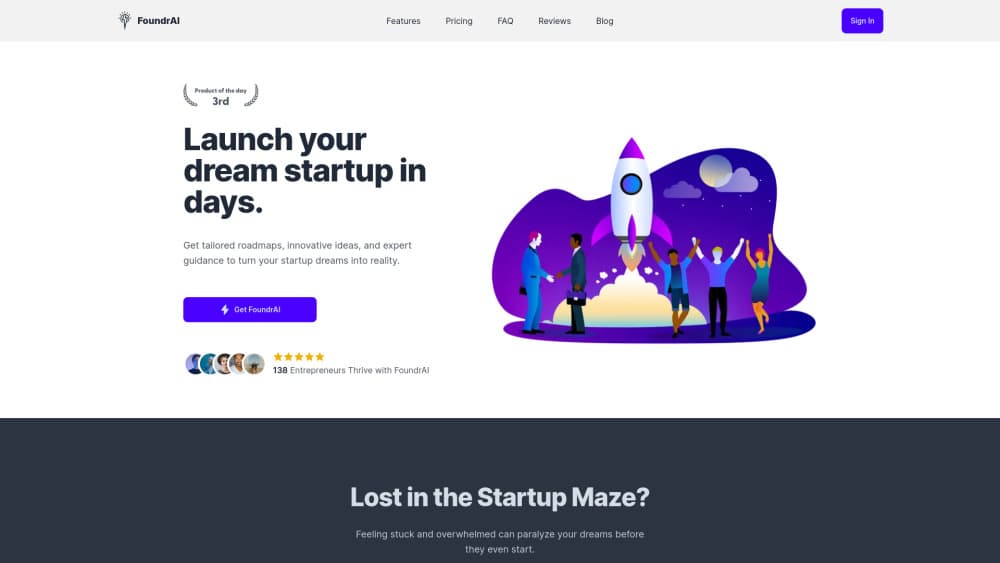
FoundrAI is an AI startup strategy workspace that turns a rough idea into validation, customer personas, market sizing, and a go-to-market plan. Paid team plans start at $30/mo.
About FoundrAI
What Is FoundrAI
FoundrAI is an AI startup strategy platform built for one job: moving a startup from a rough idea to a plan you can act on. You answer questions about the idea and your business context, and the platform runs a set of AI analyses on top of that input. What comes back is a structured blueprint covering validation, personas, market size, competitors, and launch moves, not a chat log you have to tidy up afterward.
The problem it targets is the blank page. Most founders know they should test demand and size the market, yet the frameworks sit scattered across blog posts, templates, and half-finished spreadsheets. FoundrAI bundles nine analyses into one flow and adds a built-in advisor called SUVI that explains each framework as you reach it. Speed is the pitch: the company markets it as a startup co-pilot and advertises a full blueprint in under 10 minutes.
Two limits matter. The scope stops at strategy, so it won't run your ads, file incorporation papers, or manage payroll. Treat it as the planning layer, not an operating system for the whole company. The second limit is depth. Outputs come from your inputs plus industry and trend data, which makes them a strong first draft. Numbers like TAM and SOM still need a check against your own sources before they go in front of an investor.
Getting Started
- Sign up at foundrai.com and pick a plan. The Kindling tier costs nothing and covers one user with 100 Sparks a month.
- Describe the idea and the context: who it's for, the problem it solves, the market you're aiming at, and what you've already tried.
- Run the analyses you need. Most founders start with validation and customer personas, then move to market size and competitors. Each run spends Sparks from your monthly allowance.
- Share the blueprint with your team and revise it as you learn. Paid plans include 3, 10, or 100 seats.
- Reread the go-to-market and funding sections before investor calls, and update the plan as test results come in.
Product Information
A quick look at FoundrAI's pricing, supported platforms, and performance.
Best for
The users, tasks, and scenarios where this tool fits best.
Users
- First-time founders
- Solo builders testing several ideas
- Accelerator and agency teams
Tasks
- Validating an idea before you build
- Sizing a market
- Writing a go-to-market plan
- Preparing for investor conversations
Scenarios
- A weekend idea you want to kill or keep cheaply
- A pivot where the old plan no longer fits
- Client work at an agency
Key features
Nine Linked Startup Analyses
The workspace covers business model canvas, blue ocean analysis, customer personas, validation experiments, custom insights, competitor analysis, market trends and size, idea execution, and go-to-market planning. They share the same business context, so you enter your details once and each module builds on them. That linking is the main difference from pasting prompts into a general chatbot.
Idea Validation Engine
The validator asks what problem you solve, who feels it, and why they would pay, then returns an assessment of feasibility, strengths, and risks. You get a verdict you can argue with, which is the point. In practice it works as an AI business plan generator for the early sections, so founders routinely use it to drop weak concepts before spending money on landing pages and ads.
Customer Personas and Jobs to Be Done
The persona generator produces named segments with goals, frustrations, and the jobs they hire a product for. Each persona is editable, so you can correct details that don't match your interviews. Marketing copy gets easier once those segments exist, because you stop writing for everyone.
Market Sizing With TAM, SAM, and SOM
The TAM SAM SOM calculator estimates total, serviceable, and obtainable market from industry and trend data. It gives you the three numbers investors expect, plus the reasoning behind them. Cross-check the figures with public filings or analyst reports before you quote them, since estimates are only as good as the data feeding them.
Competitor and Blue Ocean Analysis
Competitor analysis maps rivals' strengths and weaknesses, and the blue ocean module looks for space where the comparison stops being about price. The output is positioning language you can reuse on a landing page or in a pitch. It won't replace customer interviews, but it shortens the research phase.
SUVI Advisor and Shared Workspace
SUVI, the built-in startup advisor, explains frameworks, suggests templates, and answers questions about the current plan. Paid tiers add seats, so co-founders, mentors, and investors can review the same blueprint. Note that live co-editing and invites are still listed as coming soon on the pricing page, so shared work currently depends on passing the plan around.
Pros and cons
Pros
- Structured workflow instead of a blank prompt box: nine analyses chain from validation through funding, and your business context carries across all of them.
- Fast first draft: the company claims a full startup blueprint in under 10 minutes, which is realistic for a first pass on a simple idea.
- Team seats are bundled into the price: 3 seats at $30/mo and 10 seats at $99/mo undercut hiring even a junior consultant for a day.
- Market sizing is built in: TAM, SAM, and SOM arrive with trend context, so you skip building a spreadsheet model from scratch.
- Low-risk entry: a free tier plus a 7-day money-back guarantee lets you test the output quality before committing.
Cons
- Sparks run out: every analysis spends credits, and 100 a month on the free plan covers only a couple of full passes. Heavy iteration pushes you onto a paid plan.
- No public API and no native export to slide decks, so moving a blueprint into Notion, Google Docs, or a pitch deck means copying it by hand.
- Collaboration is thinner than the seat count suggests. Invites and real-time co-editing appear on the roadmap rather than in the product today.
- Startup strategy only. If you also need bookkeeping, hiring plans, or legal templates, you're still paying for separate tools.
Frequently asked questions
Four plans: Kindling is free for one user, Blaze is $30/mo for 3 users, Inferno is $99/mo for 10 users, and Enterprise is $999/mo for 100 users. Quarterly billing saves about 10%, with Blaze at $78.30 per quarter and Inferno at $267.30.
Related content
Explore related tools, skills, and articles for FoundrAI.
FoundrAI Alternatives

Base Code
Base44 (Wix) · Coding · ProductivityBase Code is a shared cloud development environment from Base44. Teammates describe changes to an existing GitHub codebase in chat, preview them live and send them back as pull requests.

Knocket
Knocket (Tencent RTC team) · Productivity · Business · ChatbotKnocket is a free live chat and contact page tool that lets visitors message you from your website, app, or a shareable link, with every reply handled from Telegram or one inbox.

FloorGen
Vinit Kumar (FloorGen) · Productivity · China AIFloorGen is a browser-based floor plan maker that turns a sentence or a sketch into an editable 2D plan and a 3D walkthrough. Export to PDF, DXF or video, and draw without an account.