

Frame It
Frame It · Image
Frame It is a web app that turns a photo into a custom framed print or canvas. You upload a picture, pick a frame and size, and the order gets printed and shipped to your door.
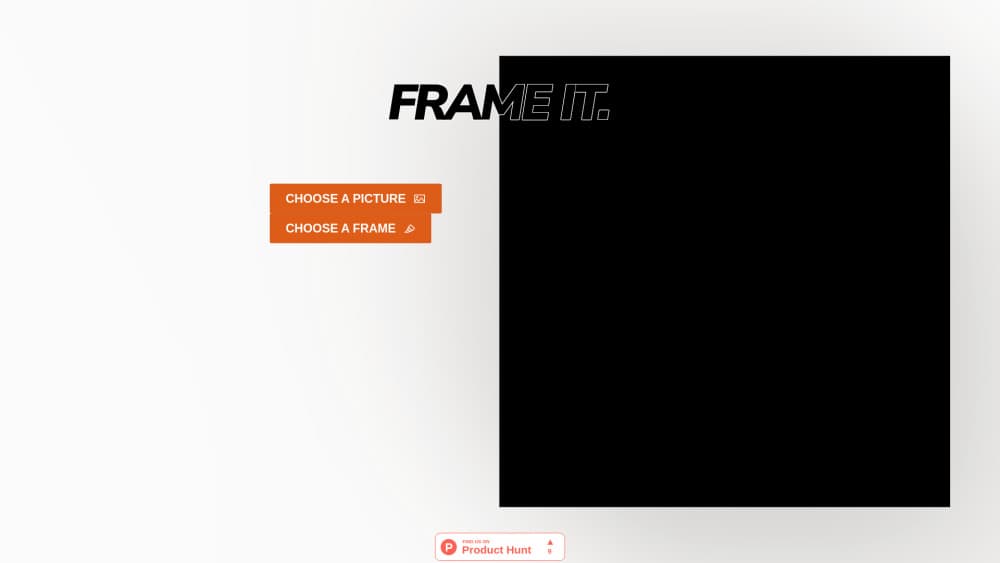
About Frame It
What Is Frame It
Frame It is a browser-based print shop for pictures you already own. You bring the image, the site supplies the frame, the paper, and the delivery. There's no design software to learn and no trip to a framing counter with a quote sheet.
The product is deliberately narrow. Three steps cover everything: choose a picture, choose a frame, print. Upload a photo as a JPEG or PNG, set how the shot sits inside the print area, pick a size, add it to the cart, and pay. Printing and shipping run through a global print network, which is how custom framed prints reach a home address in Europe or North America without a local framer.
What it doesn't do matters as much. Frame It has no retouching, no background removal, and no AI upscaling. If your file is soft or badly lit, the print will be soft and badly lit. You also get crop presets rather than free-form editing, so composition is decided before you upload. The service prices everything in US dollars and quotes shipping at checkout.
Getting Started
- Open frame-it.co in a desktop or mobile browser. There's nothing to install and no design file to prepare beyond the picture itself.
- Upload your image with the upload button. JPEG and PNG files are accepted, and the app warns you when a file doesn't carry enough pixels for the size you picked.
- Choose a format and a size. Framed prints, box frames, framed canvas, stretched canvas, and budget framed posters all sit in the same flow, with dimensions listed in inches and centimetres.
- Pick a frame colour and adjust how the image fills the print area. The preview updates as you switch between fill, fit, and stretch.
- Add the piece to the cart, set the number of copies and the shipping destination, then check out with a card.
Product Information
A quick look at Frame It's pricing, supported platforms, and performance.
Best for
The users, tasks, and scenarios where this tool fits best.
Users
- Home decorators
- Gift buyers
- Photographers and illustrators
Tasks
- Printing a photo from a phone
- Turning a digital poster or illustration into wall art
- Building a gallery wall
- Sending a framed print as a gift
Scenarios
- A housewarming or wedding gift you left to the last week
- Testing print quality with one piece before ordering more
- Filling an empty wall in a rental
Key features
Three-Step Ordering Flow
The whole interface fits on one screen: choose a picture, choose a frame, print. Each step shows only the choices that matter at that point, so the size list appears after the format and the frame colours after the size. For a one-off gift, that's the difference between a five-minute job and an evening of comparison shopping.
Six Print Formats in One Place
Framed prints, box frames, framed canvas, stretched canvas, slim canvas, and budget framed posters are handled by the same flow. The range covers the usual split in wall art: a paper print behind glass for a living room, a canvas for a room where glare is a problem, and a cheap framed poster for a hallway or a first apartment.
Frame Colours and Sizes
Frames come in silver, natural oak, gold, brown, black, white, and two greys. Sizes are listed in both inches and centimetres, which saves you from converting a European wall measurement by hand. Matching colours across separate orders is the practical part: a set of prints bought months apart can still look like a set.
Live Preview with Fill, Fit, and Stretch
The preview shows your picture inside the actual frame before you buy. Fill crops to the edges, fit keeps the whole image and adds a margin, and stretch pulls it to the print area. Portrait shots of landscapes are the common case here, and seeing the crop first is cheaper than discovering it on the wall.
Print Resolution Check
The app tests your file against the chosen size and flags images that are too small to print sharply. That catches the usual mistake with print on demand framing: a screenshot or a compressed social media copy blown up to 24 inches. Upload the original when you have it.
Cart, Copies, and Worldwide Shipping
The cart holds several pieces with a copy count per item, which suits a gallery wall or a small studio order. You set the destination country at checkout and pay by card. Everything is billed in US dollars, so buyers outside the US see a converted charge on their statement.
Pros and cons
Pros
- The flow is short enough to finish on a phone, which is rare when you order a picture frame online.
- Frame colours and sizes repeat across orders, so a gallery wall stays consistent.
- Resolution warnings catch bad files before money changes hands.
- Canvas and framed poster options cover both the premium and the cheap end of wall art printing.
- Shipping is quoted per destination at checkout, with no account or subscription in the way.
Cons
- There's no image editing. If the photo needs straightening, colour correction, or an object removed, fix it elsewhere first.
- No AI tools at all, so an old low-resolution shot can't be rescued by upscaling inside the app.
- Prices are fixed in US dollars, which adds a conversion and possibly a bank fee for buyers in other currencies.
- Sizes and frame styles follow the print network's catalogue, so an exact inch measurement from a custom framer may not be available.
Frequently asked questions
Frame It prints your own photo as a framed print or canvas and ships it to you. You upload an image, choose a format, size, and frame colour, then check out. It's a storefront, not an editing app.
Related content
Explore related tools, skills, and articles for Frame It.
Frame It Alternatives

Google EmbeddingGemma 2
Google DeepMind · Writing · Image · CodingGoogle EmbeddingGemma 2 is a 740M-parameter open model that turns text, code, images, audio, and video frames into vectors in one 768-dimension space, running on phones and laptops.

Tractionwave
TractionWave · Image · MarketingTractionWave is an AI attention heatmap tool for static ads. Upload a PNG or JPG and it returns predicted attention, ranked hotspots, and fixes before you spend budget.

Imejis.io
Imejis.io · Image · MarketingImejis.io is an AI design studio for agents and marketing teams. Describe an image in plain words, and it writes the copy, builds the layout, reflows it to every size, then exports a finished file.