

Framer
Framer B.V. · Image · Coding
Framer is an AI website builder where agents generate editable pages on a real canvas, so you can design, manage content, and publish from one platform.
About Framer
What Is Framer
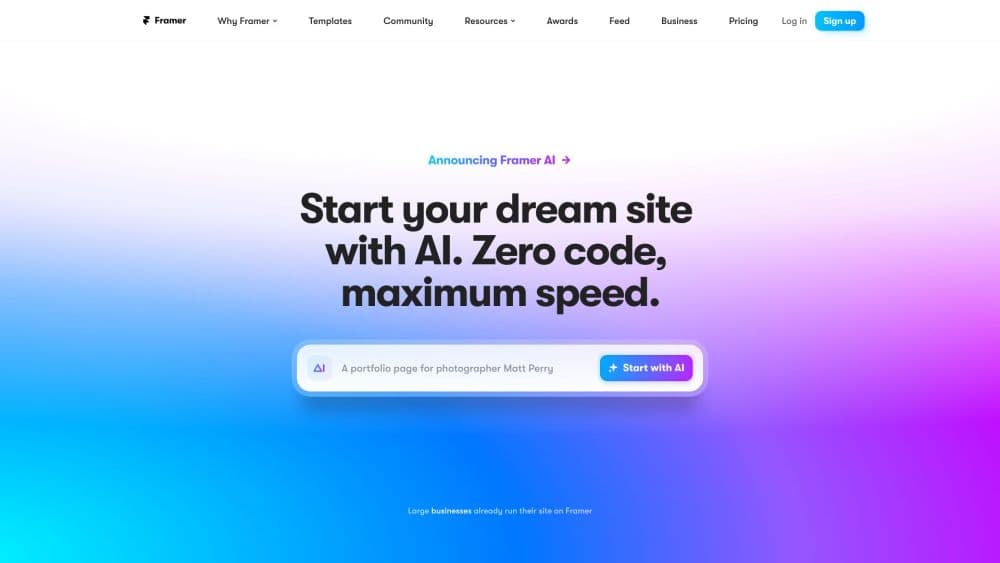
Framer is an AI website builder that pairs design agents with a visual canvas. You describe the site, page, or change you want, and the agent produces editable layers, copy, and visuals right inside your project. Nothing is locked. Take over on the canvas whenever you want and adjust layout, type, spacing, or color by hand.
The point is removing the boring middle of a web project. Instead of briefing a designer, wiring up a CMS, and configuring a host, you keep design, content, and publishing in a single account. The agent runs the repetitive parts, review, styles, and you make the calls that matter.
Two limits shape when it fits. Everything lives inside Framer's own canvas and hosting, so if you need a custom code stack or a self-managed server, this isn't the target. And AI output is a first draft. Expect to refine copy and spacing before you ship. For designers, marketers, and small teams who care about how a site looks, it lands well.
Getting Started
- Sign up for free at framer.com and start a new project, or open the desktop app if you prefer working offline.
- Describe the website, page, or update you need. Attach images, files, or URLs as references to steer the agent toward the result you want.
- Refine on the canvas. Adjust layouts, typography, components, breakpoints, spacing, color, and effects, or keep chatting with the agent in plain language.
- Set up content and SEO. Add CMS collections, fill in page metadata, social previews, and image alt text, then localize the site if you need more languages.
- Connect a domain and publish. Use a free Framer domain or bring your own, then push the site live to global hosting infrastructure.
- Review and improve. Ask the agent to audit the site for contrast issues, typos, missing alt text, and SEO gaps, then fix them in the same project.
Product Information
A quick look at Framer's pricing, supported platforms, and performance.
Best for
The users, tasks, and scenarios where this tool fits best.
Users
- Designers
- Freelancers and solo founders
- Marketing and product teams
Tasks
- Launching a landing page for a new product
- Building a portfolio or personal site
- Running a content-driven blog or marketing site
- Localizing a site for new markets
- Auditing a site before launch
Scenarios
- Shipping a client site fast
- Keeping a marketing site fresh
- Testing a redesign safely
- Getting a rough idea into a shareable link
Key features
AI Design Agent
The agent works natively on the canvas rather than in a separate chat window. Describe the site or a single change, and it generates and refines editable layers in place, so every edit stays visible and reversible. You can attach images, files, or URLs as references, select canvas layers as context, and choose between models depending on the task. The result is speed without giving up control, which is the main reason designers pick it over template-only builders.
Visual Canvas and Responsive Design
Framer's canvas is a professional design surface, and it also works as a responsive web design tool. You control layouts, typography, components, breakpoints, spacing, color, and effects directly, with AI helping where it's faster. Responsive design is built in, so a single project adapts across desktop, tablet, and phone rather than needing separate builds. For anyone who cares about how a site looks, this is the part that keeps the output from feeling generic.
CMS and Content Management
The Framer CMS lets you store posts, pages, and other entries as structured content and publish dynamic pages. The agent can set up collections, populate content, and keep it organized, connecting directly to the canvas so design and content stay in sync. Content editors can update CMS entries and localization on the page itself, which cuts the back-and-forth that usually slows a marketing site down.
Built-in Hosting and Performance
Framer website hosting runs on a global content delivery network, with faster tiers adding more locations for edge delivery. The company reports an uptime guarantee and built-in performance work targeting good Core Web Vitals on the published site. Because website hosting and design live together, you publish from the same place you build, and there's no server to configure or separate host bill to reconcile.
SEO and Localization
Built-in SEO tools handle page metadata, social previews, image alt text, and redirects, and the agent can review a page for SEO gaps before you publish. The localization add-on translates a site into up to 20 locales with AI and adds a locale switcher, so you can reach more markets without rebuilding pages for each language. Both are aimed at teams that treat the site as a growth channel, not just a brochure.
Collaboration, Branching, and Staging
Teams share a workspace with role-based permissions, and paid plans add branching, previews, and a staging environment. Branching lets you move agent edits onto a branch, review the changes, and publish only what's approved, which matters when several people touch the same project. Additional editors are billed per seat, and viewers can comment for free, so a client or stakeholder can weigh in without an edit license.
Pros and cons
Pros
- The agent drafts editable layers on a real design canvas instead of a locked image or fixed template, so you keep full control.
- Design, CMS, hosting, SEO, and analytics come from one platform, which removes the usual stack of subscriptions.
- A free plan plus free Framer domain lets you build and preview a site before paying.
- AI localization covers up to 20 locales, and branching plus staging make review safe for teams.
- Localization, analytics, and A/B testing are add-ons you buy only when you need them, which keeps the base cost low.
Cons
- You're tied to Framer's canvas and hosting. If you need a custom code stack or a self-managed server, this isn't the platform for you.
- AI-generated copy needs editing. The quality of the first draft varies by task, and it won't match your brand voice on its own.
- Limits like pages, CMS collections, and bandwidth are tied to the plan, so a site that grows past them means stepping up to a pricier tier.
- Editing inside the canvas has a learning curve, so people without design experience may spend longer than they expect on the first project.
Frequently asked questions
Framer builds and hosts websites. You describe the site or a change, AI agents generate editable pages on a canvas, and you design, manage content, and publish from the same platform. It covers everything from a blank account to a live site.
Related content
Explore related tools, skills, and articles for Framer.
Framer Alternatives

Google EmbeddingGemma 2
Google DeepMind · Writing · Image · CodingGoogle EmbeddingGemma 2 is a 740M-parameter open model that turns text, code, images, audio, and video frames into vectors in one 768-dimension space, running on phones and laptops.

Tractionwave
TractionWave · Image · MarketingTractionWave is an AI attention heatmap tool for static ads. Upload a PNG or JPG and it returns predicted attention, ranked hotspots, and fixes before you spend budget.

Imejis.io
Imejis.io · Image · MarketingImejis.io is an AI design studio for agents and marketing teams. Describe an image in plain words, and it writes the copy, builds the layout, reflows it to every size, then exports a finished file.