

Deepface Maker
Deepfake Maker · Image
Deepface Maker is a free online deepfake maker for swapping faces in photos, videos, and GIFs, built for casual creators who want fast results with no signup.
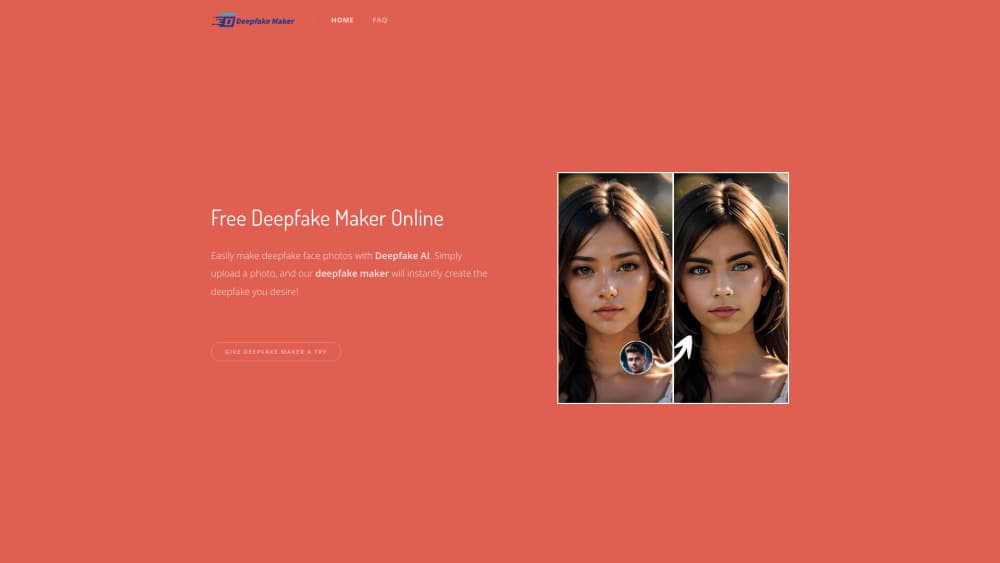
About Deepface Maker
What Is Deepface Maker
Deepface Maker is a browser-based AI deepfake maker that swaps faces in photos, videos, and GIFs. It runs in the cloud, so you don't need a GPU or editing software. Upload your media, pick the faces you want swapped, and the tool handles alignment and blending for you.
The draw here is speed and access. Other deepfake face swap tools gate basic output behind an account or bury it behind a watermark. Deepface Maker keeps the first pass open. That makes it useful for memes, quick parody clips, and testing an idea without committing to anything.
The limits matter too. The free tier leans on a basic face swap model. The advanced model and heavier functions like multi-face swap video sit behind paid credits.
Getting Started
- Open the site in any browser on phone or desktop.
- Upload a photo, video, or GIF, or drop in the source face you want to use.
- Select the target face and confirm the swap settings.
- Let the deepfake AI process the file.
- Download the result, no watermark on your first run.
Product Information
A quick look at Deepface Maker's pricing, supported platforms, and performance.
Best for
The users, tasks, and scenarios where this tool fits best.
Users
- Casual creators who want a quick deepfake face swap without an account
- Meme makers and social media posters
- Beginners testing deepfake photo editor tools for the first time
Tasks
- Swapping one face onto another in a single photo
- Building a short parody or reaction video
- Creating multiple face swap photo edits for a group or team post
Scenarios
- Making a viral TikTok or Instagram clip from a friend's photo
- Producing promo or campaign visuals on a low budget
- Rewriting a GIF meme for a group chat
Key features
Deepfake Face Swap for Photos and Videos
Deepface Maker swaps faces in both stills and motion clips. The model aligns the source face to the target's pose, angle, and lighting, then blends the result. Photos give you a quick one-to-one swap. Videos are harder. The tracking holds the face steady across frames, which is where most basic tools fall apart.
GIF Face Swap
You can load a GIF and swap faces inside the animation, and the output stays animated, so it works as a shareable reaction image rather than a static frame that loses the joke. Meme creators lean on this one because a moving face reads funnier than a still.
Multi Face Swap
Multi face swap lets you change more than one face in the same photo or video. On a group shot, you can reassign several faces in one pass. No repeat runs. That saves time when you're editing a crowd.
Batch Image Face Swap
Batch image face swap processes a set of photos at once instead of one at a time, so if you're building a series of images that share the same face, this cuts out the repeat work of loading and running each file by hand. It's a paid-credit feature.
AI Image and Video Generators
Beyond swapping, the platform throws in an AI image generator and an AI video generator. These cover the case where you don't have a source photo and want to create one first. Generate a face, then run the deepfake on top of it.
No Signup, No Watermark
The free path skips account creation and lets you download without a watermark on your first run, which is the practical difference for anyone who wants a result now and doesn't want to hand over an email address.
Pros and cons
Pros
- Runs entirely in the browser on Web, Windows, Mac, iOS, and Android, so no install is required.
- Free tier works without an account, which lowers the barrier for a quick deepfake face swap.
- GIF face swap and multiple face swap cover meme and group-shot use cases that many rivals skip.
- Credits don't expire, so you aren't forced to spend them in a billing window.
Cons
- The free plan is limited to the basic face swap model, so realistic results on hard angles often need paid credits.
- Pricing isn't shown clearly on the site; you have to reach out to confirm package costs, which slows down a buying decision.
- No public API, so you can't wire Deepface Maker into your own app or workflow.
Frequently asked questions
Yes. The core face swap tools run on a free tier, and you can download your first result without paying or signing up. Advanced models and heavier features like batch image face swap draw on paid credits.
Related content
Explore related tools, skills, and articles for Deepface Maker.
Deepface Maker Alternatives

Google EmbeddingGemma 2
Google DeepMind · Writing · Image · CodingGoogle EmbeddingGemma 2 is a 740M-parameter open model that turns text, code, images, audio, and video frames into vectors in one 768-dimension space, running on phones and laptops.

Tractionwave
TractionWave · Image · MarketingTractionWave is an AI attention heatmap tool for static ads. Upload a PNG or JPG and it returns predicted attention, ranked hotspots, and fixes before you spend budget.

Imejis.io
Imejis.io · Image · MarketingImejis.io is an AI design studio for agents and marketing teams. Describe an image in plain words, and it writes the copy, builds the layout, reflows it to every size, then exports a finished file.