

Free AI FLUX Generator
AIFLUX · Image
Free AI FLUX Generator is a browser-based AI image generator with free signup credits. It runs FLUX.2 Pro, FLUX.1 Schnell, and Nano Banana for text-to-image, upscaling, and inpainting.
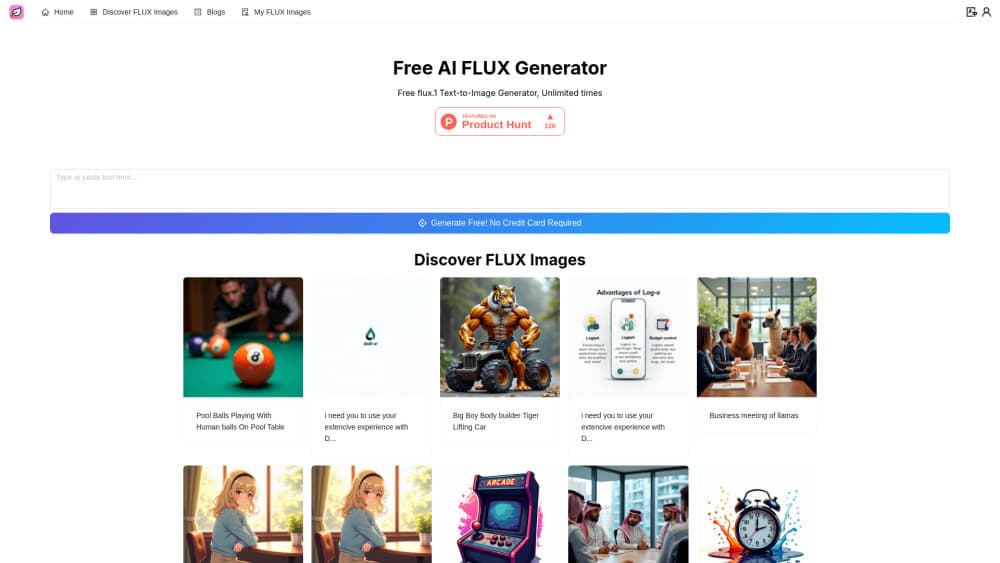
About Free AI FLUX Generator
What Is Free AI FLUX Generator
Free AI FLUX Generator is the web studio at aiflux.cc, a free AI image generator that puts several image models behind one prompt box. You sign up, describe an image, and pick a model from a menu: FLUX.2 Pro for finished renders, FLUX.2 Klein for fast drafts, FLUX.1 Schnell for quick text-to-image tests, or GPT Image 1.5 and Nano Banana Pro when a job needs poster layout or a consistent character.
The appeal is the free entry point. New accounts get credits at signup, and daily check-ins add more, so you can try the FLUX image generator without a card on file. Paid plans add credits, faster queues, and commercial usage rights. Nothing is installed locally, so the whole workflow lives in a browser tab.
The limits matter as much as the model list. Free credits run out quickly on the heavier models, the free tier carries personal use rights only, and advanced models sit behind a paid plan. Adult content is banned outright, and the platform says it can remove accounts that break that rule.
Getting Started
- Open aiflux.cc and create an account with an email address or a Google login.
- Pick a model from the selector, starting with FLUX.1 Schnell if you want to burn through test prompts cheaply.
- Type a prompt in plain language, or upload one or more reference images if you want image-to-image control.
- Set the aspect ratio and output size, then generate and download the result.
- Finish with upscaling, background removal, or inpainting on the same screen before you export.
Product Information
A quick look at Free AI FLUX Generator's pricing, supported platforms, and performance.
Best for
The users, tasks, and scenarios where this tool fits best.
Users
- Beginners trying AI art
- Social media creators
- Small ecommerce sellers
- Designers testing a direction
Tasks
- Turning a written idea into a first image
- Restyling an existing photo
- Fixing one bad area
- Cutting a subject out of a scene
Scenarios
- A quick test before paying for a subscription
- Poster and thumbnail work with text
- Character work across several frames
Key features
Free Credits at Signup
New accounts start with a credit balance and top it up with a daily check-in, so you can generate images before entering payment details. Credit costs change by model, and the heavy ones drain the balance fast. That makes the free tier a testing ground rather than a production budget.
FLUX.2 Pro for Final Renders
FLUX.2 Pro is the flagship model here, aimed at campaign art, product visuals, and key images where lighting and material feel matter. It reads longer prompts with more control than the cheap models do. The tradeoff is cost per image, which is why most people draft elsewhere first.
Three FLUX Models in One Menu
The FLUX image generator lineup covers three speeds: Pro for delivery, Klein for iteration, and FLUX.1 Schnell for fast drafts. Switching models keeps the prompt in place, so you can test the same idea at three quality levels. Schnell is the one to use when you only care whether a composition works.
Image-to-Image With Reference Uploads
Upload a photo or a reference grid and the model works from it instead of a blank prompt. This helps when a client wants their own product in a new scene, or when you need the same face across several images. Mixed text and reference prompts work too, which gives tighter control over framing.
Background Removal and Upscaling
Two finishing tools sit beside the generator. Background removal cuts the subject out and returns a transparent file, which is handy for listings and thumbnails. The upscaler raises resolution after you settle on a composition, so you don't waste credits on enlarging drafts you'll throw away.
Inpainting for Local Fixes
Inpainting lets you repaint a small area, such as a distorted hand or a stray object in the corner. It runs on the same canvas as generation, so no round trip through another editor. For small corrections, this saves a full regeneration and the credits that come with it.
Pros and cons
Pros
- Free credits at signup plus daily check-ins let you test the FLUX image generator without a credit card.
- Six models in one workspace cover fast drafts, polished renders, poster layouts, and character consistency.
- Finishing tools for background removal, upscaling, and inpainting save a trip to a separate editor.
- Paid plans run from $9.99 to $199.99 per month, so the entry price is low for occasional use.
Cons
- Free credits burn out fast on FLUX.2 Pro and other premium models, which pushes heavier users to a subscription.
- Commercial rights require a paid plan, so free-tier images are for personal use only.
- No public API is documented, which rules out building an automated pipeline around it.
- Plan comparisons take some reading, since subscriptions and credit packs are priced differently and credit costs shift by model.
Frequently asked questions
It's a browser-based AI image generator at aiflux.cc built around the FLUX model family from Black Forest Labs, with extra models from OpenAI and Google in the same workspace. You write a prompt, pick a model, and download the image.
Related content
Explore related tools, skills, and articles for Free AI FLUX Generator.
Free AI FLUX Generator Alternatives

Google EmbeddingGemma 2
Google DeepMind · Writing · Image · CodingGoogle EmbeddingGemma 2 is a 740M-parameter open model that turns text, code, images, audio, and video frames into vectors in one 768-dimension space, running on phones and laptops.

Tractionwave
TractionWave · Image · MarketingTractionWave is an AI attention heatmap tool for static ads. Upload a PNG or JPG and it returns predicted attention, ranked hotspots, and fixes before you spend budget.

Imejis.io
Imejis.io · Image · MarketingImejis.io is an AI design studio for agents and marketing teams. Describe an image in plain words, and it writes the copy, builds the layout, reflows it to every size, then exports a finished file.