
Free AI Headshot Generator | Supawork AI (100% free & no limit)
Supawork AI · Image
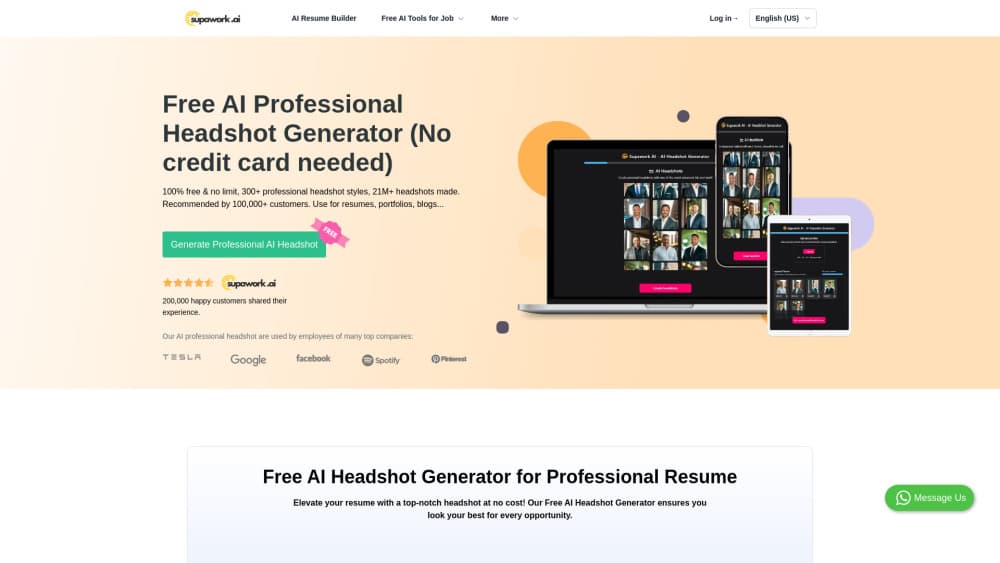
Supawork AI's free AI headshot generator turns one selfie into a studio style professional headshot in seconds, with 30+ styles, no signup and no fee.
About Free AI Headshot Generator | Supawork AI (100% free & no limit)
What Is Supawork AI Free AI Headshot Generator
Supawork AI is an all-in-one AI workspace, and its professional headshot generator is the most used image tool on the site. You upload one selfie, pick a look from more than 30 preset headshot styles, and the page returns a retouched, well-lit portrait sized for a profile photo. Nothing to install, no photographer, no editing session.
The job it solves is narrow and common. You need a photo that looks professional today, not next Tuesday, and you don't have a shoot booked. Recruiters, clients and conference bios all read the same signal from a clean portrait, so the tool aims at credibility rather than creative art.
Limits are worth knowing before you start. One selfie means one set of face angles to work with, so a blurry or half-turned upload caps what the model can fix. The style count is 30+, enough for corporate, casual and social looks but not every niche industry look. And the free flow is built for single portraits and small teams, not a hundred-person directory.
Getting Started
- Open the AI headshot page on Supawork.ai in any browser. No account or card is required.
- Pick a style. Formal business suits, business casual, creative and social variants sit in the same grid.
- Upload one clear, well-lit selfie with your face fully visible. Skip hats, sunglasses and heavy filters.
- Hit generate, then download the result. Most renders finish within seconds, and you can rerun with a different style if the first one misses.
Product Information
A quick look at Free AI Headshot Generator | Supawork AI (100% free & no limit)'s pricing, supported platforms, and performance.
Best for
The users, tasks, and scenarios where this tool fits best.
Users
- Job seekers
- Freelancers and consultants
- Small teams and startups
Tasks
- Refreshing a dated profile photo
- Building a resume header
- Outfitting a company page
- Testing a personal brand look
Scenarios
- A recruiter replies on Friday and wants a photo on your profile before Monday
- A two-person studio needs matching founder photos for a pitch deck
- You're switching industries and the old photo no longer fits
Key features
Selfie to Headshot in Seconds
The core flow takes a single phone photo and returns a finished portrait, usually within seconds. Lighting gets rebuilt, the background is replaced with something neutral or studio-like, and skin is smoothed without flattening facial features. You see the result before you commit to anything.
30+ Preset Professional Styles
Styles split into corporate, business casual, creative and social groups. Each one fixes the wardrobe, background and light direction, so you compare finished looks rather than describing them in a prompt. Switching costs one click, which makes trying three or four of them cheap in time.
Free Team Headshot Generator
Companies and agencies can run the same style across several people so the team page looks like one shoot. Each person uploads a separate selfie and you collect the outputs. It removes the usual headache of chasing eight calendars for a single afternoon.
No Account, No Payment Step
The headshot flow doesn't require signup, which matters when you're prepping an application at 11pm. You land on the page, upload, generate and download. Coin packs exist in the wider Supawork workspace, but the Supawork AI headshot generator doesn't ask for them.
Profile Framing That Survives Small Sizes
Output is framed for square and circular crops, so the face stays centered when LinkedIn, Gmail or Slack cuts the image. That sounds like a detail until you see a good portrait ruined by a chat app that crops off half a shoulder.
Doubles as a LinkedIn Photo Generator
The same upload works for other channels. Instagram, X, Facebook and YouTube profile photos come out of the same run, so a personal brand stays visually consistent across platforms instead of drifting photo by photo.
Pros and cons
Pros
- Zero cost and zero signup for the standard flow, which is rare among AI headshot tools that gate results behind an email capture.
- A single selfie is enough, so you don't need to collect ten photos from different angles first.
- 30+ styles cover the looks most people actually need: corporate, business casual, creative and social.
- Renders land in seconds, so comparing styles is quick rather than a waiting game.
- Team mode keeps a company page visually consistent without booking a studio.
Cons
- One selfie is the only input, so a soft or angled photo caps the result. You can't average several angles the way multi-photo services do.
- 30+ styles is thinner than the hundreds some rivals list, and niche looks (specific uniforms, older age ranges, very curly hair) can come out generic.
- No batch upload or bulk export is documented, so a 40-person directory means 40 separate runs.
- Fixing one detail means starting another generation with a different style, since there's no fine crop or expression control after the fact.
Frequently asked questions
Yes. Supawork states that the AI headshot generator is 100% free and doesn't require signup. Paid coin packs on the site cover other tools in the workspace, such as video generation.
Related content
Explore related tools, skills, and articles for Free AI Headshot Generator | Supawork AI (100% free & no limit).
Free AI Headshot Generator | Supawork AI (100% free & no limit) Alternatives

Google EmbeddingGemma 2
Google DeepMind · Writing · Image · CodingGoogle EmbeddingGemma 2 is a 740M-parameter open model that turns text, code, images, audio, and video frames into vectors in one 768-dimension space, running on phones and laptops.

Tractionwave
TractionWave · Image · MarketingTractionWave is an AI attention heatmap tool for static ads. Upload a PNG or JPG and it returns predicted attention, ranked hotspots, and fixes before you spend budget.

Imejis.io
Imejis.io · Image · MarketingImejis.io is an AI design studio for agents and marketing teams. Describe an image in plain words, and it writes the copy, builds the layout, reflows it to every size, then exports a finished file.