

My QR Code
Outsourcing International EOOD · Image
My QR Code is a free AI QR code generator that turns links, menus, vCards, and Wi-Fi details into scannable codes you can style, download, and track.
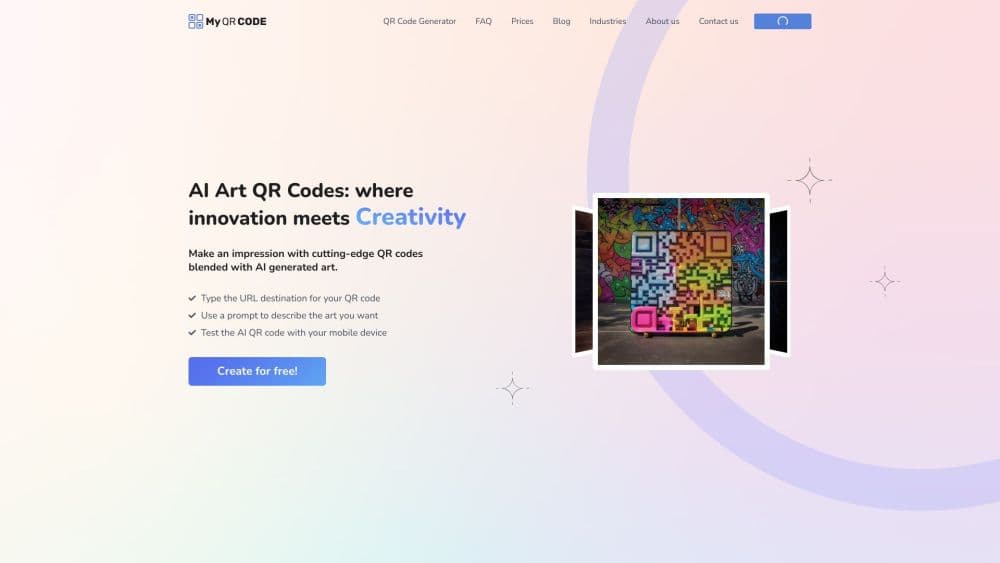
About My QR Code
What Is My QR Code
My QR Code is a web based QR code generator from Outsourcing International EOOD, a Bulgarian company based in Sofia. You pick what you want to share, drop in the link or content, then style the code with colors, logos, frames, and patterns before downloading it as a PNG, SVG, or JPG file. The service pairs artificial intelligence with design work so the finished codes stay readable while looking less like a plain black square.
The tool covers more than a dozen code types, from a simple website URL to a full restaurant menu, a vCard, a PDF, or Wi-Fi login details. Each one is built to serve a different job rather than just encoding text. The marketing pitch is recognition: a code that matches your brand colors and carries your logo gets scanned more often than a generic one.
The catch is what sits behind the free tier. The free tools produce a basic static QR code. Anything with design flourishes, dynamic destinations, or scan tracking pulls you toward a paid plan. Dynamic codes matter because you can change where they point after printing, so a code on a menu or poster never goes stale. If you only need a quick link to a page, the free path is enough. If scans need to be measured or rerouted, budget for the upgrade.
Getting Started
- Open myqrcode.com and pick a content type, such as Website URL, vCard, Wi-Fi, or Menu.
- Enter the destination link or the details you want the code to carry.
- Customize the look with colors, a center logo, frames, and pattern styles to build a custom QR code.
- Preview the code and test it with a phone camera to confirm it scans cleanly.
- Download it as PNG, SVG, or JPG, then print or share it.
Product Information
A quick look at My QR Code's pricing, supported platforms, and performance.
Best for
The users, tasks, and scenarios where this tool fits best.
Users
- Small business owners
- Marketers
- Freelancers and creators
- Restaurant and hotel staff
Tasks
- Linking a physical item to a page
- Sharing contact details
- Connecting guests to Wi-Fi
- Raising a digital menu
Scenarios
- A trade show booth
- A product launch
- Daily café service
Key features
AI Assisted Design
My QR Code blends artificial intelligence with visual design to build codes that stay scannable. It places your logo and colors without breaking the pattern a camera needs to read. The point is a code you are willing to print on a poster instead of hiding in a corner.
Twelve Plus Code Types
You can generate codes for a website URL, vCard, PDF, image gallery, social media, video, plain text, business page, Facebook, Wi-Fi, app store link, or a full restaurant menu. Picking the right type matters because the destination behaves differently. A menu code, for instance, carries structured content you can edit, not just a bare link.
Custom Branding
Colors, center logos, frames, and pattern styles all sit in the editor, so a QR code with logo and brand colors stays recognizable across packaging, signage, and receipts. The design layer is part of the product rather than an afterthought.
Dynamic Destinations
A dynamic QR code sends scanners through a short link you control, so you can change the destination after the code is printed. That turns a permanent object, like a table tent or a van decal, into something you can redirect at any time. Static codes lock the destination in at creation.
Scan Analytics
An analytics dashboard reports how often each code is scanned and where those scans come from. The data turns a printed code into something you can measure, which is the difference between a guess and a campaign. Static codes don't offer this.
PNG, SVG, and JPG Export
Codes download in three formats. SVG stays sharp at any print size, which matters for large signage, while PNG and JPG cover quick digital use. Having all three avoids a trip to a separate design tool.
Pros and cons
Pros
- As a free AI QR code generator, it gets you a working code and a quick download without a sign up.
- More than a dozen code types cover most everyday jobs, from a Wi-Fi code to a full restaurant menu.
- The AI assisted design keeps logos and colors from wrecking the scan, so branded codes still read cleanly.
- Dynamic codes let you change the destination after printing, which saves reprinting a whole batch.
- SVG export keeps codes crisp on large signs where a stretched PNG would blur.
Cons
- The free tier only makes basic static codes, so design, dynamic links, and analytics all sit behind a paid plan.
- The pricing page asks you to log in before showing numbers, which makes comparing plans awkward up front.
- Dynamic codes depend on the service staying online, so a code stops working if you let a subscription lapse.
- There's no published API, so teams that want to bulk generate codes inside their own tools have no official route.
Frequently asked questions
It's a web based QR code generator by Outsourcing International EOOD. You choose what to share, add a link or menu or contact card, style the code, and download it as PNG, SVG, or JPG. The service combines AI and design to keep codes scannable while looking branded.
Related content
Explore related tools, skills, and articles for My QR Code.
My QR Code Alternatives

Google EmbeddingGemma 2
Google DeepMind · Writing · Image · CodingGoogle EmbeddingGemma 2 is a 740M-parameter open model that turns text, code, images, audio, and video frames into vectors in one 768-dimension space, running on phones and laptops.

Tractionwave
TractionWave · Image · MarketingTractionWave is an AI attention heatmap tool for static ads. Upload a PNG or JPG and it returns predicted attention, ranked hotspots, and fixes before you spend budget.

Imejis.io
Imejis.io · Image · MarketingImejis.io is an AI design studio for agents and marketing teams. Describe an image in plain words, and it writes the copy, builds the layout, reflows it to every size, then exports a finished file.