

My Email Extractor
My Email Extractor · Coding
My Email Extractor is a Chrome extension and web app that pulls email addresses, phone numbers, and social profiles from web pages, domains, and search results, then exports the list as a CSV file.
About My Email Extractor
What Is My Email Extractor
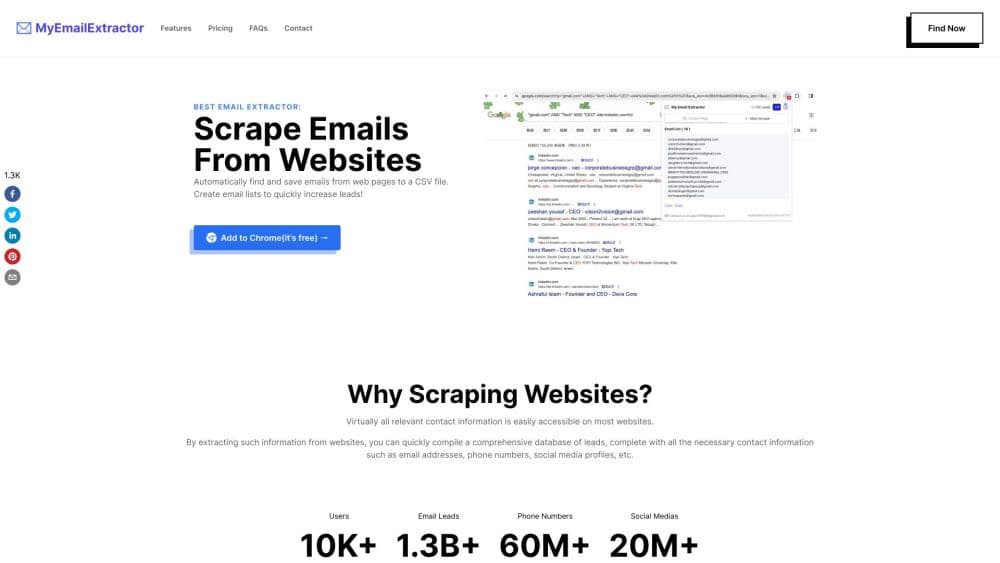
My Email Extractor is a browser extension for building contact lists out of information that already sits in public web pages. You install it in Chrome or Edge, open the popup, and pick a starting point: the page you're reading, a domain you type in, or a page of Google results. The tool works as a lightweight email scraper: it scans the underlying HTML, collects any addresses it finds, and hands you a list you can copy or download.
The useful part is the three ways in. A single page takes one click. A domain search widens the net to the company's public pages and pulls social profiles and phone numbers along with the emails. The search results mode works on a results page, which is handy when you have keywords but no domain list yet.
Two limits matter before you install it. The tool reports what's published on the page, and nothing else. It doesn't guess addresses, run a mailbox check, or tell you whether a person still works at a company. Results are only as clean as the sites you point it at. The second limit is legal: scraping rules differ by country and by site, and several social platforms ban automated collection outright. You carry that responsibility, not the extension.
Getting Started
- Install the extension from the Chrome Web Store, or the Edge add-ons store if you use Microsoft's browser. Pin it to the toolbar so the icon stays visible.
- Create a free account and sign in. The free plan covers 100 exported leads per month, which is enough to test the workflow on real sites.
- For a single page, open the site you want to scan, click the extension icon, and run the Current Page Email Finder. The addresses show up in a list you can copy straight away.
- For a domain, open the email extractor from website panel, type the domain without http or www, and press Find. The scan returns emails, phone numbers, and social profile links.
- Open your dashboard to filter the results, adjust export settings, and download a CSV. Bulk jobs use credits, one per URL, and need a paid plan.
Product Information
A quick look at My Email Extractor's pricing, supported platforms, and performance.
Best for
The users, tasks, and scenarios where this tool fits best.
Users
- Sales and business development reps
- Recruiters and HR sourcers
- Freelance marketers and small agencies
- Researchers and journalists
Tasks
- Building a prospect list from company domains
- Pulling contacts off a single page
- Finding contacts from search results
- Preparing a list for outreach software
Scenarios
- Following up after a trade show
- Prospecting local service businesses
- Checking a site before you pitch
Key features
Current Page Email Finder
This is the fastest path in the product. Open any page, click the extension icon, and it reads the visible text and HTML for address patterns. You get a list in the popup and can copy it without leaving the tab. It suits contact pages, team sections, and press releases where the address is already on screen.
Email Domain Search
Type a domain and the tool scans its public pages for addresses, phone numbers, and social profiles, so you can find email addresses by domain instead of crawling the site yourself. It reports the page each address came from, which helps you judge whether a contact is still relevant. Bulk domain runs are metered by credits.
SERP Email Finder
The SERP email finder works on Google results pages. You search a keyword, run the extension on the results, and it collects addresses that appear in titles, snippets, or linked pages. It's a practical option when you know the kind of business you want but don't have a domain list yet.
Bulk Email Extraction from URL Lists
On a paid plan you can paste a list of URLs, one per line, and let the tool work through them. Each URL costs one credit, and the plan caps how many leads you can export per month. This is the mode that turns bulk email extraction from a manual chore into a background job.
CSV Export and Filtering
Results land in a dashboard where you can group addresses, drop duplicates, and choose what goes into the file. The CSV opens in Excel, Google Sheets, or a CRM import screen without a cleanup pass. Custom export settings are available on the free tier as well.
Plan and Credit Controls
The free plan allows 100 exported leads a month and covers both domain and current-page extraction. Pro Monthly raises that to 10,000 leads a month, and Pro Yearly covers 100,000 a year. Billing runs through Paddle, and you cancel from the extension settings or the Paddle portal.
Pros and cons
Pros
- Free tier exports 100 leads a month, which is enough to judge whether the data is any good on your target sites.
- Three entry points, page, domain, and search results, cover most of the ways people actually build a list.
- Domain scans return phone numbers and social profiles next to the emails, so one pass fills more of a contact record.
- CSV output and grouping options keep the handoff to a CRM short.
Cons
- The tool reports addresses that are already public and does no verification, so expect bounces when a site lists an old contact.
- Bulk runs are credit-metered and locked to paid plans, which makes large campaigns expensive per lead at the low tiers.
- Social platforms such as LinkedIn restrict automated collection, so a chunk of the data you might want is off limits in practice.
- Everything runs in the browser, and there's no documented API, so you can't wire the extraction into your own pipeline.
Frequently asked questions
Yes. There's a free plan that exports 100 leads a month and includes domain extraction, current-page extraction, and export settings. Pro plans raise the monthly cap and unlock social profile extraction.
Related content
Explore related tools, skills, and articles for My Email Extractor.
My Email Extractor Alternatives

Udon
Udon · Coding · ProductivityUdon turns an Apple Silicon Mac into a home server you run from a browser, with container controls, file shares, and an optional AI sysadmin.

offstage
offstage cloud · Coding · Productivityoffstage gives AI coding agents and CI jobs a real Mac: a fresh macOS account on Apple silicon, driven over an API and billed by the second.

BotBus
Chengdu Tuyang Tusen Technology Co., Ltd. · Coding · ProductivityBotBus lets you control AI coding agents from your phone and watch: approve commands, start tasks and read results while the code stays on your desktop.