

Free Gif Face Swap - LoveFaceSwap
LoveFaceSwap AI · Image
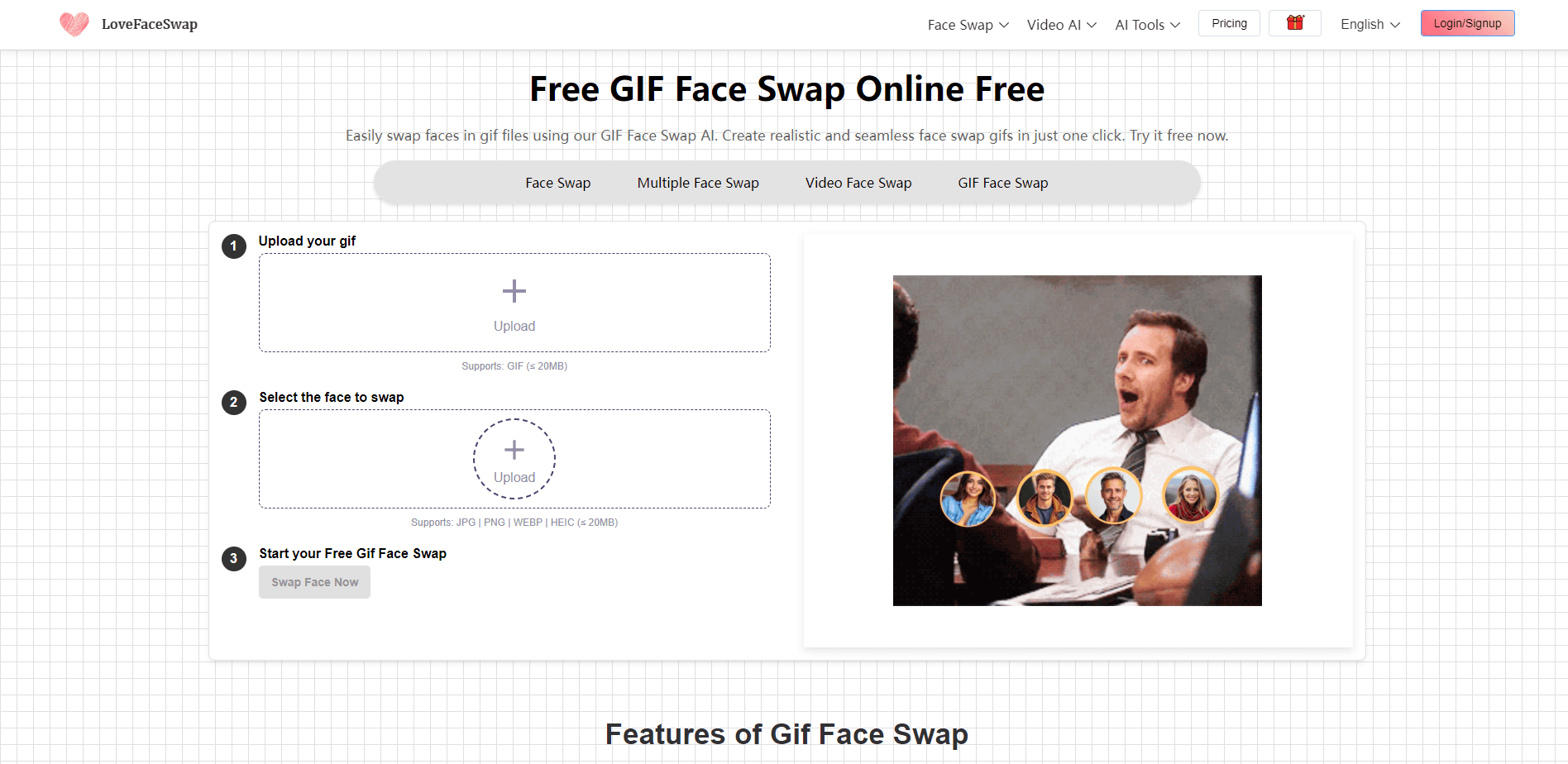
Free Gif Face Swap by LoveFaceSwap is a browser tool that swaps a face into any GIF in seconds. It needs no sign-up and leaves no watermark.
About Free Gif Face Swap - LoveFaceSwap
What Is Free Gif Face Swap - LoveFaceSwap
Free Gif Face Swap is a single-purpose page inside LoveFaceSwap, a web studio of AI face and video tools. You give it two things: a still photo of a face and a GIF you want to edit. The AI lines up the face, copies the target's lighting, skin tone, and expression, and writes your face onto every frame so the animation keeps moving. The output downloads as a clean GIF.
It's built for people who make memes and reaction clips and don't want to fight video editors or paywalls to do it. The format is the point. A photo edit is one still image, but a GIF carries motion, so the AI has to track a face that laughs, turns, or blinks and keep it believable from frame to frame. That's a harder problem than a photo swap, and the whole tool is aimed at solving it without asking you to learn a timeline.
Two limits shape how you use it. This page handles one face at a time, and it's tuned for speed over group scenes, so a party GIF with several people needs the separate Multi-Face Swap tool. And free access caps how much you can generate, so a run of big projects will hit the paywall built for heavier use.
Getting Started
- Open the GIF Face Swap page in your browser on desktop or mobile. There's no account and nothing to install.
- Upload the target GIF, which can be as large as 50MB, so high-definition clips are fine.
- Upload a clear, front-facing photo of the face you want to place. Good light and an unobstructed forehead help most.
- Hit Generate and let the AI detect the features, match the lighting, and blend the face across the frames.
- Preview the motion, then download the watermark-free GIF and post it to Discord, Reddit, or X.
Product Information
A quick look at Free Gif Face Swap - LoveFaceSwap's pricing, supported platforms, and performance.
Best for
The users, tasks, and scenarios where this tool fits best.
Users
- Meme makers and reaction-clip creators
- Social media managers
- Casual users trying a first face swap
Tasks
- Turning a selfie into a GIF meme
- Making reaction GIFs for Discord, Reddit, or X
- Swapping a face into a movie or TV scene
- Personalizing an existing GIF
Scenarios
- A quick joke before you post it
- Working on a phone with no app
- A high-definition clip too big for other tools
- Testing a paid workflow before you buy
Key features
Face Swap Into Any GIF
This is the core job. You bring a photo and a GIF, and the tool writes your face onto the character frame by frame. Because it works on motion, the result is an animated clip rather than a single still, which is what makes it useful for memes and reactions.
No Watermark, No Sign-Up
LoveFaceSwap doesn't stamp a logo on the file and doesn't make you register first. You open the page, upload, and download. That removes the two things that push most people away from free face swap tools: the branding and the account wall.
Realistic Deepfake Blending
The AI reads the target's lighting, skin tone, and facial expression before it places your face, so the swap tracks a character who laughs, turns, or blinks. It's the difference between a pasted-on sticker and a face that looks like it belongs in the scene.
Large 50MB GIF Support
Most online tools reject anything past a few megabytes. This one takes GIFs up to 50MB, which covers high-definition movie clips and detailed animations. You get a crisp result instead of a file that's been squeezed until it looks pixelated.
Runs Entirely in the Browser
There's no app to download and no plugin to install. It works the same on desktop and mobile, so you can make or finish a GIF on whatever device is in front of you.
Privacy by Default
Uploads and results sit on encrypted servers and are deleted automatically, so your face and your files aren't kept around. For a tool that takes a selfie, that simple promise is worth more than a long policy.
Pros and cons
Pros
- Free to use with no sign-up, so there's no account to create before your first swap.
- No watermark on downloads, which keeps a meme clean enough to post anywhere.
- Supports GIFs up to 50MB, so high-definition clips survive the edit.
- Batches motion well, matching lighting and expression so the face holds up frame to frame.
- Works in the browser on desktop and mobile, with nothing to install.
- Automatically deletes uploads, which lowers the privacy risk of sending a selfie.
Cons
- This page swaps one face at a time, so group GIFs need the separate Multi-Face Swap tool instead.
- Free use caps how many swaps you get, so heavy or commercial work will hit the paid credit packs.
- Extreme angles or very fast motion can distort the result, and a blurry or side-on photo makes it worse.
- There's no API, so you can't wire the tool into your own app or automate a batch.
Frequently asked questions
Yes. The tool is free to use with no watermark and no hidden credit system on the free tier. You can make GIF memes without a card, but a heavy run of projects will eventually reach the paid credit packs.
Related content
Explore related tools, skills, and articles for Free Gif Face Swap - LoveFaceSwap.
Free Gif Face Swap - LoveFaceSwap Alternatives

Google EmbeddingGemma 2
Google DeepMind · Writing · Image · CodingGoogle EmbeddingGemma 2 is a 740M-parameter open model that turns text, code, images, audio, and video frames into vectors in one 768-dimension space, running on phones and laptops.

Tractionwave
TractionWave · Image · MarketingTractionWave is an AI attention heatmap tool for static ads. Upload a PNG or JPG and it returns predicted attention, ranked hotspots, and fixes before you spend budget.

Imejis.io
Imejis.io · Image · MarketingImejis.io is an AI design studio for agents and marketing teams. Describe an image in plain words, and it writes the copy, builds the layout, reflows it to every size, then exports a finished file.