

Frontender
Hubition · Coding
Frontender is a Figma to code plugin that turns selected layers into front-end code in CSS, Tailwind, HTML, or JSX, with a free tier of 15 conversions a month.
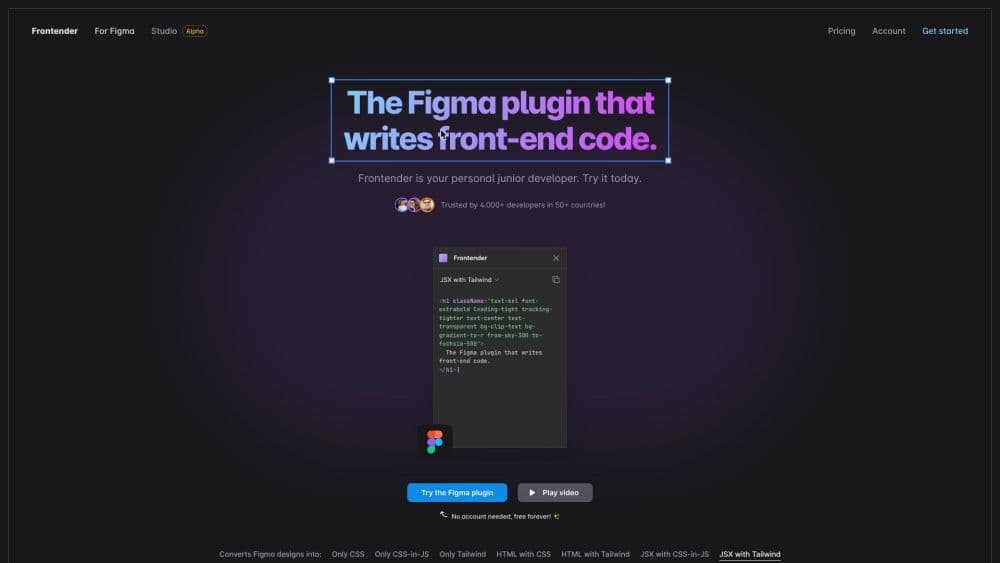
About Frontender
What Is Frontender
Frontender is a Figma plugin built by Hubition, a small product studio in Utrecht, Netherlands. It reads whatever layers you select on the canvas and writes front-end code that matches the design. The plugin shipped in 2023 and has since been used by more than 5,000 developers across 30 countries, according to the company. It works as a front-end code generator for people who would rather adjust existing markup than retype a layout from scratch.
The problem it targets is the handoff gap. Designers finish a screen, developers rebuild it by hand, and small spacing or font differences creep in along the way. Frontender closes part of that gap by producing markup and styles you can paste into a project, including a Figma to Tailwind path for teams that already work with utility classes.
The limits matter as much as the output. Frontender generates presentation code, so state, data fetching, routing, and business logic stay your job. Treat the result as a solid first draft that still needs a review in your editor. Free accounts get 15 conversions each month, and there's no API or command line version.
Getting Started
- Install the Frontender plugin from the Figma Community page, then open it from the Plugins menu inside any design file.
- Select one or several layers on the canvas. Frontender reads the selection and starts writing code right away.
- Pick an output format in the plugin panel, such as HTML with Tailwind, JSX with CSS-in-JS, or plain CSS.
- Copy the generated code into your project, or let autocopy place it on the clipboard, then adjust the pieces that depend on your app.
Product Information
A quick look at Frontender's pricing, supported platforms, and performance.
Best for
The users, tasks, and scenarios where this tool fits best.
Users
- Front-end developers at small teams
- Designers who ship their own pages
- Freelancers juggling several stacks
Tasks
- Rebuilding a marketing page
- Turning a component into a starting point
- Moving a design into a Tailwind project
- Checking spacing and typography
Scenarios
- A redesign lands on Friday and the sprint starts Monday
- One designer supports three product teams
- You inherited a messy Figma file with no autolayout
Key features
Layer Selection to Code
You select one layer or a whole group, and the plugin writes code for that selection. There's no setup wizard and no need to tag layers first. This is the core loop, and it's why the tool feels closer to a junior developer than to an export dialog.
Seven Output Formats
The format picker covers only CSS, only CSS-in-JS, only Tailwind, HTML with CSS, HTML with Tailwind, JSX with CSS-in-JS, and JSX with Tailwind. Teams that need a CSS generator for a legacy page and teams that want a JSX generator for a React app use the same plugin, which saves installing two tools.
Tailwind Output That Follows Your Config
Frontender understands Tailwind classes, not just raw CSS. Paste a custom config and it writes with your class names, reaching for arbitrary values when nothing in your scale fits. For a Figma to Tailwind workflow, that keeps generated markup close to what your team would write by hand.
Works With Messy Figma Files
The plugin doesn't depend on autolayout or neatly named layers. It works out order, hierarchy, and meaning on its own, so a file thrown together by three designers still produces usable structure. Anyone who has cleaned up a file before exporting will notice the difference.
React and Vue Component Output
Paid plans add component output for React and Vue, so you get a reusable component instead of a flat block of markup. That shortens the step between a Figma to React handoff and something you can import into a codebase. The free tier sticks to the basic formats.
Instant Code and Autocopy
Code appears in the panel while the plugin works, and autocopy puts the finished result on your clipboard so you can paste without hunting for a button. Small conveniences, but they remove the repeated clicks that make batch conversion tedious.
Pros and cons
Pros
- Fast on repetitive UI: a card grid or settings screen that would take an hour to mark up comes back in seconds.
- No clean file required: it reads hierarchy without autolayout, which saves the usual prep pass.
- Tailwind output respects your config: custom class names and arbitrary values show up in the result.
- Cheap to try: 15 conversions a month cost nothing and don't need an account.
- One plugin, several stacks: React, Vue, Svelte, and plain HTML all come from the same panel.
Cons
- Presentation code only: there's no state, data fetching, or routing, so the output is a draft rather than a finished feature.
- Review is mandatory: generated markup can pick odd class combinations, and checking it takes time on complex layouts.
- Figma only: no API, CLI, or editor extension, so the tool can't join an automated pipeline.
- The free cap is tight: 15 conversions disappear in a single afternoon of real work, and component output needs a paid plan.
Frequently asked questions
Frontender is a Figma plugin that converts selected design layers into front-end code. It writes CSS, Tailwind, HTML, and JSX, and the paid plans add React and Vue component output.
Related content
Explore related tools, skills, and articles for Frontender.
Frontender Alternatives

Udon
Udon · Coding · ProductivityUdon turns an Apple Silicon Mac into a home server you run from a browser, with container controls, file shares, and an optional AI sysadmin.

offstage
offstage cloud · Coding · Productivityoffstage gives AI coding agents and CI jobs a real Mac: a fresh macOS account on Apple silicon, driven over an API and billed by the second.

BotBus
Chengdu Tuyang Tusen Technology Co., Ltd. · Coding · ProductivityBotBus lets you control AI coding agents from your phone and watch: approve commands, start tasks and read results while the code stays on your desktop.