

Frontly
Frontly · Coding
Frontly is a no-code AI app builder that turns Google Sheets or Supabase data into a secure web app with logins, roles and automations. Free plan, paid tiers from $30/mo.
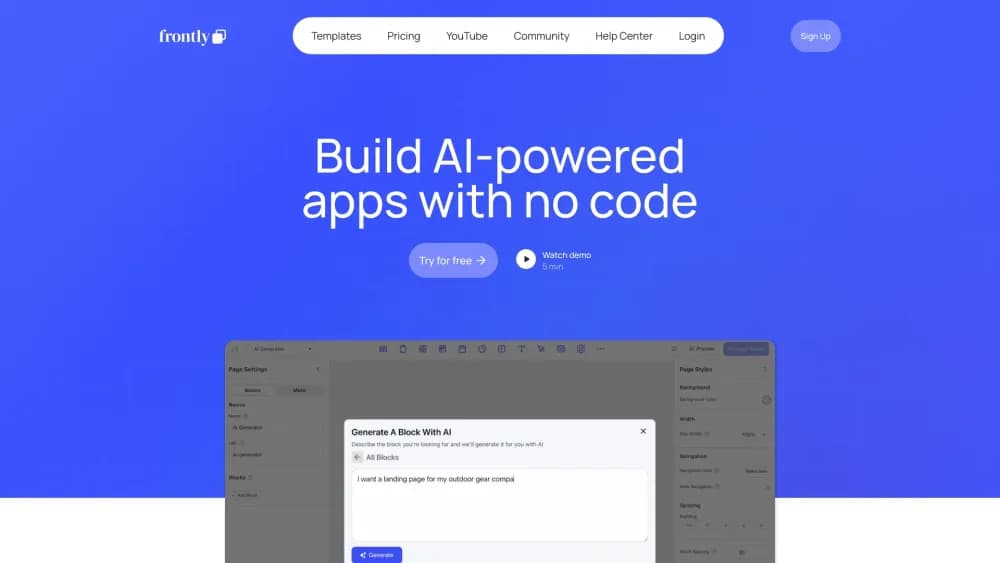
About Frontly
What Is Frontly
Frontly builds the front end of a web app on top of data you already keep in a spreadsheet or a database. You connect Google Sheets, Supabase, Xano or NoCodeBackEnd, and Frontly lays a login portal, tables, charts and forms over those records. Its AI writes a working first version from a plain-English description, and you adjust the pages block by block afterward.
The problem it solves is the gap between a spreadsheet and something other people can use safely. A small team needs a client portal or a set of internal tools, but hiring a developer for six screens costs more than the job is worth. Frontly skips the database layer, because your sheet already holds the rows.
Three limits shape where it fits. Apps run in the browser, so there's no native iOS or Android build. Monthly operations and AI credits meter usage on every tier. And the free plan carries Frontly branding, which rules it out for client work until you move to a paid tier.
Getting Started
- Create a free account at frontly.ai and start from a template or a blank app.
- Connect a data source such as Google Sheets, Supabase, Xano or NoCodeBackEnd, then pick the tables and columns to expose.
- Describe the app you want in plain language, or add table, chart and form blocks by hand.
- Set user roles and row-level permissions, then invite the people who need access.
- Publish to a Frontly subdomain or a custom branded app, and watch the operations counter as usage grows.
Product Information
A quick look at Frontly's pricing, supported platforms, and performance.
Best for
The users, tasks, and scenarios where this tool fits best.
Users
- Small operations teams
- Freelancers and consultants
- Founders testing an internal tool
- Managers replacing a shared spreadsheet
Tasks
- Standing up a client portal with per-client logins
- Tracking requests, inventory or jobs
- Running event registration
- Publishing a small listings site
- Automating follow-ups
Scenarios
- Turning a shared spreadsheet into a permissioned web app without exporting the data anywhere.
- Shipping a working prototype in a day so stakeholders can click through it before you commit budget.
- Giving each client a branded login area when you run a small agency and can't justify custom development.
Key features
AI App Generation
You describe the app in a sentence or two and Frontly's AI drafts the pages, tables and forms. The output is editable, so the first pass is a starting point rather than a locked template. This is the part that separates it from older no-code tools, where every screen started as a blank canvas.
Spreadsheet and Database Connections
Frontly connects to Google Sheets, Supabase, Xano and NoCodeBackEnd. Your data stays where it is, so there's no migration and no second copy to keep in sync. That makes it a practical app builder for Google Sheets teams that have years of records already organized in rows and columns.
Row-Level Permissions and Secure Logins
Access rules can be set per row, not just per page. A client logging in sees their own records, a regional manager sees their region, and an admin sees everything. The login portal sits in front of the app, which means you're not sharing a public link and hoping nobody edits the wrong cell.
Workflows and AI Actions
Workflows run tasks when something happens in the app or the data changes. You can generate a summary of a record, draft content, send a notification or update a status field. These automations cover the repetitive steps that usually get handled by a person copying between tabs.
Custom Branding
Paid tiers remove Frontly branding from the app and let you apply your own logo and colors. Basic covers one branded app, Professional covers three, and Enterprise is quoted per project. For anyone reselling the result, that's the difference between a demo and something you can hand to a client.
API Access
The Professional tier opens API access, so the app's data can be read or written from another system. It's the escape hatch for teams that outgrow the built-in blocks and want to connect a scheduler, a billing tool or an internal script. Lower tiers don't include it, which is worth checking before you plan an integration.
Pros and cons
Pros
- The free tier allows unlimited apps and unlimited users with no time limit, so you can test the workflow before paying.
- It works on top of data you already maintain in Google Sheets or Supabase, which removes a migration step.
- Row-level permissions make it usable for client portals, where page-level gating alone would leak records.
- The AI draft gets a first version on screen in minutes, and every block stays editable afterward.
- Professional at $100/mo includes three branded apps and API access, which is cheap next to custom development.
Cons
- Monthly operations are metered at 1,000 on the free tier, 10,000 on Basic and 50,000 on Professional. A busy portal can hit the ceiling and need an upgrade mid-month.
- Apps are web only. There's no native mobile build, so phone users work through a browser.
- The free plan shows Frontly branding, which rules it out for client-facing work.
- Business logic that needs custom server code runs into limits, and API access only arrives on the Professional tier.
Frequently asked questions
Frontly builds web apps that sit on top of spreadsheet or database records. Typical uses are client portals, internal tools for tracking work, event registration pages and small listings sites. You connect a data source, design the interface, and publish it with logins attached.
Related content
Explore related tools, skills, and articles for Frontly.
Frontly Alternatives

Udon
Udon · Coding · ProductivityUdon turns an Apple Silicon Mac into a home server you run from a browser, with container controls, file shares, and an optional AI sysadmin.

offstage
offstage cloud · Coding · Productivityoffstage gives AI coding agents and CI jobs a real Mac: a fresh macOS account on Apple silicon, driven over an API and billed by the second.

BotBus
Chengdu Tuyang Tusen Technology Co., Ltd. · Coding · ProductivityBotBus lets you control AI coding agents from your phone and watch: approve commands, start tasks and read results while the code stays on your desktop.