

FunBlocks AIFlow
FunBlocks AI · Productivity · Other
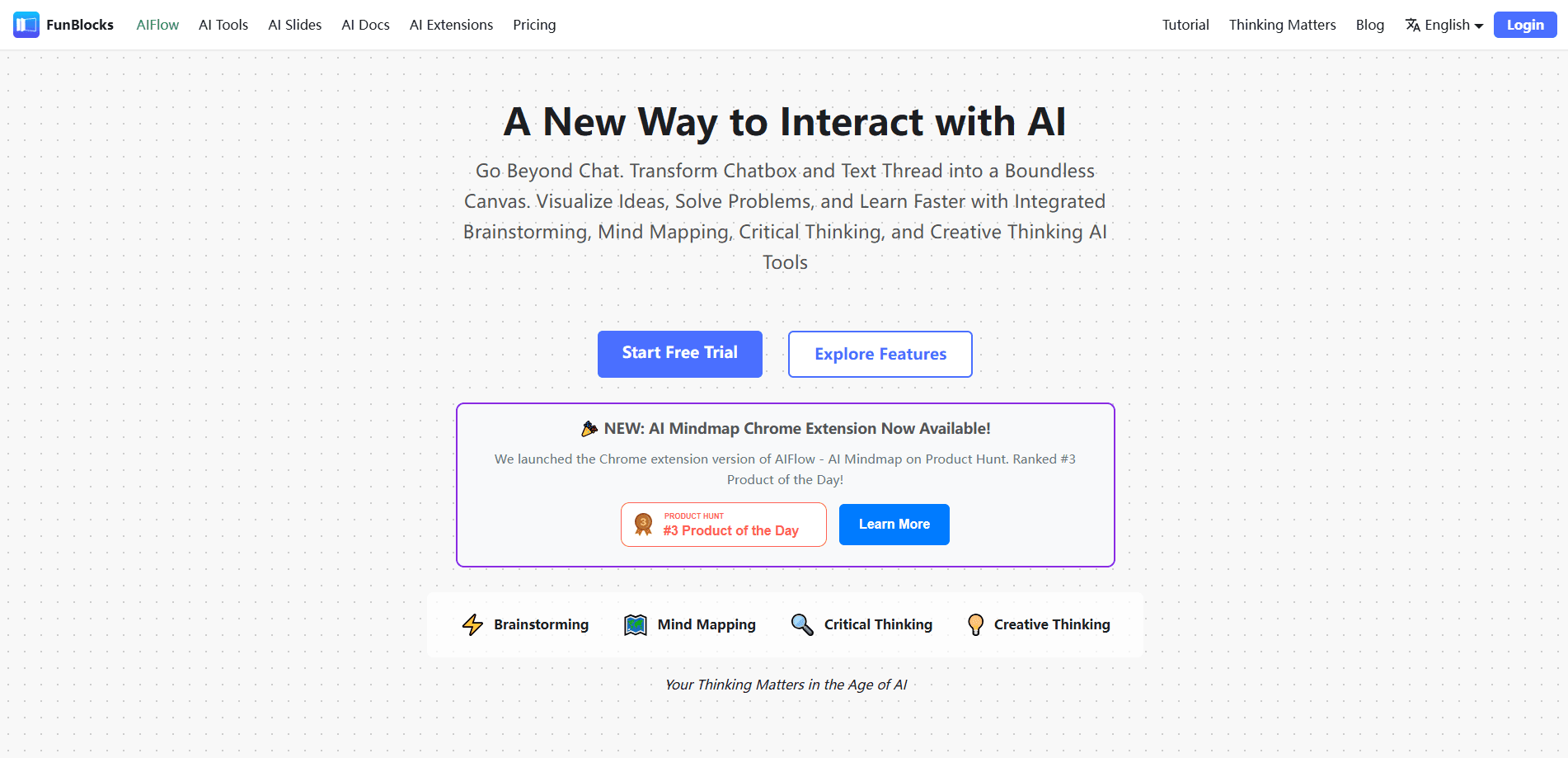
FunBlocks AIFlow is a visual thinking canvas for turning notes, webpages, PDFs, and videos into structured mind maps, then carrying that same structure into docs, slides, and writing.
About FunBlocks AIFlow
What Is FunBlocks AIFlow
FunBlocks AIFlow is the flagship thinking tool inside the FunBlocks suite, a mind mapping software built around a blank, infinite canvas. It lets AI help you branch ideas, run mental models like First Principles and SWOT, and organize messy inputs into something you can actually look at. The pitch is simple: a chat window hides the shape of a problem, while a mind map shows it.
The tool is built for people who deal with dense material and need to think it through, not just summarize it. You can start from a topic, a note, a webpage, a PDF, or a YouTube video, and this AI mind map tool will draft a first structure you keep editing. From there, the same map feeds into FunBlocks AI Docs, AI Slides, and the Markdown editor, so you aren't rebuilding context every time the work changes shape. That continuity is what turns a FunBlocks mind map into a working asset rather than a one-off sketch.
The biggest limit is scope. AIFlow is one product inside a paid suite, and heavy use runs against a daily AI quota. It runs in the browser, so there's nothing to install for the canvas itself. The companion mind map extension, however, is Chrome and Edge only.
Getting Started
- Create a free FunBlocks account and open AIFlow from the web dashboard.
- Start a new canvas and paste a topic, a URL, or drop in a PDF or video to generate a first mind map.
- Use the AI panel to branch, compare, or apply a mental model to any node.
- Move the finished structure into AI Docs, AI Slides, or the Markdown editor to produce the final output.
Product Information
A quick look at FunBlocks AIFlow's pricing, supported platforms, and performance.
Best for
The users, tasks, and scenarios where this tool fits best.
Users
- Students
- Researchers
- Content creators and writers
Tasks
- Turning long articles or videos into a quick structure
- Running a structured brainstorm
- Repurposing one idea across formats
Scenarios
- Early project research
- Weekly study review
- Meeting or lecture follow-up
Key features
Visual AI Canvas and Mind Mapping
AIFlow's core is an infinite canvas where ideas live as nodes you can drag, group, and rearrange. Unlike a chat thread, the whole picture stays visible, so you can see how branches relate and spot the gaps. AI can expand any node into a multi-level map when you want depth, which makes this an AI brainstorming app that rewards exploration over one-shot answers.
Mental Models Inside the Workflow
The tool bakes in thinking frameworks like First Principles, SWOT, and the Latticework of mental models. You apply them to a node and AI works through the structure with you, which is useful when a problem needs a method, not just more text. It's the feature that separates this AI workflow tool from a plain mind map app.
Source to Structure Capture
You can start from a webpage, PDF, note, or YouTube video instead of a blank canvas. AIFlow reads the source and drafts a structured map, so dense material becomes something you can scan in seconds. This is the fastest way to get a usable first pass on unfamiliar material.
Connected Outputs Across the Suite
The same structure moves into FunBlocks AI Docs, AI Slides, and the Markdown editor. A map becomes a document outline, a slide deck, or a writing draft without copy-pasting between tools. That continuity is the main reason to use AIFlow as a hub rather than a standalone mapper.
Multi-Model Access
You can switch between leading models such as OpenAI GPT, Anthropic Claude, Google Gemini, and DeepSeek inside the same workspace. Picking a different model for analysis versus drafting saves you from juggling separate subscriptions. Model availability depends on your plan.
Browser Extension Capture
A companion Chrome and Edge extension turns any webpage or YouTube video into a mind map in one click. It captures the page you're already reading, so you skip the copy-paste step. Maps saved here land in AIFlow for deeper work.
Pros and cons
Pros
- The canvas keeps a whole topic visible, which a chat window can't do.
- Mental models turn vague brainstorming into a repeatable process.
- One structure carries into docs, slides, and writing without rebuilding it.
- Multi-model access means you don't need separate AI subscriptions for each task.
Cons
- The free tier caps you at a limited number of AI actions per day, so regular users will hit the wall fast.
- It's one product in a paid suite, and the full value only shows up if you also use the docs, slides, and writing tools.
- The browser extension is Chrome and Edge only, so Safari and Firefox users lose the one-click capture.
- AI-generated maps still need editing, since a first draft rarely matches how you actually think.
Frequently asked questions
It's a visual thinking workspace for mapping ideas and structuring information. You start from a topic, note, webpage, PDF, or video and use AI to build a mind map you keep refining.
Related content
Explore related tools, skills, and articles for FunBlocks AIFlow.
FunBlocks AIFlow Alternatives

Udon
Udon · Coding · ProductivityUdon turns an Apple Silicon Mac into a home server you run from a browser, with container controls, file shares, and an optional AI sysadmin.

offstage
offstage cloud · Coding · Productivityoffstage gives AI coding agents and CI jobs a real Mac: a fresh macOS account on Apple silicon, driven over an API and billed by the second.

BotBus
Chengdu Tuyang Tusen Technology Co., Ltd. · Coding · ProductivityBotBus lets you control AI coding agents from your phone and watch: approve commands, start tasks and read results while the code stays on your desktop.