

FuseBase
FuseBase (formerly Nimbus Note) · Productivity
FuseBase is an AI-native client portal and team workspace for service businesses. It combines branded client portals, project management, knowledge bases and AI agents in one platform.
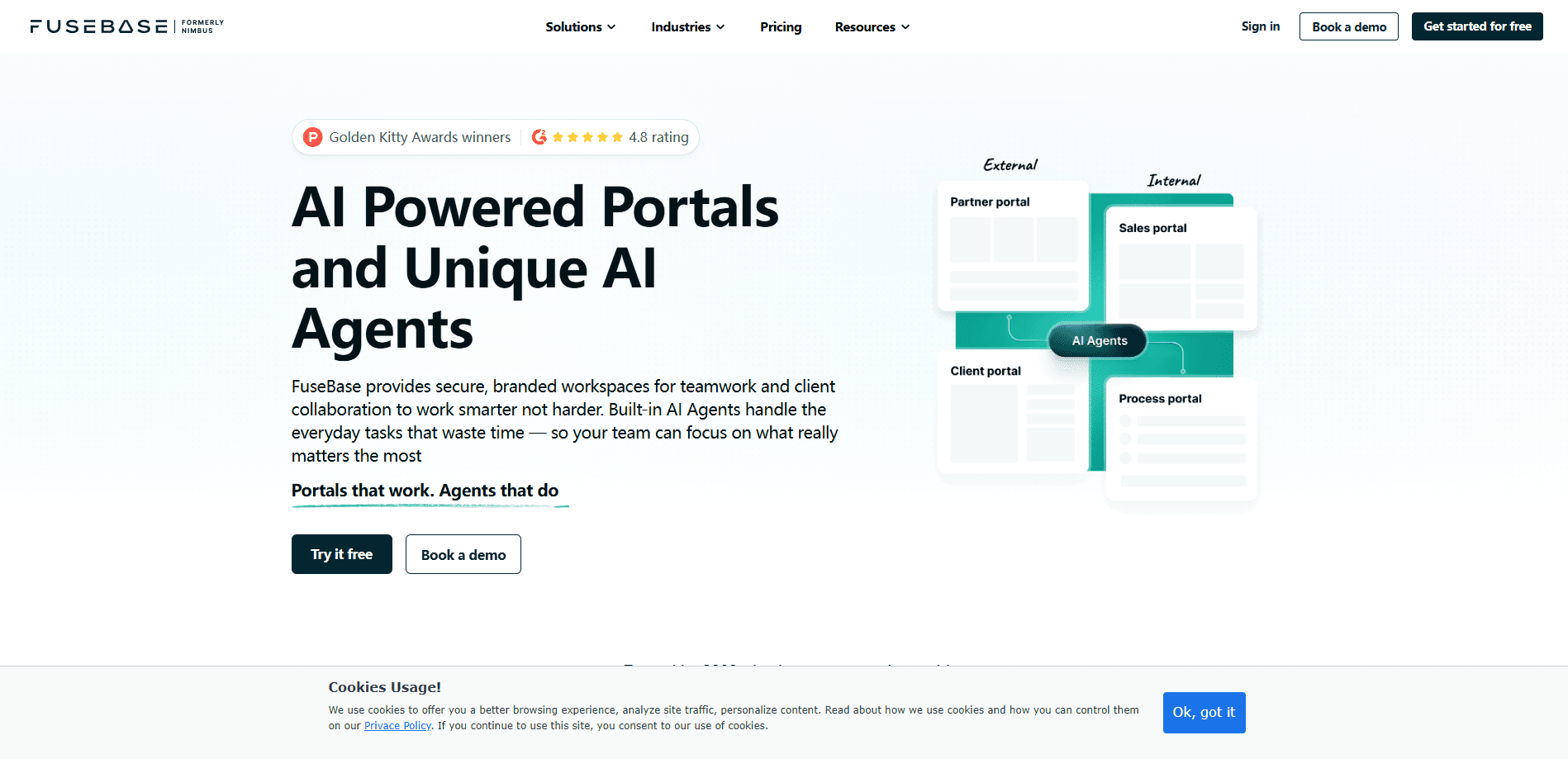
About FuseBase
What Is FuseBase
FuseBase is a client collaboration platform that service businesses use to run their work and their client relationships in one place. Agencies, consultancies and professional firms build branded portals where clients see projects, files and updates without logging into a mess of separate tools. The company has shipped this kind of software since 2014, and FuseBase is the current name for what started as Nimbus Note.
The pitch is simple: keep the relationship you spent years earning. Client work tends to leak across email threads, chat apps and shared drives, and each handoff is a chance for something to get lost. FuseBase pulls that into portals your clients recognize as yours, with your logo, your URL and your email domain on the higher plans. The same workspace handles internal projects, so staff and clients work on the same content instead of two parallel versions.
Two limits matter before you commit. The really useful pieces, like white label and granular permissions, only appear on the Advanced and Unlimited plans, which start at $266 per month. And the AI side is metered. Every plan allows a set number of AI requests and automation runs per month, so heavy usage pushes you toward add-ons or a bigger plan.
Getting Started
- Sign up for the free plan, which gives you one client portal, one workspace and AI access for a limited number of prompts
- Build your workspace from templates, then import or write the pages, files and databases your team needs
- Set up a client portal, add your branding and invite clients as guests so they only see their own space
- Connect the tools you already use, switch on the automation and AI agents, and start moving live client work through the platform
Product Information
A quick look at FuseBase's pricing, supported platforms, and performance.
Best for
The users, tasks, and scenarios where this tool fits best.
Users
- Digital and marketing agencies
- Consultants and professional services firms
- Creative studios
- Operations and delivery managers
- Healthcare and finance teams
Tasks
- Building branded client portals
- Managing projects and tasks
- Running a knowledge base
- Automating client-facing workflows
- Capturing meeting notes
- Embedding live data
Scenarios
- A client asks for a status update and you send a portal link instead of digging through threads
- A growing agency onboards a round of new clients and wants each to get a consistent, branded space
- A consultancy bills for billable hours and wants to cut the admin time between finishing work and getting paid
- A team spreads across time zones and needs projects, files and notes to live in one shared workspace
- A regulated firm needs to share sensitive documents with clients while keeping granular control over who sees what
Key features
AI Agents and FuseBase AI
AI agents are the newest layer of the product. FuseBase ships agents built for different roles, from checking client inputs to drafting updates and planning handoffs, and it runs them on models like Claude and ChatGPT. FuseBase AI works inside your content: it drafts pages, answers questions from your own knowledge base and takes on routine tasks. Every plan includes a monthly allowance of AI requests, so you can test the agents before scaling them.
Branded Client Portals
A client portal is where you meet clients and partners in one place, and FuseBase lets you dress it up as your own product. You add your logo and colors, and on the Advanced plan you can run a white label setup with a custom domain so the portal shows yourcompany.com rather than FuseBase. Clients log in as guests and only see their own space, which keeps projects, files and conversations in one tidy hub instead of scattering them across email.
Project Management and Databases
The workspace handles tasks, projects and data alongside the client-facing side. You get Kanban boards, task lists, calendars, dashboards and templates, and you can store structured records in databases rather than flat pages. Because it sits in the same platform as the portals, a project you plan internally can be published straight to the client without rebuilding it. Content templates cut down on starting from a blank page every time.
Knowledge Base and Internal Wiki
Teams use FuseBase to build a knowledge base that acts as a single source of truth. You write guides, SOPs and onboarding docs once, then decide who sees them, staff, clients or both. The same content can double as a client-facing wiki, which is often how businesses turn internal know-how into a value they can charge for.
Workflow Automation
Automation is where a lot of the daily admin disappears. You set up workflows once, for example one that collects a client brief through a form, sends it to the right person and waits for approval, and they run on their own. Each plan comes with a monthly pool of automation runs, starting at 1,000 and scaling to unlimited.
Browser Extensions and Capture
FuseBase ships browser extensions that extend the workspace beyond its own pages. FuseBase Clarity captures step-by-step guides and SOPs from what you do on screen, the AI Assistant brings chat and agents into other sites, and the Voice Assistant handles voice typing in the browser. The PRO extension covers note-taking, file sharing and collaboration, so the tools follow you into the browser tabs where work actually happens.
Meeting Notes and Transcription
The platform records and transcribes calls, then keeps the notes tied to the project they belong to. Transcription is metered by hours each month, from five hours on Solo up to unlimited on the Unlimited plan. For client work, that means the decisions from a call stay attached to the project instead of living in someone's head.
Security, Compliance and Hosting
FuseBase runs a trust center around HIPAA and SOC 2, and it offers managed VPS hosting. Teams with data rules can keep tools close to home. Advanced and Unlimited plans add granular permissions and groups, so you control exactly who can see a given portal or page. There's also a public API and integrations, which is how developers wire FuseBase into the rest of their stack.
Pros and cons
Pros
- Bundles client portals, project management, a knowledge base and automation, so you replace several subscriptions with one
- White label with a custom domain lets the portal look like your own product, not a third-party tool
- AI agents and FuseBase AI are built into the workspace rather than bolted on as a separate app
- A free plan gives one portal, one workspace and AI access, so you can try it before paying
- Data centers with HIPAA and SOC 2 alignment plus granular permissions suit teams that handle sensitive client material
Cons
- The features that matter most, white label and granular permissions, sit behind the $266 per month Advanced plan
- AI requests, automation runs and transcription hours are all capped monthly, so heavy users pay for add-ons or jump a plan
- The number of moving parts, portals, agents, automation and databases, takes real setup time before it pays off
- Per-client portals cost extra beyond your plan's limit, which adds up for agencies with many small accounts
Frequently asked questions
FuseBase is a client collaboration platform. Service businesses use it to build branded client portals, manage projects and tasks, keep a knowledge base and automate client-facing workflows, all inside one workspace. It's aimed at agencies, consultancies and professional firms that want client work and internal work in the same place.
Related content
Explore related tools, skills, and articles for FuseBase.
FuseBase Alternatives

Udon
Udon · Coding · ProductivityUdon turns an Apple Silicon Mac into a home server you run from a browser, with container controls, file shares, and an optional AI sysadmin.

offstage
offstage cloud · Coding · Productivityoffstage gives AI coding agents and CI jobs a real Mac: a fresh macOS account on Apple silicon, driven over an API and billed by the second.

BotBus
Chengdu Tuyang Tusen Technology Co., Ltd. · Coding · ProductivityBotBus lets you control AI coding agents from your phone and watch: approve commands, start tasks and read results while the code stays on your desktop.