

Genbler
Genbler · Image
Genbler is an AI content platform for creators. It makes images and anime videos, swaps faces, changes backgrounds, and upscales photos from $19.95/mo.
About Genbler
What Is Genbler
Genbler is a web-based AI content platform that bundles several tools into one account. You bring a photo, a face, or a line of text, and it returns a finished image or a short anime-style video clip. There's nothing to install, so it works on a laptop as long as you have a browser and a connection.
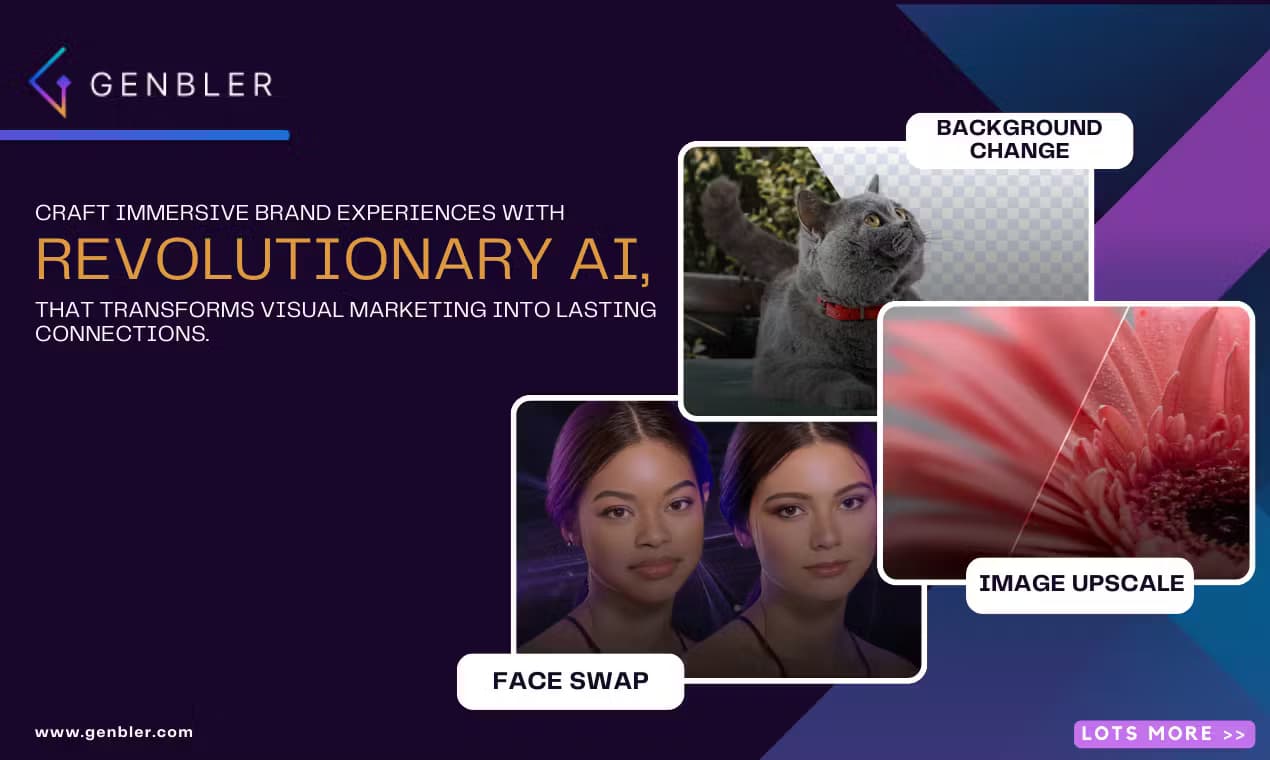
The toolset covers the jobs social media creators run into most. A face swap tool drops one face onto another photo or video clip. A background changer lifts an image off its current setting and replaces it with a new one. An image upscaler pushes a photo up to Full HD or 4K, and a text to image generator turns a written idea into a custom image. Two video tools round it out: a text to anime generator and a live portrait feature that animates a still face.
The pitch is speed and variety under one roof, not depth in any single job. If you already pay for a dedicated face swap app and a separate upscaler, Genbler can replace both. The trade-off is that it runs on a credit system, so heavy video work burns through credits faster than stills, and the entry plan caps what you can make until you pay.
Getting Started
- Go to the Genbler site and sign up with an email. The free tier gives you 10 credits to test the tools.
- Pick a tool from the product list, such as face swap, background change, or the text-to-image generator.
- Upload your photo or type your prompt, then adjust any options the tool shows and run it.
- Preview the result, then download it or send it into another tool for a second pass.
- When the free credits run out, top up with a Creator plan or a one-off credit pack to keep going without watermarks.
Product Information
A quick look at Genbler's pricing, supported platforms, and performance.
Best for
The users, tasks, and scenarios where this tool fits best.
Users
- Social media creators who post images and short videos daily and need a steady output. The Creator plan covers a month of mixed use before you need more credits.
- Digital marketers who build ad visuals and product shots and want several edits in one place instead of juggling apps.
- Small online stores that need clean product images with a swapped background without booking a studio.
- Hobbyists who want to try face swaps and anime videos before committing to a paid tool. The free credits are enough to judge the output quality.
Tasks
- Swapping a face in a photo or a video clip so your content features a consistent subject.
- Replacing a dull or cluttered background with a cleaner one for a product image or a profile post.
- Upscaling a low-resolution photo to Full HD or 4K so it holds up in a feed or a print.
- Turning a written description into a custom image for a post, a thumbnail, or a concept.
- Generating an anime-style video clip from a text prompt for a short-form post.
- Animating a still portrait with the live portrait tool so a static photo moves.
Scenarios
- A creator plans a week of posts and needs fresh visuals fast without a photoshoot.
- A marketer tests several ad concepts and needs to swap backgrounds and faces between them.
- A seller photographs a product at home and wants a plain white or lifestyle background.
- A student works on a class project and needs an anime clip or an upscaled photo on a tight budget.
- A casual user wants one fun face swap for a group chat and doesn't want to pay for a full plan.
Key features
AI face swap for photos and video
The face swap tool moves a face from one image onto another and keeps the expressions and lighting believable. It works on stills and on video clips, so you can drop a familiar face into a short clip or a promo. This is the headline tool and the reason many people open the site, since it does the job without the layers and masks of a full editor.
Background change and removal
The background tool cuts your subject out of whatever scene it sits in and drops in a new one. Product sellers use it to trade a messy kitchen counter for a clean backdrop, and creators use it to place a person somewhere that fits the post. It saves a step over exporting to a separate editor and cutting the background by hand.
Image upscaler to Full HD and 4K
The upscaler takes a small or soft photo and rebuilds it at Full HD or 4K, depending on your plan. Old shots, phone snaps, and compressed downloads come back sharper with more visible detail. It's the tool that decides whether a photo is usable in a large format, so it matters most for print and high-res feeds.
Text to image generation
The text to image tool works as an AI image generator: it turns a written idea into an image. You describe the subject, mood, and style, and it returns a render you can refine. Creators lean on it for thumbnails, post art, and quick concept visuals when there's no photo to start from.
Text to anime video
The text to anime tool generates short anime-style video clips from a written prompt. It suits short-form posts and intro sequences where a moving anime scene beats a still. Because it's video, it draws more credits per run than an image, so most people pair it with the cheaper image tools.
Live portrait animation
Live portrait brings a still photo to life with movement, animating a face so a static image reads as a short clip. It's the lighter option when you want motion from one photo rather than generating a scene from scratch. It fits posts that need a little movement but not a full video production.
Pros and cons
Pros
- Several everyday tools sit under one login, so face swap, background change, and upscaling don't need separate subscriptions.
- Face swap works on video as well as photos, which many single-purpose tools don't offer.
- There's a free tier with 10 credits, so you can test the output quality before paying.
- The Creator plan at $19.95/mo removes watermarks and lifts storage to 40GB, which suits steady creator use.
Cons
- It runs on credits, and video tools like text-to-anime burn credits faster than stills, so heavy video use gets expensive.
- The free plan watermarks your results and stores files for only 7 days, which limits what you can keep.
- Newer image models such as Nano Banana 2 show up as separate tools, which can make which generator to pick unclear.
- There's no Android or iOS app, so everything happens in the browser.
Frequently asked questions
Genbler is an AI content platform for images and short videos. You use it to swap faces, change backgrounds, upscale photos, turn text into images, and generate anime-style video clips, all from a browser.
Related content
Explore related tools, skills, and articles for Genbler.
Genbler Alternatives

Google EmbeddingGemma 2
Google DeepMind · Writing · Image · CodingGoogle EmbeddingGemma 2 is a 740M-parameter open model that turns text, code, images, audio, and video frames into vectors in one 768-dimension space, running on phones and laptops.

Tractionwave
TractionWave · Image · MarketingTractionWave is an AI attention heatmap tool for static ads. Upload a PNG or JPG and it returns predicted attention, ranked hotspots, and fixes before you spend budget.

Imejis.io
Imejis.io · Image · MarketingImejis.io is an AI design studio for agents and marketing teams. Describe an image in plain words, and it writes the copy, builds the layout, reflows it to every size, then exports a finished file.