

GenMB Vibe Coding Tool
GenMB · Coding
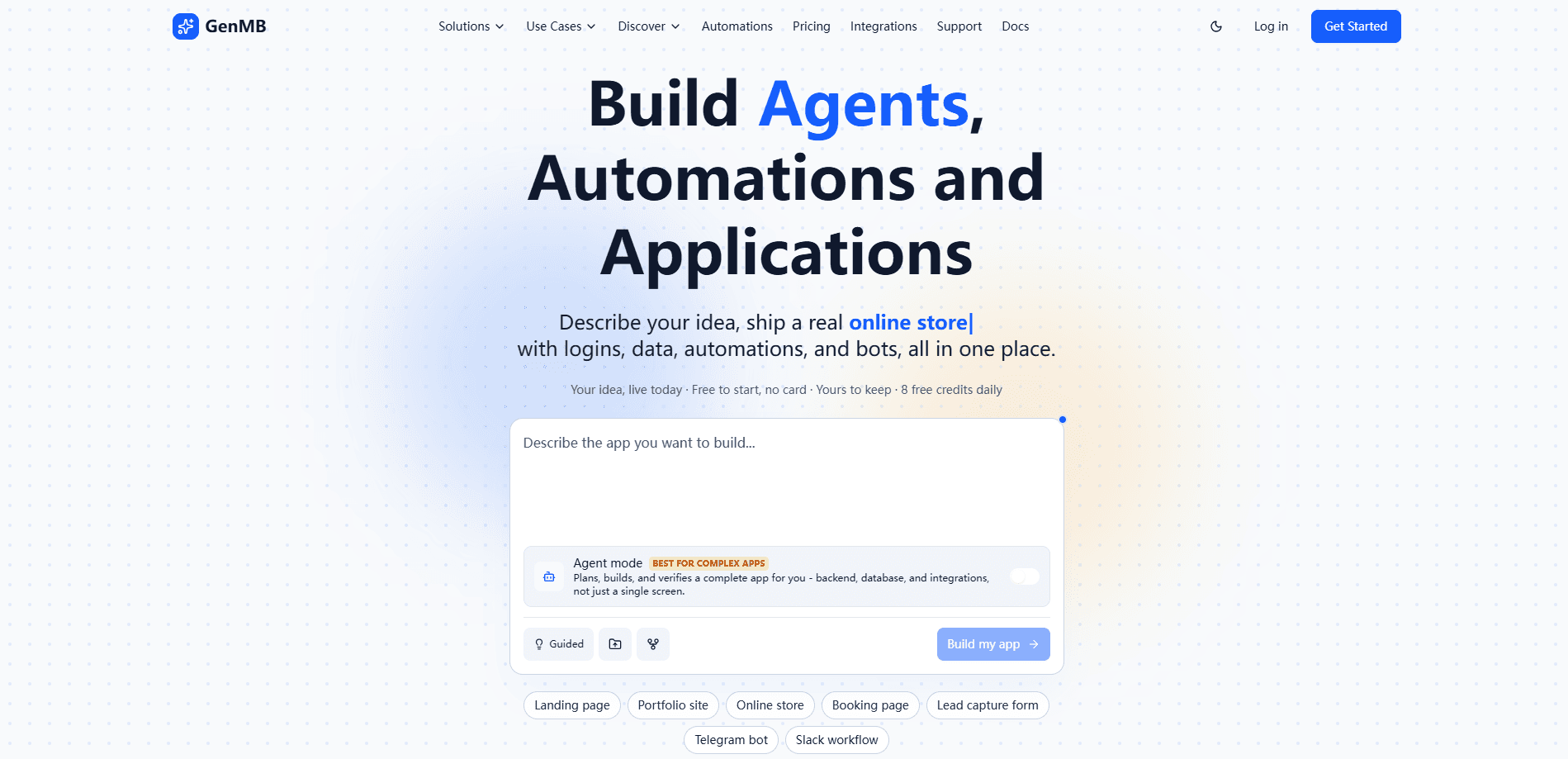
GenMB Vibe Coding Tool is a web-based AI app builder that turns a plain-English description into a working full-stack application. You type what you want. It builds it. The platform generates the routing, data layer, authentication, and UI for you. It also ships with a visual editor, an OWASP security scanner, and 80+ integrations from Supabase to Stripe, so you can go from an idea to a deployed app without setting up a dev environment first.
About GenMB Vibe Coding Tool
What Is GenMB Vibe Coding Tool
GenMB is an AI app builder aimed at people who have an idea but not a full stack team. You describe the app in chat, and the tool writes the code, wires up a database, and hands you a live preview. It sits in the same lane as other prompt to app services. What sets it apart is how hard it leans into production concerns like security scanning and code export.
The main problem it solves is the boring middle of a build. Setting up routing, auth, and a data layer eats days before you write a feature anyone cares about. GenMB generates that scaffolding from a prompt, then gives you an agent mode for the messy multi-step parts. One caveat. This is a real development platform, not a drag-and-drop website builder. If your idea is a one-page brochure site, it's overkill.
Two things stand out. Every app can export as a full ZIP on every plan, including Free, so you aren't locked in. And the developer behind it wrote Building Software with Vibe Coding. That shows in how the workflow is organized around chat iteration rather than forms.
Getting Started
- Sign up at genmb.com with an email address. No credit card is required, and the Free plan includes 8 credits per day.
- Describe your app in the chat box: what it does, who it's for, and what users should be able to do inside it.
- Pick your stack and integrations in app settings, then enable the services you need (Supabase for the database, Clerk for login, Stripe for payments) and add their API keys.
- Regenerate the app so the AI adds the integration code, then refine with the click-to-edit visual editor or by describing changes in chat.
- Publish to a free subdomain or connect a custom domain, then export the ZIP if you want to host it yourself.
Product Information
A quick look at GenMB Vibe Coding Tool's pricing, supported platforms, and performance.
Best for
The users, tasks, and scenarios where this tool fits best.
Users
- Founders and solo builders validating an MVP
- Developers who want to skip boilerplate
- Marketers and educators
- Non-technical teams building internal tools
Tasks
- Turning a feature idea into a working prototype
- Adding authentication
- Wiring up payments
- Building scheduler and chat agents
Scenarios
- Weekend MVP sprints
- Client landing pages
- Automating recurring admin work
- Internal dashboards
Key features
Prompt to App Generation
The core of GenMB is plain-English generation. You describe the app. It writes the project. The output is a full-stack build with routing, state, and a data layer already connected. It supports React, React with TypeScript, and vanilla JavaScript, so the output matches whichever stack your team already knows. This is the feature that decides whether GenMB fits your workflow at all.
Agent Mode and Plan Mode
Agent Mode breaks a complex request into 5 to 15 sequential tasks and works through them with progress tracking and pause controls. Plan Mode makes the AI reason through the request before writing any code, which helps on larger builds where a wrong first move is expensive to undo. Ever watched an AI tool snowball a small mistake? Plan mode is the answer to that.
Code Healer and Security Scanner
Code Healer finds errors in generated code and fixes them through iterative passes. No manual debugging. The OWASP Top 10 scanner checks for XSS, SQL injection, exposed secrets, and insecure auth, then patches what it finds inside the pipeline. What you get back is already remediated, not just flagged.
Click-to-Edit Visual Editor
Click any element in the live preview to edit text, colors, styles, or layout. No prompt needed. Responsive device frames let you check mobile, tablet, and desktop views side by side. It's the fastest route for small visual tweaks that would be annoying to describe in words.
80+ Plugin Integrations
GenMB connects to around 80 services across payments, auth, database, email, maps, and video. Supabase and PostgreSQL handle data. Clerk and Auth0 handle login. Stripe and PayPal handle money. The integrations inject context into the generation prompt rather than being bolted on afterward, which means the AI writes the connection code correctly the first time.
Agent-Ready MCP Endpoints
Every GenMB app can expose its own MCP endpoint, turning chosen backend functions into typed tools that ChatGPT, Claude, and other AI agents can call directly from their own chat interfaces without any custom glue code. That flips the usual integration direction. Your app stops being only a consumer of AI and becomes something AI can operate.
Workflows and Scheduled Agents
A visual workflow builder with 20+ node types sets up automations without code. This is the no code app builder side of GenMB, and it works well. Scheduled agents run routine tasks on a timer while chat agents reply through Telegram, Slack, or email, so follow-ups and notifications happen whether or not anyone is at a desk. GenMB stretches past app building into light automation here.
Auto-SEO on Every Plan
Deployed apps ship with semantic metadata, JSON-LD, OG cards, and a sitemap, plus an llms.txt file for AI crawlers. Google, ChatGPT, Claude, and Perplexity can read the app from day one. The in-app discoverability review and one-click fix are free, which is unusual at the free tier.
Pros and cons
Pros
- Full ZIP export on every plan, including Free, so there's no lock-in and you can host anywhere.
- Security scanning and auto-remediation run inside the generation pipeline, so the app arrives patched.
- 80+ integrations cover the common stack (Supabase, Clerk, Stripe, PayPal) with generated connection code.
- The Free plan is genuinely usable. Unlimited apps and a free subdomain, no credit card.
- MCP endpoints let your app act as a tool for other AI agents, which most app builders don't offer.
Cons
- The Free plan's 8 daily credits run out fast on anything bigger than a small app. There's no credit rollover, so heavy building pushes you to Pro at $19/mo.
- It's Web-only, so there's no native mobile app for building on the go.
- Generated code still needs a human review for auth and payment logic before a production launch. That matters if you have no developer on the team.
Frequently asked questions
GenMB builds and deploys full-stack web apps from plain-English descriptions. You describe an idea, and it generates the code, database connections, and authentication, then lets you publish the result.
Related content
Explore related tools, skills, and articles for GenMB Vibe Coding Tool.
GenMB Vibe Coding Tool Alternatives
Codeflying
Kuafu Technology (Codeflying) · Coding · Marketing · ChatbotCodeflying is an AI app builder that turns a plain-language description into a working website, mobile app, or mini app. It works as a no-code app builder, so you type what you want and a set of AI agents handle requirements, architecture, front-end screens, back-end logic, and deployment. The goal is simple: build an app from a prompt, even with zero coding background. Marketing tools and a customer-facing chat agent come bundled too, so the result is more than a prototype stuck on a hard drive.

Runware
Runware, Inc. · Image · Video · CodingRunware is a generative AI inference platform that gives developers one API for image, video, audio, 3D, and language models. Instead of signing up with a dozen providers, you call a single endpoint, switch models with a one-line string change, and pay only for the requests you send. No servers to run. It's aimed at teams that want to ship AI features fast without building or babysitting their own GPU infrastructure.

Aider
Aider AI LLC · CodingAider is an open-source AI pair programming tool that lives in your terminal. You point it at a local git repo, describe what you want in plain English, and it edits the files, writes the diffs, and commits the changes for you. It connects to Claude, GPT, DeepSeek and Gemini through your own API keys, and it also runs local models through Ollama or any OpenAI-compatible endpoint. Developers who already work at the command line tend to adopt it fast. It stays out of the way. That's the whole appeal.