

Clockwise: AI Powered Time Management Calendar
Clockwise · Productivity
Clockwise is an AI calendar assistant and time management app for Google Workspace and Slack teams. It moves flexible meetings to protect Focus Time, but is being discontinued in March 2026.
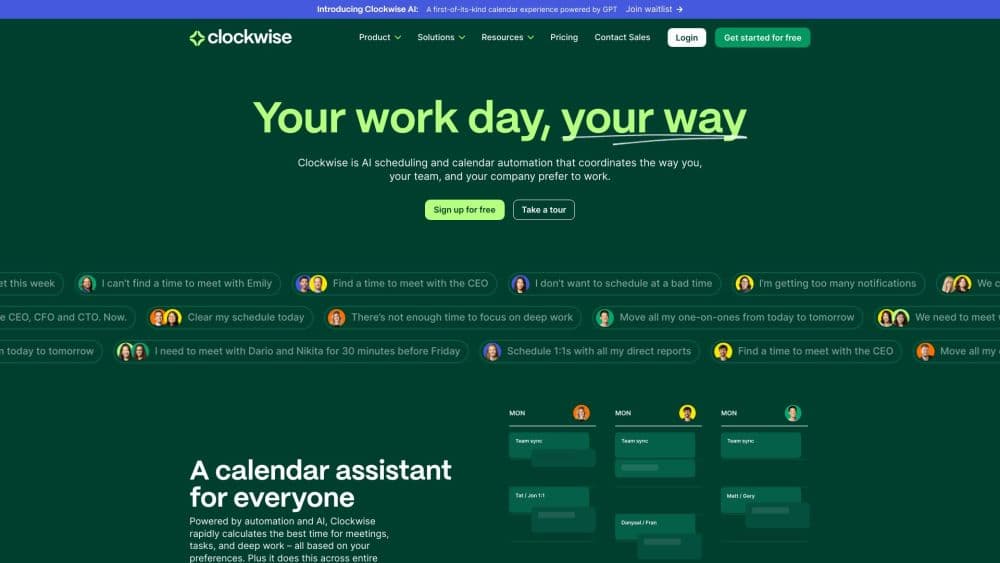
About Clockwise: AI Powered Time Management Calendar
What Is Clockwise
Clockwise is an AI scheduling assistant built by Clockwise, a company founded in 2016 and used by teams at Uber, Netflix, and Atlassian. It plugs into your Google Calendar (and Outlook), studies how your team works, then rearranges meetings on everyone's behalf so that more of the day becomes uninterrupted Focus Time. The pitch is simple: it treats shared time as a resource to plan, not something to negotiate over chat.
The problem it attacks is the cost of coordination. Setting a single three-person meeting can take a dozen messages, and the deep work that actually moves a project gets sliced into unusable gaps. Clockwise works in the background, scheduling flexible meetings for the times that suit everyone, protecting long focus blocks, and pushing non-urgent events out of the way. There's also an Autopilot mode that decides when to move things on its own.
The catch is that the product is winding down. In 2025 the Clockwise team joined Salesforce, and getclockwise.com now states the product will no longer be available starting March 27, 2026. Anyone signing up today should treat it as a short-lived tool, not a long-term pick, and look at alternatives for lasting time management.
Getting Started
- Sign in with your Google Workspace account and let Clockwise read your calendar.
- Connect the calendar and Slack so it can see team schedules and meeting invites.
- Set your preferences for Focus Time, work hours, and which meetings are flexible.
- Let Autopilot run for a few days while it learns your habits and starts moving meetings.
- Review the suggested changes, approve them, and adjust settings as your schedule settles.
Product Information
A quick look at Clockwise: AI Powered Time Management Calendar's pricing, supported platforms, and performance.
Best for
The users, tasks, and scenarios where this tool fits best.
Users
- Knowledge workers on Google Workspace
- Engineering and product teams
- Managers juggling many calendars
Tasks
- Reclaiming focus time
- Rescheduling conflicts
- Scheduling meetings across teams
Scenarios
- A packed week with no room to think
- A meeting-heavy role
- A distributed team across time zones
Key features
Focus Time
Clockwise reserves blocks of uninterrupted time on your calendar and treats them as real appointments. When a meeting request comes in, it looks for another slot that works before letting the request cut into focus time. Teams can set how many hours a week to protect, and the assistant defends that target on its own.
Autopilot Scheduling
Autopilot is the hands-off mode. Once enabled, Clockwise decides which meetings can move, finds better times, and shifts them without asking every time. It reprioritizes as the week changes, so a late addition doesn't unravel the plan. You can dial the aggressiveness up or down depending on how much control you want.
Flexible Meetings
Rather than fixing every event to one time, Clockwise lets meetings stay flexible within a window and schedules them where they fit best across attendees. This is what makes the whole system work: meetings float to sensible slots, and the space left behind becomes focus time for everyone involved.
Slack and Calendar Integration
Clockwise connects to Google Calendar, Microsoft Outlook, and Slack, so it sees both your events and how your team communicates. That lets it read meeting invitations and work hours without a separate tool, and it can post updates in Slack so teammates know when something moved and why.
Meeting Analytics and Insights
The product reports on how time is spent, showing focus hours gained, meetings moved, and where the week is being eaten up. For a manager or a team lead, those numbers turn a vague sense that everyone is too busy into something you can point at and change.
Team Scheduling Preferences
Clockwise lets a team set shared rules, such as when flexible meetings may be scheduled and how much focus time to guard. Preferences carry across the group, so the assistant respects everyone's constraints at once instead of favoring a single calendar.
Pros and cons
Pros
- Focus Time protection turns a fragmented calendar into long, usable blocks without asking anyone for permission.
- Autopilot moves flexible meetings on its own, which removes most of the coordination chatter for busy teams.
- Tight integration with Google Workspace and Slack means it works with the tools a team already runs.
- Clear analytics show how many focus hours and meetings moved, which helps justify the change to a team.
Cons
- The product is being discontinued starting March 27, 2026, so new users should treat it as a short-term tool rather than a long-term one.
- It only works well when an entire team connects, so a single user on a mixed calendar sees far less benefit.
- There's no public API, which rules it out for developers who wanted to build scheduling on top of it.
Frequently asked questions
Clockwise is used to manage time on a shared calendar. It moves flexible meetings to better times and protects blocks of Focus Time, so teams on Google Workspace and Slack get longer stretches for deep work instead of a day full of scattered calls.
Related content
Explore related tools, skills, and articles for Clockwise: AI Powered Time Management Calendar.
Clockwise: AI Powered Time Management Calendar Alternatives

Udon
Udon · Coding · ProductivityUdon turns an Apple Silicon Mac into a home server you run from a browser, with container controls, file shares, and an optional AI sysadmin.

offstage
offstage cloud · Coding · Productivityoffstage gives AI coding agents and CI jobs a real Mac: a fresh macOS account on Apple silicon, driven over an API and billed by the second.

BotBus
Chengdu Tuyang Tusen Technology Co., Ltd. · Coding · ProductivityBotBus lets you control AI coding agents from your phone and watch: approve commands, start tasks and read results while the code stays on your desktop.