

GhostDesk
GhostDesk · Productivity
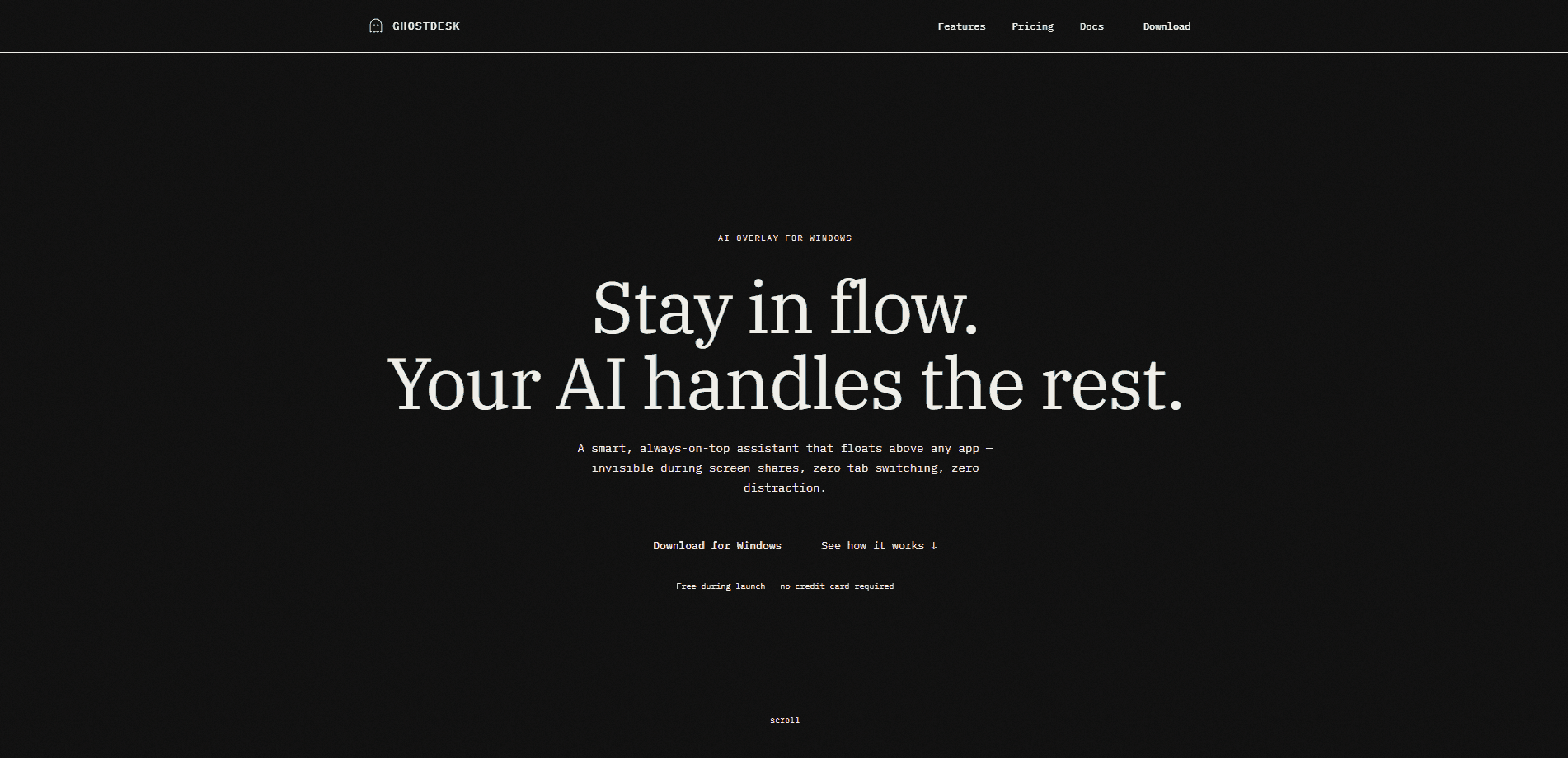
GhostDesk is an AI interview copilot for Windows that floats invisibly above whatever app you're using. It watches your screen, reads coding questions from LeetCode, HackerRank, and CodeSignal, and returns answers in under a second while staying hidden from Zoom screen shares, proctoring scanners, and screen recorders. The pitch is simple: an AI overlay assistant that leaves no trace.
About GhostDesk
What Is GhostDesk
GhostDesk is a Windows interview assistant built for people who face high-stakes technical interviews and online assessments. It runs as a transparent overlay on top of your browser or editor, then solves coding problems, drafts talking points, and transcribes interviewer questions live. You keep typing inside the actual test window, so your browser never loses focus and no tab-blur events fire.
The reason people pick an undetected AI overlay over a plain chatbot is visibility. Regular AI assistants live in a browser tab or a second window. Proctoring tools like HackerRank, CodeSignal, and Mettl scan for exactly that. GhostDesk cloaks its own window frame and hides its process tree, so Task Manager searches return nothing and proctor scans report zero extra windows.
The limits matter too. GhostDesk runs on Windows 10 and 11 only, needs a live internet connection because answers come from remote AI providers, and its free trial caps you at 10 questions per day. There's no macOS, no Linux, and no offline mode.
Getting Started
- Go to the official site and download the GhostDesk installer for Windows.
- Run the installer. It places files in your user directory and adds a Start Menu entry.
- Sign in with Google. Your 3-day trial starts automatically and includes 10 questions per day.
- Open the app before your interview or assessment. It stays in the background with no taskbar icon.
- Use the hotkeys to solve (Ctrl+Shift+S) or hide instantly (Ctrl+Shift+Q), then upgrade to a paid pass for unlimited questions.
Product Information
A quick look at GhostDesk's pricing, supported platforms, and performance.
Best for
The users, tasks, and scenarios where this tool fits best.
Users
- Job seekers in technical roles
- Students preparing for online assessments
- Career switchers returning to interviews
Tasks
- Solving LeetCode-style problems live
- VOIP and behavioral rounds
- Capturing protected test questions
Scenarios
- A proctored OA on CodeSignal
- A Zoom technical screen
- A last-minute interview
Key features
Click-Through Stealth Mode
You type and interact inside LeetCode, HackerRank, or CoderPad while GhostDesk stays floating on top. There's no window switching, so your browser keeps focus and no tab-blur events get logged. For anyone whose proctoring setup watches focus changes, that's the whole ballgame.
OS-Level Capture Exclusion
GhostDesk uses hardware display capture exclusion to keep its overlay out of Zoom, Teams, Meet, CodeSignal, HackerRank, and screen recording software. Anything the interviewer sees on a shared screen simply doesn't include the copilot.
Zero-Window Proctor Scanner Evasion
Platforms like HackerRank, CodeSignal, and Mettl scan for active third-party windows. GhostDesk cloaks its window frame and display layer, so those scans come back with zero windows detected. It's the feature the whole product leans on.
Process and System Camouflage
The app disguises its process tree as a verified Windows background service, which is a more convincing cover than a renamed executable and keeps casual proctor checks from finding anything unusual during the scan. Search Task Manager and you won't find GhostDesk by name; process monitors see a quiet service running at around 0.1% CPU. Barely a blip. Not much to spot.
Hardware-Level Hotkeys with 5ms Panic Hide
Global shortcuts are captured at the hardware input layer without stealing browser focus. Hit Ctrl+Shift+Q for a roughly 5ms panic hide or Ctrl+Shift+S to solve on demand. When you need the overlay gone, it's gone.
Taskbar and Alt+Tab Invisibility
GhostDesk never shows up in the Windows taskbar, system tray, or Alt+Tab switcher. You can move between your browser and editor with no visual trace of a copilot running.
Voice Teleprompter and Deep Think
Beyond coding, GhostDesk listens to live audio and drafts structured answers during behavioral rounds. A Deep Think mode works through harder prompts step by step when a quick answer won't cut it.
One-Click PDF Report Export
Paid plans include PDF export of a full session report with transcript, topics, key concepts, and AI summaries. It turns a live interview into study material you can review later.
Pros and cons
Pros
- Genuine stealth engineering: click-through mode, capture exclusion, and process camouflage work together rather than as a single trick.
- Fast response engine advertised at under 800ms, so answers land while you're still mid-thought.
- Covers both coding rounds and behavioral interviews through the voice teleprompter and Deep Think modes.
- Flexible pricing with a 24-hour pass for one-off interviews and a 3-day trial with 10 questions per day.
- Region-aware checkout routes to Razorpay in India and Dodo Payments elsewhere, so payment isn't a hurdle.
Cons
- Windows only. No macOS or Linux build means Mac users are out entirely.
- A live internet connection is required, so it won't work on an air-gapped or offline machine.
- The trial caps you at 10 questions per day, which runs out fast during practice.
- No public API, so you can't wire it into your own tools or scripts.
- Using it in exams or interviews that ban AI assistance is your risk alone, per the vendor's own terms.
Frequently asked questions
GhostDesk is an interview copilot for Windows. It reads coding problems and live conversation from your screen, generates answers through an AI model, and displays them in an overlay that's hidden from screen shares and proctoring scans.
Related content
Explore related tools, skills, and articles for GhostDesk.
GhostDesk Alternatives

Base Code
Base44 (Wix) · Coding · ProductivityBase Code is a shared cloud development environment from Base44. Teammates describe changes to an existing GitHub codebase in chat, preview them live and send them back as pull requests.

Knocket
Knocket (Tencent RTC team) · Productivity · Business · ChatbotKnocket is a free live chat and contact page tool that lets visitors message you from your website, app, or a shareable link, with every reply handled from Telegram or one inbox.

FloorGen
Vinit Kumar (FloorGen) · Productivity · China AIFloorGen is a browser-based floor plan maker that turns a sentence or a sketch into an editable 2D plan and a 3D walkthrough. Export to PDF, DXF or video, and draw without an account.