

GigaBody: AI Muscle filter
GigaBody · Image
GigaBody is an AI muscle filter app that turns a single photo into a preview of a bigger, leaner physique and estimates body fat and muscle mass from the same shot.
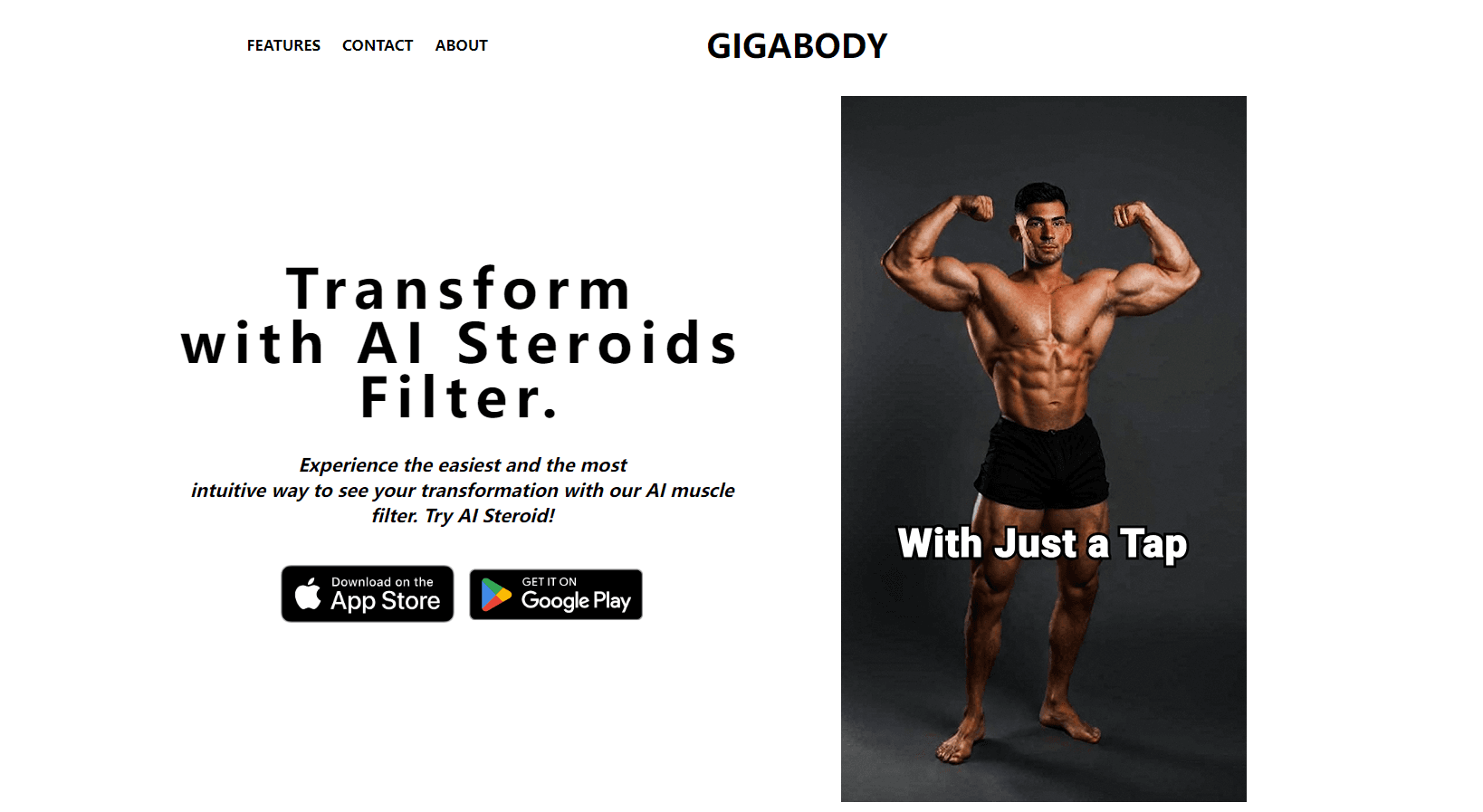
About GigaBody: AI Muscle filter
What Is GigaBody
GigaBody is a photo editor built around one trick: it adds muscle to a picture of you and takes fat off. You upload a full-body shot, pick a filter, and the app returns the same photo with fuller shoulders, sharper abs, and tighter skin. The company calls the category an AI muscle filter. Social media found a blunter name for it, the AI steroids filter.
The second half of the product is measurement. GigaBody runs body composition analysis on that photo and returns an estimated body fat percentage and muscle mass, with no scale, caliper, or clinic visit involved. The pitch is simple. The mirror is a poor progress tracker, and a number plus a picture is easier to read than either one alone. Gym owners hear a related version: show a new member what a year of training could look like before the contract gets signed.
Two limits matter before you download it. Every output is a rendering, not a measurement, so the numbers work as a rough trend and nothing more. The app also leans hard on your source photo. A tight crop, harsh overhead light, or a baggy shirt leaves the model with little to work from, and the result comes back flat. GigaBody says its model hit 83% accuracy against DEXA scans in the first quarter of 2026, a figure drawn from the company's own internal benchmarks.
Getting Started
- Install the app from the App Store or Google Play, then create an account with an email address or a social login.
- Upload a full-body photo or take one in the app. Good light, a plain background, and fitted clothes give the model the most to work with.
- Choose a filter and an intensity level. The free Starter plan covers basic muscle visualization, so you can judge the output before paying.
- Compare the result with the original, then save or share it. A Pro subscription adds larger transformations, higher accuracy, and priority processing.
Product Information
A quick look at GigaBody: AI Muscle filter's pricing, supported platforms, and performance.
Best for
The users, tasks, and scenarios where this tool fits best.
Users
- Gym regulars
- Personal trainers and gym owners
- Anyone weighing a bulk or a cut
Tasks
- Building a progress photo series
- Preparing a training consultation
- Testing a look before a shoot
Scenarios
- The gym front desk conversation
- The middle of a cut
- Content planning for a fitness account
Key features
Muscle Filters That Keep Your Face
The filters change body shape without turning you into a stranger. GigaBody keeps facial features, skin tone, and lighting consistent with the original shot, which is why the output reads as a photo rather than a cartoon. Muscle definition, vascularity, and waist size are the variables it pushes. You get a version of yourself that looks plausible, and that plausibility is the whole appeal.
Body Composition Estimates From One Photo
A single picture produces an estimated body fat percentage and muscle mass reading. The app frames this as an AI body scanner for people who don't have access to lab equipment, and the target audience is anyone who wants a trend line rather than a clinical result. It takes seconds and needs no hardware. Compare the number week to week and the direction of travel tells you more than any single reading.
Intensity Presets For Bulk, Cut, and Definition
You pick how far the filter goes. A light setting adds modest size and keeps the photo believable for a public post, while the heavier settings push toward stage-lean or off-season mass. Stacking presets lets you build a sequence that maps a realistic timeline. The tradeoff is obvious once you try it: the more the app changes, the more the result looks generated.
Future Visualization
The core promise is seeing the payoff early. GigaBody renders the physique you could reach with consistent training, which is more concrete than a goal weight on a whiteboard. Coaches use it to anchor a plan in something a client can look at. The render is motivational, not predictive, and it says nothing about how long the change would take.
Gym and Trainer Tools
Gyms get a separate pitch aimed at the cost of body analysis equipment. The company compares its subscription against DEXA and BIA machines that run from $15,000 upward, with maintenance, calibration, and staff training on top. GigaBody needs no hardware, works across locations, and gives every member access on their own phone. For a studio with a handful of locations, that math is easy to follow.
Pro Speed, Priority Queue, and Unlimited Runs
The Pro plan removes the hourly cap and moves your jobs ahead in the render queue. GigaBody advertises unlimited use under a fair use policy, which means automated or bulk requests can still be throttled. Advanced algorithms and larger transformations are the other Pro perks. If you render a few photos a week, the free Starter tier covers you. If you demo for clients daily, the queue priority is the feature that matters.
Pros and cons
Pros
- Output arrives in seconds from one photo, with no studio setup, ring light, or second person needed.
- The free Starter plan includes 15 tries per hour, which is enough to test the filters on several photos before spending anything.
- Pro costs $7.99 a month and replaces a body analysis machine that starts around $15,000, at least for trend tracking.
- The business plan works across multiple gym locations without equipment, calibration, or staff training.
Cons
- The free tier caps you at 15 renders an hour, so a long session with different photos means waiting between batches.
- Body fat and muscle figures shift with lighting, pose, and clothing, which makes them weak as a health record and fine only as a rough trend.
- The 83% accuracy claim comes from GigaBody's own testing, and no independent study has checked it.
- Results still look generated on the strongest settings, so photos for work or family events need a lighter preset.
Frequently asked questions
It edits a photo of your body to add muscle and reduce visible fat, and it estimates body fat percentage and muscle mass from that same image. Think of it as a fitness photo editor with a measurement feature attached.
Related content
Explore related tools, skills, and articles for GigaBody: AI Muscle filter.
GigaBody: AI Muscle filter Alternatives

Google EmbeddingGemma 2
Google DeepMind · Writing · Image · CodingGoogle EmbeddingGemma 2 is a 740M-parameter open model that turns text, code, images, audio, and video frames into vectors in one 768-dimension space, running on phones and laptops.

Tractionwave
TractionWave · Image · MarketingTractionWave is an AI attention heatmap tool for static ads. Upload a PNG or JPG and it returns predicted attention, ranked hotspots, and fixes before you spend budget.

Imejis.io
Imejis.io · Image · MarketingImejis.io is an AI design studio for agents and marketing teams. Describe an image in plain words, and it writes the copy, builds the layout, reflows it to every size, then exports a finished file.