
GIO
Prequel Inc. · Image
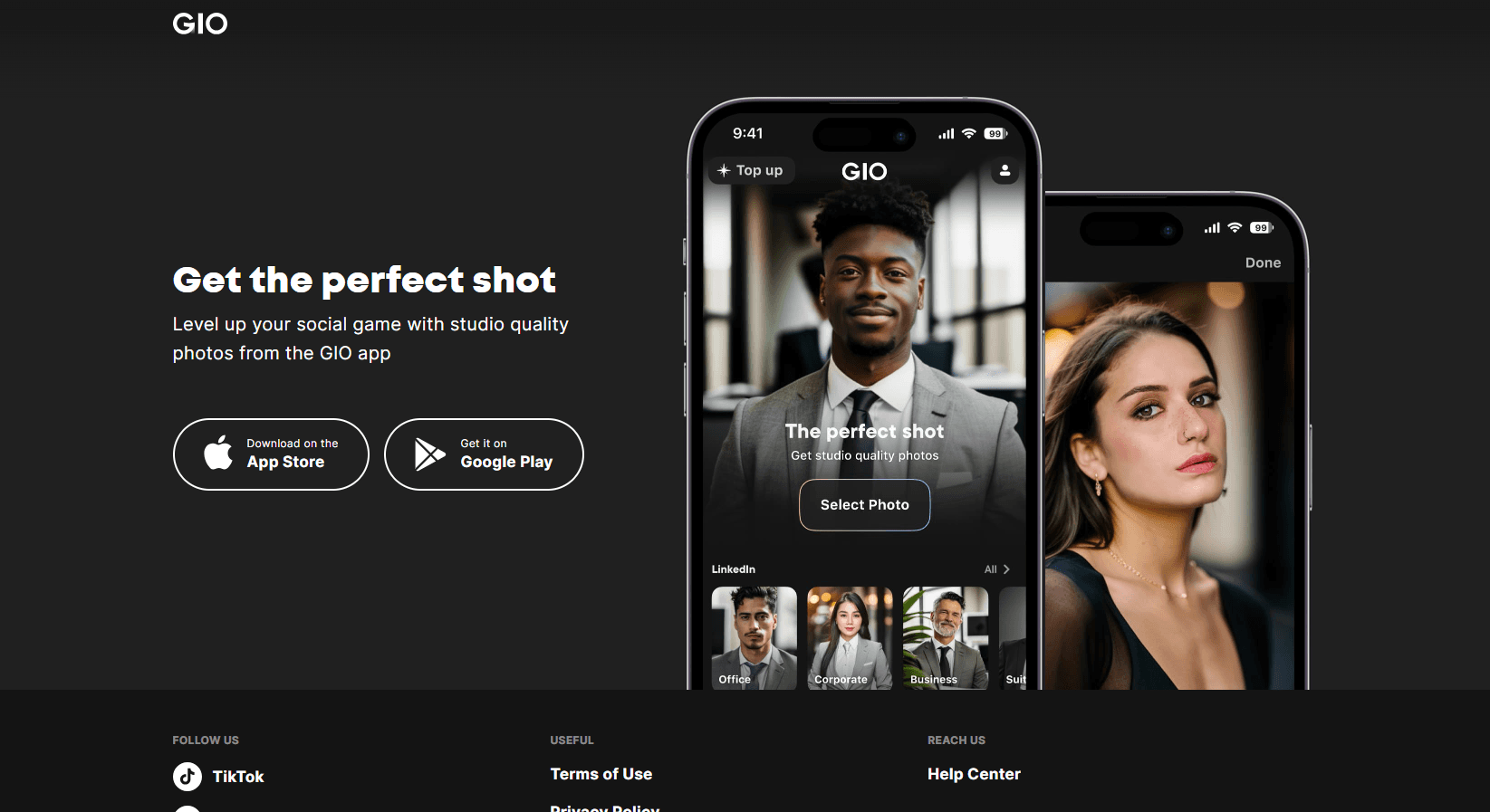
GIO is a mobile AI photo studio from Prequel Inc. Upload one selfie and it returns professional headshots, outfit swaps, new hairstyles, and rebuilt backgrounds in seconds.
About GIO
What Is GIO
GIO is a photo app for iPhone and Android that turns a phone selfie into a studio-style portrait. You pick a look, upload a few clear photos of yourself, and the app generates variations with new lighting, clothing, hair, and backdrops. Prequel Inc. builds it, and the App Store listing sits at 4.5 stars from roughly 36,000 ratings, which is a fair signal that the output usually clears the bar for a profile picture.
The problem it solves is scheduling. A real headshot session means a photographer, a studio, and a week of waiting, and most people just need one decent photo for LinkedIn or a work chat. GIO compresses that into a few minutes on the couch. The result isn't a replacement for a photographer when you need print-ready shots, but for a 400-pixel avatar it holds up.
Two constraints shape how you'll use it. Generations run on credits, so a batch of attempts costs money beyond the subscription, and the AI photoshoot packs are sold as separate one-time purchases. Output also varies by input: flat lighting and a cluttered background in your selfie produce softer results, and the app labels itself 18+ because the outfit tools can generate revealing looks.
Getting Started
- Install GIO from the App Store or Google Play and sign in with Apple, Google, or email.
- Open Discover and pick a style. Looks are grouped by occasion, from corporate headshots to editorial portraits.
- Upload a handful of clear selfies, ideally in daylight with your face unobstructed. The app guides you on angle and framing.
- Spend credits to generate the set, then swipe through the variations and save the ones worth keeping.
- Top up with a coin pack or start a GIO Premium subscription when the free credits run dry, then export to your camera roll.
Product Information
A quick look at GIO's pricing, supported platforms, and performance.
Best for
The users, tasks, and scenarios where this tool fits best.
Users
- Job seekers and office workers
- Creators on Instagram and TikTok
- Small business owners and agents
Tasks
- Refreshing a stale profile photo
- Testing a look before committing
- Building a themed batch
Scenarios
- A recruiter asks for a photo the night before an interview
- You want seasonal content without a shoot
- You're curious about a bigger change
Key features
Photorealistic Portraits From One Upload
The core feature takes your selfies and rebuilds them as studio portraits with controlled lighting and a clean backdrop. You get several variations per run rather than a single output, which matters because AI portraits are hit or miss on likeness. Skin texture and hair edges are where most generators fall apart, and GIO keeps them reasonably intact at avatar size.
Outfit Changer
The outfit changer swaps your clothes for a preset look while keeping your pose and face. Options range from office shirts and blazers to casual and editorial styling, grouped by occasion. It's the feature that turns a single headshot into a set you can rotate across profiles, The garment fit is approximate, so don't expect a perfect shoulder line.
AI Background Changer
The AI background changer moves your portrait into a new scene, from a plain studio wall to an office, a city street, or something more stylized. Edges around hair are the usual failure point in this kind of tool, and results are cleaner when your original background is simple. For product pages and profile cards, a neutral wall is still the safest pick.
Hairstyle Tool
The hairstyle tool previews cuts and colors on your own face instead of a stranger's. You can try an office-ready style or something louder, and save the versions you like. It's genuinely useful before a salon visit, since a reference image does more than a description, and it costs a few credits instead of a cancellation fee.
AI Photoshoot Packs
Beyond single edits, GIO sells themed packs that generate a coordinated set of images around one concept, like a business portrait series or a seasonal shoot. These are one-time purchases rather than part of the subscription, so you can buy one pack for a specific need and skip the recurring charge. This is the closest the app gets to a real studio session, and the per-image cost is lower than buying credits one at a time.
Style Catalog and Editing Flow
Discover holds the curated looks, and new styles land there regularly, so the app doesn't go stale after a month. Each style shows sample output before you spend anything. The editing screen keeps the steps short: pick, upload, generate, compare, save. There's no layer stack or curve panel to learn, which is the point for anyone who wants a photo, not a hobby.
Pros and cons
Pros
- Fast turnaround: a usable portrait in minutes, compared with days for a booked studio session.
- One selfie is enough to start, so you don't need an existing professional photo.
- The outfit, hair, and background tools work as a set, which makes a consistent batch easy to produce.
- Free credits cover a first test, and the one-time photoshoot packs avoid a permanent subscription for occasional users.
- The interface is simple enough that you can hand the phone to someone who has never used an AI app.
Cons
- Likeness is inconsistent across runs. Some generations drift toward a generic face, so you'll burn credits hunting for one that looks like you, and that cost adds up.
- The subscription is weekly by default at the low end, which is expensive for anyone who only needs a photo twice a year.
- Results depend on input quality. Dim light, glasses glare, or a busy background in your selfie narrow the options, and you may need a fresh photo session with your phone first.
- There's no desktop app or web editor, so all work happens on a phone screen. That's a real limit if you want to review portraits on a large display before publishing.
Frequently asked questions
GIO works as an AI headshot generator built on photos you already have. The main uses are professional headshots for work profiles, refreshed profile pictures for social apps, and outfit or hairstyle previews. It also produces short AI video clips from the same source images.
Related content
Explore related tools, skills, and articles for GIO.
GIO Alternatives

Google EmbeddingGemma 2
Google DeepMind · Writing · Image · CodingGoogle EmbeddingGemma 2 is a 740M-parameter open model that turns text, code, images, audio, and video frames into vectors in one 768-dimension space, running on phones and laptops.

Tractionwave
TractionWave · Image · MarketingTractionWave is an AI attention heatmap tool for static ads. Upload a PNG or JPG and it returns predicted attention, ranked hotspots, and fixes before you spend budget.

Imejis.io
Imejis.io · Image · MarketingImejis.io is an AI design studio for agents and marketing teams. Describe an image in plain words, and it writes the copy, builds the layout, reflows it to every size, then exports a finished file.