

GiteAI
GiteAI · Coding
GiteAI is an AI commit message generator for developers. It reads the diff of your staged changes and returns a standardized commit line, with a free tier and paid plans up to R$9.99/mo.
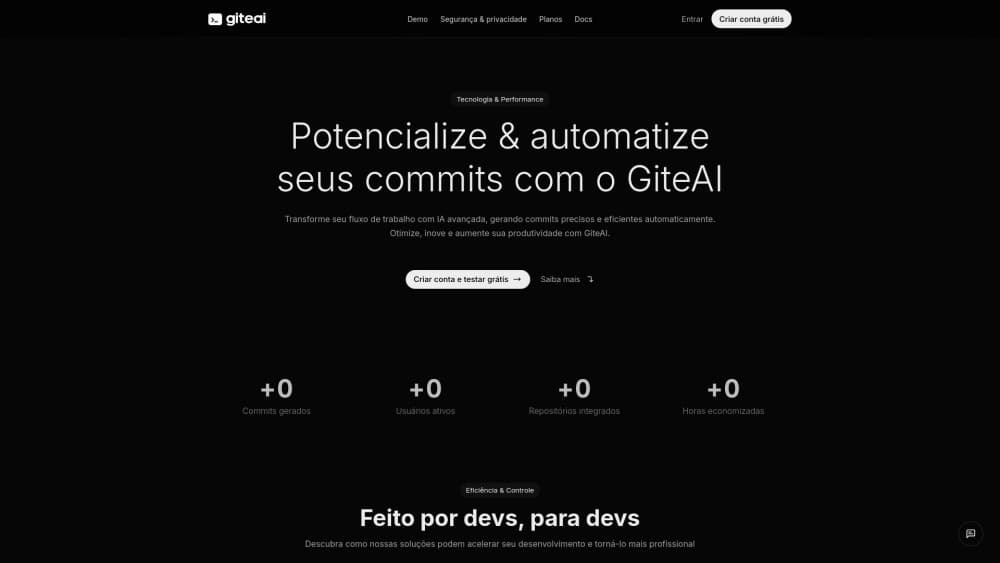
About GiteAI
What Is GiteAI
GiteAI is a small tool with one job: writing the git commit message you'd rather not write. You stage a change, run its command line tool, and it reads the diff, sends that diff to GiteAI's servers, and hands back a message you can accept, edit, or throw away. Nothing else about your repository changes.
The product is deliberately narrow, and the pitch is developer productivity in its smallest unit. Most coding assistants try to write the code, review the code, and summarize the pull request. GiteAI stops at the line above the diff. That's where the small daily friction lives: deciding whether a change is a fix, a refactor, or a chore, and whether the scope is cart or checkout. Multiply that pause by twenty commits a day and you get the hour GiteAI is selling back.
Two limits matter before you sign up. Every plan is metered in commits per month, from 20 on the free tier to 600 on the top one, so heavy committers hit a ceiling fast. And the product is early: the interface and documentation are written in Portuguese first, prices are in Brazilian reais, and the security alerts listed on the site are still marked as coming soon.
Getting Started
- Create an account with Google, GitHub, or an email magic link. No card is needed for the free tier.
- Open the dashboard and generate an API key. This key is how the commit message CLI identifies you, so treat it like a password.
- Install the CLI following the setup notes in the documentation, then run it inside a repository with changes staged.
- Review the generated message, adjust the wording if the diff deserves more detail, and commit as usual.
Product Information
A quick look at GiteAI's pricing, supported platforms, and performance.
Best for
The users, tasks, and scenarios where this tool fits best.
Users
- Solo developers who commit a dozen times a day and resent writing the same style of line each time.
- Small teams that want a uniform commit history without spending a meeting on conventions.
- Tech leads and reviewers who read logs during incident work and need entries that describe intent.
- Developers on Portuguese-speaking teams, since the interface, docs, and contact channels are all in Portuguese first.
Tasks
- Turning a messy working tree into several clean commits, one message at a time.
- Writing a git commit message that follows Conventional Commits without reciting the type list from memory.
- Keeping commit history readable when the change is small, boring, and easy to describe badly.
- Drafting messages in a second language for open source projects that expect English.
Scenarios
- The end-of-day hotfix, when you want the commit logged properly and the laptop closed.
- Onboarding a junior developer who hasn't internalized a commit convention yet.
- A long-lived feature branch where forty small commits need consistent naming.
- Pairing sessions, where one person drives and the other keeps the history tidy.
Key features
Messages Built From Your Diff
The core loop is one command. GiteAI reads what changed, works out whether you renamed a variable or fixed a null check, and writes a line that says so. You stay in the terminal, so there's no tab switch and no template to fill in. If the first suggestion misses the point, you edit the text before committing.
Conventional Commits as the Default
New accounts get the Conventional Commits pattern out of the box, with the type, optional scope, and short description laid out the way linters and changelog generators expect. Teams already enforcing that format can keep their tooling without extra configuration. Other patterns are selectable in the dashboard for projects that follow a house style.
Language, Scope, and Emoji Controls
The dashboard exposes three switches that change the output more than anything else: the language the message is written in, whether a scope is included, and whether a git emoji prefix is added. An English-only open source project and a Portuguese internal repo both work from the same account. Turning scope off is useful when your repository is small enough that the folder name adds nothing.
Commit History and Project Insights
Every generated message lands in a searchable commit history, alongside statistics on output over time. That turns the dashboard into a lightweight record of how a project moves: which weeks were heavy, which repos went quiet, how consistent the message style actually is. It's a reporting view, not a code review surface, so don't expect diffs there.
Security Alerts for Leaked Secrets
The site lists alerts for exposed credentials, leaked sensitive data, and suggested fixes, currently flagged as coming soon. The intent is to catch the mistake that matters most in a commit: an API key or token pasted into a config file. Treat it as a roadmap item, not a feature you can rely on today.
Per-Commit Quotas Tied to Your Plan
Usage is counted in generated commits, and the meter runs from 20 on the free tier through 200 on the basic plan to 600 on the professional one. The dashboard tracks how much of the allowance is gone. For a solo developer committing a few times a day that's comfortable; for someone squashing fifty commits a week, it isn't, and the pricing page invites custom plans for heavier use.
Pros and cons
Pros
- Removes the blank-page pause before every commit, which is the whole point of an AI commit message generator.
- Defaults to a format that changelog tools and linters already parse, so the output slots into existing pipelines.
- The free tier is usable rather than a demo: 20 commits, no credit card, no trial clock.
- Paid plans cost less than a coffee per month at R$4.99 and R$9.99, with 200 and 600 commits respectively.
- The privacy policy is explicit that diffs are processed to produce a message and not kept in the database.
Cons
- It writes commit lines and nothing else. No code suggestions, no review comments, no pull request summaries, so it complements a coding assistant rather than replacing one.
- The 600-commit ceiling on the top plan is low for anyone who commits in small increments all day.
- Several advertised pieces are unfinished: security alerts are marked coming soon, and the documentation is thin enough that setup relies on reading the dashboard carefully.
- Interface, docs, and support run in Portuguese first and prices are charged in Brazilian reais, which adds friction for teams outside Brazil.
Frequently asked questions
It generates commit messages. You stage changes, run the CLI, and it reads the diff and returns a formatted line such as a fix with a scope and a short description. You approve it, edit it, or discard it before the commit happens.
Related content
Explore related tools, skills, and articles for GiteAI.
GiteAI Alternatives

Udon
Udon · Coding · ProductivityUdon turns an Apple Silicon Mac into a home server you run from a browser, with container controls, file shares, and an optional AI sysadmin.

offstage
offstage cloud · Coding · Productivityoffstage gives AI coding agents and CI jobs a real Mac: a fresh macOS account on Apple silicon, driven over an API and billed by the second.

BotBus
Chengdu Tuyang Tusen Technology Co., Ltd. · Coding · ProductivityBotBus lets you control AI coding agents from your phone and watch: approve commands, start tasks and read results while the code stays on your desktop.