

GitHub Copilot Chat
GitHub · Coding
GitHub Copilot Chat is an AI coding assistant built into GitHub and popular IDEs, letting developers ask questions, explain code, and get fixes without leaving the editor.
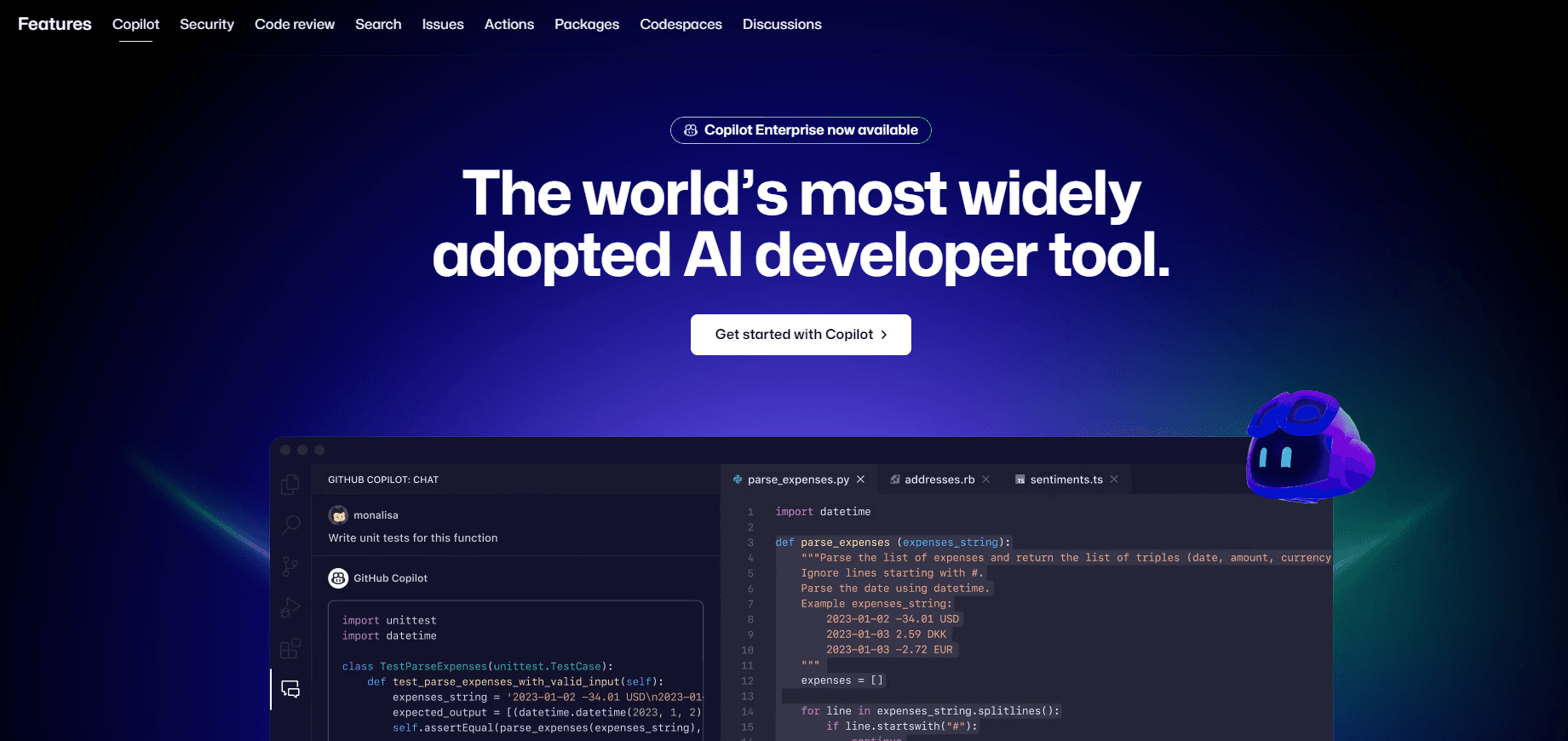
About GitHub Copilot Chat
What Is GitHub Copilot Chat
GitHub Copilot Chat is the conversational half of GitHub Copilot. Instead of only suggesting the next line as you type, it opens a chat panel where you describe a problem in plain language and get an answer, an explanation, or a code change back. It runs inside VS Code, Visual Studio, JetBrains IDEs, Neovim, Xcode, and on GitHub.com itself.
The point is context. Copilot Chat reads the file you have open, the surrounding code, and anything you point it at, so its answers usually fit your project rather than a generic tutorial. You can ask why a function fails, request a unit test, or have it walk through unfamiliar code you inherited from someone else. Why does this matter? Generic answers waste time.
It isn't a standalone app. You need a GitHub account and a supported editor. The free tier is limited in how many chat messages and completions you get each month, and once that allowance runs out you either wait for it to reset or decide whether the paid tiers are worth it for how often you actually lean on the assistant. Heavy users hit those caps fast. That's where the paid plans come in.
Getting Started
- Sign in to a GitHub account and confirm access to Copilot; the Free plan works for a trial run.
- Install the Copilot extension in your editor (VS Code, Visual Studio, JetBrains, Neovim, or Xcode).
- Open a project and launch the chat panel with the Copilot shortcut or the sidebar icon.
- Ask a question about the code in front of you, such as "explain this function" or "add error handling here."
- Review the suggestion, then accept, edit, or reject it before it lands in your file.
Product Information
A quick look at GitHub Copilot Chat's pricing, supported platforms, and performance.
Best for
The users, tasks, and scenarios where this tool fits best.
Users
- Professional developers
- Students and learners
- Team leads reviewing pull requests
Tasks
- Debugging
- Writing tests
- Refactoring
Scenarios
- Onboarding to a new codebase
- Quick syntax checks
- Documentation chores
Key features
Context-Aware Chat in Your Editor
Copilot Chat answers inside the IDE you already use, so it can see the open file and nearby code. Reference specific files or selections and the reply targets your actual project. That beats copying code into a separate browser tab, pasting the answer back, and then untangling whatever newer API the pasted snippet assumed you were running.
Code Explanation on Demand
Ask what a block does and get a walkthrough in plain language. This matters most with inherited or legacy code, where the original author is gone and comments are thin. Select the region. Ask. Read the explanation before you touch anything. That order saves you from breaking things.
Inline Fixes and Edits
Chat can propose a change and apply it to the file, not just describe it. You review the diff and keep or drop it. It handles small edits well, like adding a null check or rewriting a loop. Big rewrites are another story. Review those closely.
Multi-Model Support
Paid plans give you a choice of underlying models, so you can match the model to the task and the budget. According to GitHub, higher tiers include premium models and larger monthly credit allowances. The free plan sticks to a limited model set.
Agents and Task Automation
Beyond chat, Copilot can take on multi-step work through agents that read issues, edit files, and open pull requests. That's a real shift in how much it does for you. It's a bigger step than a single question, and it fits routine chores better than anything needing judgment.
Works Across GitHub.com
Chat isn't editor-only. On GitHub.com you can ask questions about a repository, get help understanding a pull request, and pull explanations into the review flow. Handy when you're reading code on a laptop without your usual setup.
Pros and cons
Pros
- Lives where you code, so you skip the copy-paste loop between editor and browser.
- Understands the file in front of you, which makes answers more specific than generic help.
- Free plan with a limited monthly allowance lets you test it before paying.
- Model selection on paid tiers lets you trade cost against capability.
- Student and open source maintainer access is free, which lowers the entry cost.
Cons
- Free plan caps chat messages and completions each month, so regular use pushes you to a paid tier.
- Suggested code still needs review; accepting it blindly is how bugs get introduced.
- The strongest models sit behind the pricier plans, so the best experience costs more.
- Pricing and credit rules change, so a plan that fit last year may not fit now.
Frequently asked questions
It answers coding questions, explains code, and drafts edits inside your editor or on GitHub.com. Think of it as a chat assistant that can see the project you're working in, rather than a standalone chatbot you have to feed every snippet of context by hand before it can say anything useful back.
Related content
Explore related tools, skills, and articles for GitHub Copilot Chat.
GitHub Copilot Chat Alternatives

Udon
Udon · Coding · ProductivityUdon turns an Apple Silicon Mac into a home server you run from a browser, with container controls, file shares, and an optional AI sysadmin.

offstage
offstage cloud · Coding · Productivityoffstage gives AI coding agents and CI jobs a real Mac: a fresh macOS account on Apple silicon, driven over an API and billed by the second.

BotBus
Chengdu Tuyang Tusen Technology Co., Ltd. · Coding · ProductivityBotBus lets you control AI coding agents from your phone and watch: approve commands, start tasks and read results while the code stays on your desktop.