

Google Workspace CLI
Google Workspace (googleworkspace GitHub organization) · Coding
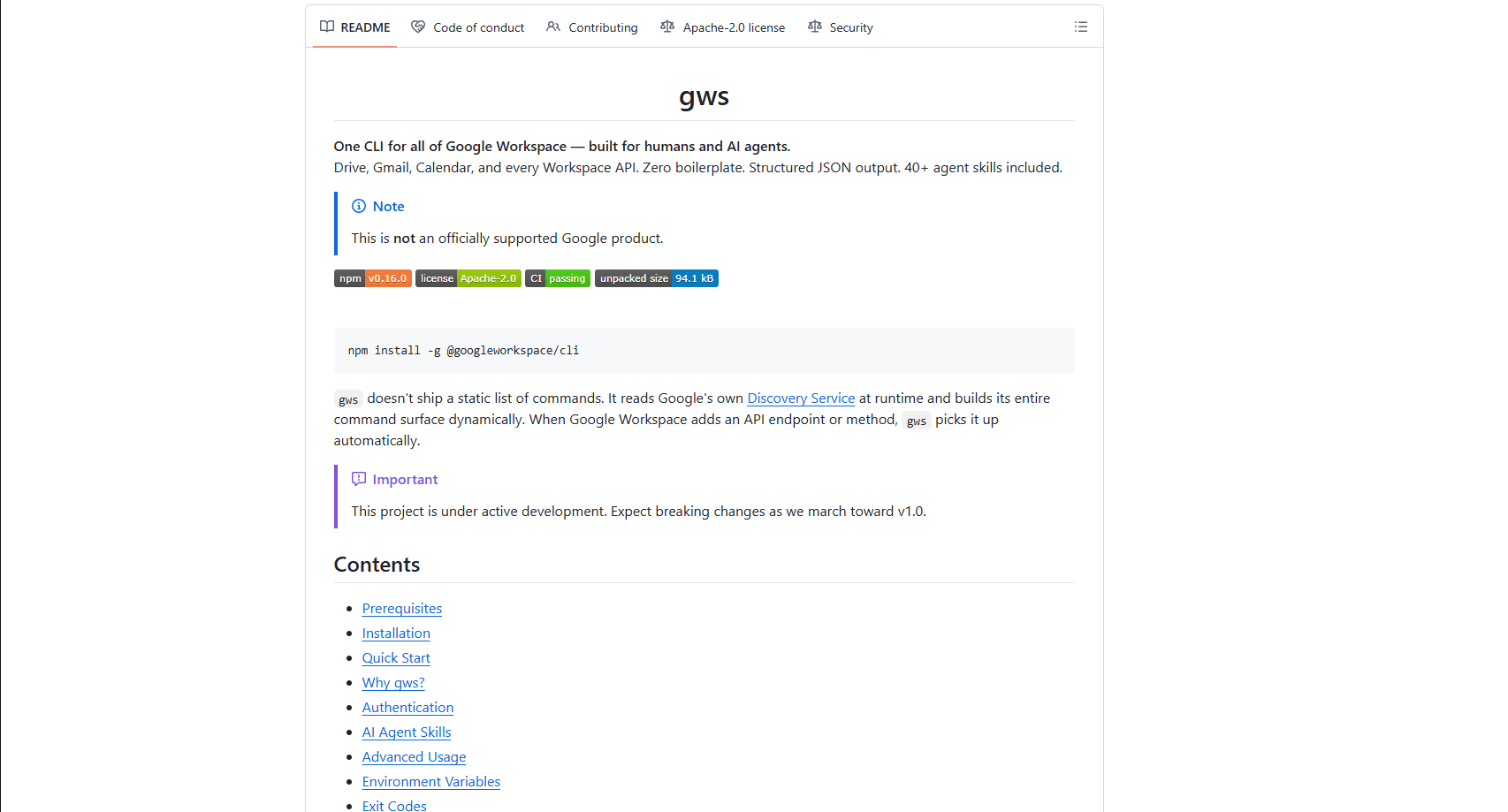
Google Workspace CLI, usually called gws, is a free open-source command-line tool that puts Drive, Gmail, Calendar, Sheets, Docs, Chat and Admin behind a single interface so you never touch the web UI again. Instead of hand-writing curl calls against REST docs, you run one command and get structured JSON back. It was built for two audiences at once: developers who want fast Workspace scripting, and AI agents that need machine-readable output plus ready-made skills. That split explains a lot.
About Google Workspace CLI
What Is Google Workspace CLI
Google Workspace CLI is a Rust-based tool from the googleworkspace GitHub organization that wraps every Google Workspace API into one binary. The clever part is that it doesn't ship a fixed list of commands. It reads Google's Discovery Service at runtime and builds its command surface on the fly, so when Google adds an API endpoint, gws picks it up without an update. Output is structured JSON by default, which makes it as useful for a script or an LLM as it's for a person sitting at a terminal.
The project targets anyone who lives in Workspace all day and wants to stop clicking through the web UI, plus the growing crowd of developers wiring AI assistants into everyday business tools. You authenticate once with OAuth, then list files, create spreadsheets, send Chat messages, or pull calendar events from a single shell. It also ships roughly 40 AI agent skills, so an assistant can manage Workspace tasks with no custom tooling. No glue code needed.
One important caveat: this isn't an officially supported Google product. It's under active development and the maintainers warn that breaking changes should be expected on the way to v1.0. So should you care? Yes, if your scripts need long-term stability. It's licensed Apache-2.0, and you need your own Google Cloud project for OAuth credentials. If you want a polished, guaranteed-stable tool, this isn't it. If you want a fast-moving one that reaches every Workspace API, it's hard to beat. Pick your tradeoff.
Getting Started
- Install Node.js 18 or newer, or grab a prebuilt binary for your operating system from the GitHub Releases page.
- Install gws with
npm install -g @googleworkspace/cli, or use Homebrew on macOS. - Run
gws auth setupto walk through Google Cloud project configuration and OAuth credentials. - Sign in with
gws auth loginusing a Google account that has Workspace access. - Try a real command, like listing your ten most recent Drive files, and check the JSON response.
Product Information
A quick look at Google Workspace CLI's pricing, supported platforms, and performance.
Best for
The users, tasks, and scenarios where this tool fits best.
Users
- Developers scripting Workspace tasks
- AI agent builders
- Sysadmins and IT staff
Tasks
- Automating Drive file operations
- Generating reports in Sheets
- Sending Chat or Gmail messages from scripts
Scenarios
- Wiring Workspace into a CI/CD pipeline
- Building a personal assistant that books meetings or files documents on request.
- Bulk workspace administration across many accounts and shared drives.
Key features
Command Surface Built Live from the Discovery Service
The CLI doesn't hardcode commands. It reads Google's Discovery Service at runtime, so every Workspace API endpoint and method becomes available as a command automatically. When Google ships a new endpoint, you get it without waiting for a gws release. That's what keeps the tool current in a way static wrappers can't. Simple as that.
Structured JSON Output for Agents
Every response comes back as structured JSON. For humans that means predictable, parseable output you can pipe into jq or a script. For AI agents, it means an LLM can read and act on Workspace data without any glue code. This is the core reason the tool markets itself to agent developers as much as to people. Output stays clean.
Bundled AI Agent Skills
Roughly 40 agent skills ship with the project, covering common Workspace workflows. Instead of writing tool definitions from scratch, you can drop these into an agent and let it handle Drive, Gmail or Calendar tasks. It shortens the path from "I have an LLM" to "my LLM can manage my Workspace." Big shortcut.
Built-in Help, Dry Runs and Auto-Pagination
Every resource supports --help, so you can explore commands without leaving the terminal. A --dry-run flag previews the request before it goes out, which is handy when you're learning an unfamiliar endpoint. Auto-pagination handles large result sets, so you don't have to write loop logic to page through hundreds of Drive files or Gmail messages one batch at a time.
One Interface Across All Workspace Services
Drive, Gmail, Calendar, Sheets, Docs, Chat and Admin all live behind the same command structure. You learn the pattern once and apply it everywhere, which cuts the context-switching that comes with juggling separate SDKs. A single login covers the whole surface. That's the point.
Cross-Platform Install Options
You can install gws through npm, Homebrew, Cargo or a Nix flake, or just download a prebuilt binary for your OS. That flexibility means it fits into most developer environments, on a Mac laptop, a Linux server or a Windows machine.
Pros and cons
Pros
- Free and open source under Apache-2.0, with no paid tiers to worry about.
- Covers every Google Workspace API through one consistent interface.
- Live Discovery Service integration keeps the command set current, which makes Google Workspace automation easier to maintain.
- JSON output and bundled agent skills make it genuinely useful for AI agent workflows.
- Multiple install paths (npm, Homebrew, Cargo, Nix, prebuilt binaries) suit almost any setup.
Cons
- Not an officially supported Google product, so there's no formal Google support promise.
- Breaking changes are expected before v1.0, which means scripts may need updates after releases.
- Setup requires your own Google Cloud project and OAuth configuration, a real hurdle for non-developers.
Frequently asked questions
Yes. It's open source under the Apache-2.0 license and costs nothing, so there's no subscription, no usage cap and no paid tier to upgrade to later. You do need a Google account and, for OAuth, a Google Cloud project, but neither carries a fee for typical personal or developer use.
Related content
Explore related tools, skills, and articles for Google Workspace CLI.
Google Workspace CLI Alternatives
Codeflying
Kuafu Technology (Codeflying) · Coding · Marketing · ChatbotCodeflying is an AI app builder that turns a plain-language description into a working website, mobile app, or mini app. It works as a no-code app builder, so you type what you want and a set of AI agents handle requirements, architecture, front-end screens, back-end logic, and deployment. The goal is simple: build an app from a prompt, even with zero coding background. Marketing tools and a customer-facing chat agent come bundled too, so the result is more than a prototype stuck on a hard drive.

Runware
Runware, Inc. · Image · Video · CodingRunware is a generative AI inference platform that gives developers one API for image, video, audio, 3D, and language models. Instead of signing up with a dozen providers, you call a single endpoint, switch models with a one-line string change, and pay only for the requests you send. No servers to run. It's aimed at teams that want to ship AI features fast without building or babysitting their own GPU infrastructure.

Aider
Aider AI LLC · CodingAider is an open-source AI pair programming tool that lives in your terminal. You point it at a local git repo, describe what you want in plain English, and it edits the files, writes the diffs, and commits the changes for you. It connects to Claude, GPT, DeepSeek and Gemini through your own API keys, and it also runs local models through Ollama or any OpenAI-compatible endpoint. Developers who already work at the command line tend to adopt it fast. It stays out of the way. That's the whole appeal.