

GizAI
GizAI · Productivity
GizAI is an all-in-one AI platform that bundles chat, image, video, music, and audio models into one membership for creators and small teams.
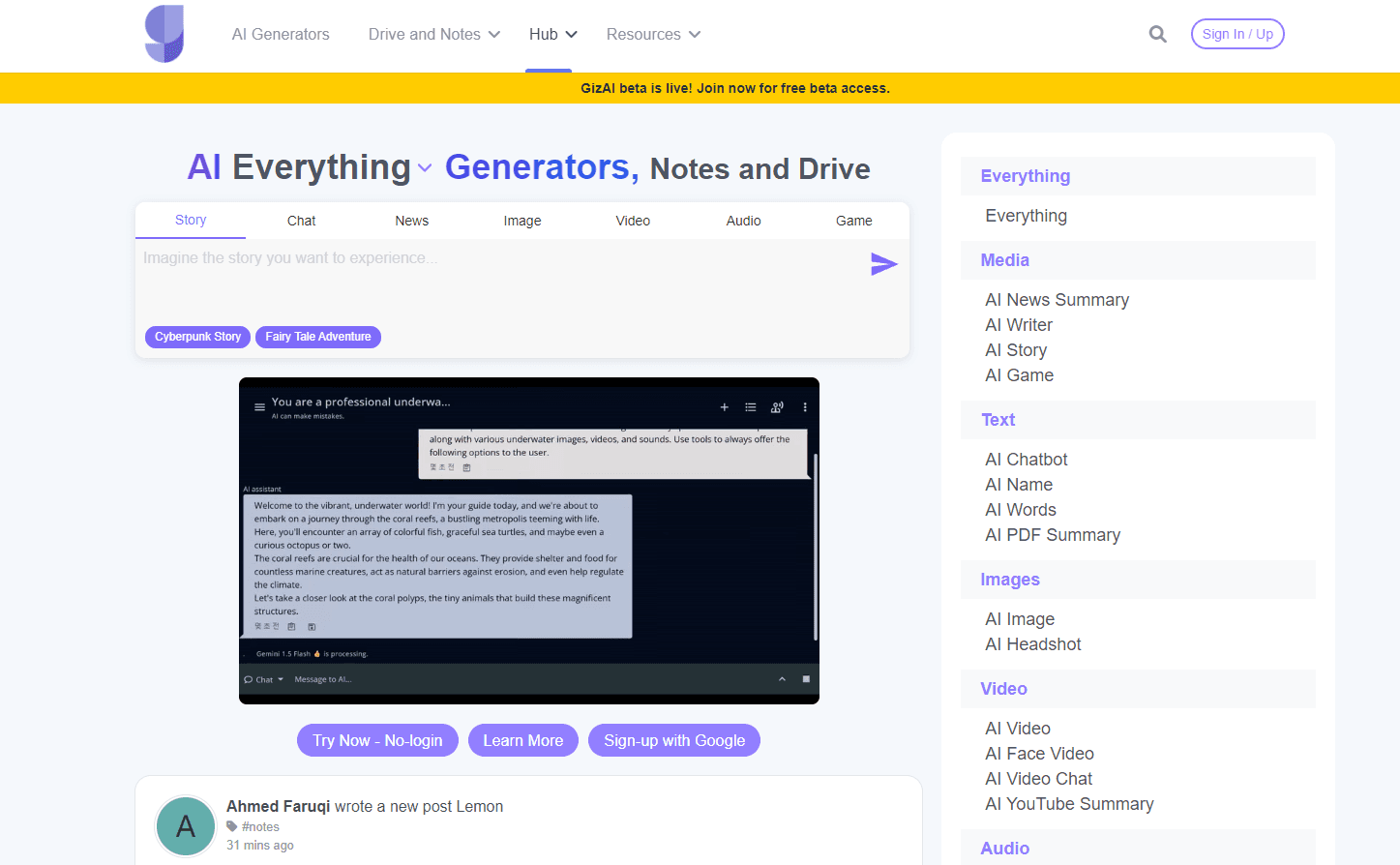
About GizAI
What Is GizAI
GizAI is a web platform that gathers dozens of AI models under a single account and a single bill. Instead of paying OpenAI, Anthropic, Google, and a handful of image and video startups separately, you pick the model you want per task and pay through one membership. The site groups everything into Chat, Image, Video, Music, and Audio, plus a Drive and Notes layer for keeping your drafts and files in one place.
The main problem it solves is subscription sprawl. If you write, design, and make short videos, the stacked cost of four or five tools adds up fast, and so does the time lost switching tabs and re-uploading the same assets. GizAI keeps the models separate in how they're billed and rationed, but presents them as one workspace, which suits people who need breadth more than a single best-in-class tool.
The biggest limitation is that you're renting access, not owning anything. Every generation spends an allowance tied to your plan, so heavy sessions on premium video or image models can run into hourly or daily caps. The platform also leans on third-party models. Quality and uptime follow those providers, not GizAI.
Getting Started
- Sign up at giz.ai with an email or an existing Google account and land on the dashboard.
- Pick a workspace area: Chat for text, Image, Video, Music, or Audio for generative output.
- Choose a model from the listed options, keeping an eye on the allowance note next to each one.
- Enter a prompt, attach reference files if needed, and generate.
- Save results to the built-in Drive or Notes, or download them to your device.
Product Information
A quick look at GizAI's pricing, supported platforms, and performance.
Best for
The users, tasks, and scenarios where this tool fits best.
Users
- Creators who juggle writing, visuals, and short video
- Small teams and agencies on a fixed budget
- Casual users testing several AI models
Tasks
- Writing and research in chat
- Image generation
- Video and audio creation
- Music sketching
Scenarios
- A weekly content calendar
- Rapid prototyping
- Budget-constrained production
Key features
One Account Across Every Model
GizAI's core idea is consolidation. A single login and a single membership cover chat, image, video, music, and audio models, so you stop managing a cluster of separate accounts. Each model keeps its own allowance, which means switching from a chat model to a video model doesn't burn one shared pool. For anyone whose week mixes text, visuals, and clips, that structure alone removes a lot of friction.
Automatic Chat Model Routing
The chat area doesn't force you to pick a model before every prompt. A routing option sends each request to whatever text model fits it best, and billing follows the selected model's rate. That's handy when you don't want to think about which model handles a task; it's less handy when you have a strong preference, so manual selection stays available. Simple enough.
Broad Image Model Roster
The image side is where the lineup feels densest, with around twenty models including fast turbo options and larger quality models. You get the familiar tradeoff: quick models for iteration and heavier ones for final output, each rationed on its own schedule. Want one style, or five? The roster is wide enough to test both. It suits people who want to try a few styles rather than master one generator.
Text-to-Video With Audio
Video generation covers text-to-video with synchronized stereo audio, plus first and end frame guidance, keyframe injection, and control video. Output lands at 480p to 736p with an optional 2x upscale, and clips run roughly 4.5 to 20 seconds. That's short-form territory, good for ads, social clips, and concept cuts, not long-form editing.
Voice and Music Generation
Audio tools handle text-to-speech and voice generation, while a couple of music models sketch tracks and loops. Bundling these with video means a single promo clip can get its visuals, voiceover, and background track without leaving the platform. Quality is serviceable rather than studio-grade. That fits the short-form use case fine.
Drive and Notes Workspace
GizAI adds a Drive and Notes layer so drafts, references, and outputs stay in one place instead of scattering across downloads. It's a quiet feature. But it's the part that makes the "all-in-one" claim hold up day to day.
Pros and cons
Pros
- One membership covers chat, image, video, music, and audio models, cutting subscription count.
- Automatic routing in chat saves you from choosing a model for every prompt.
- Separate allowances per model mean one heavy image session doesn't wipe out chat credits.
- Transparent per-model limits and hourly caps make usage predictable.
- Built-in Drive and Notes keep assets and drafts in one workspace.
Cons
- Premium video and image models carry tight hourly or daily caps, so high-volume days hit limits fast.
- Relying on third-party models means quality and uptime track those providers, not GizAI.
- No confirmed public API, so developers can't easily build the models into their own products.
- The web-only setup rules out a native desktop or mobile app for offline or on-the-go work.
Frequently asked questions
GizAI is an all-in-one AI platform for creating across text, images, video, music, and audio from one account. You'd use it for everyday content work that spans several formats, like drafting copy, generating visuals, and cutting a short promo clip.
Related content
Explore related tools, skills, and articles for GizAI.
GizAI Alternatives

Base Code
Base44 (Wix) · Coding · ProductivityBase Code is a shared cloud development environment from Base44. Teammates describe changes to an existing GitHub codebase in chat, preview them live and send them back as pull requests.

Knocket
Knocket (Tencent RTC team) · Productivity · Business · ChatbotKnocket is a free live chat and contact page tool that lets visitors message you from your website, app, or a shareable link, with every reply handled from Telegram or one inbox.

FloorGen
Vinit Kumar (FloorGen) · Productivity · China AIFloorGen is a browser-based floor plan maker that turns a sentence or a sketch into an editable 2D plan and a 3D walkthrough. Export to PDF, DXF or video, and draw without an account.