

Glorify
Glorify (owned by Leadpages, Redbrick portfolio) · Image
Glorify is a browser-based ecommerce design tool for product images, ads and social posts. It packs AI image generation, 11,000+ templates and a shared brand kit into one workspace.
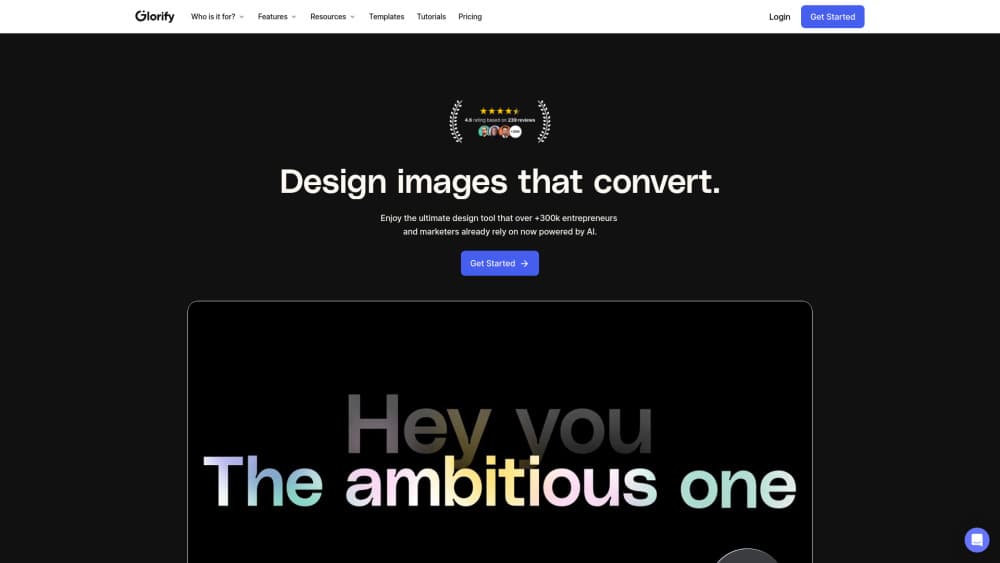
About Glorify
What Is Glorify
Glorify is an online design platform aimed at people who sell things. Store owners, marketers and print-on-demand sellers use it to build product images, ad creatives and social posts without opening Photoshop. The workspace runs in a browser, so a laptop and a login are enough to start.
The template library splits by job rather than by style. You'll find sets sized for Amazon listings, Etsy shops, Shopify banners, Facebook and Instagram ads, YouTube thumbnails and print-ready flyers. Mockup scenes let you drop a label or package design onto a realistic bottle, box or shirt before anything gets manufactured.
AI sits inside the editor instead of in a separate tab. The AI image generator, which Glorify says runs on Leonardo.ai, turns a text prompt into artwork you can place on the canvas. A background remover, AI product backgrounds and an AI writer cover the repetitive parts of listing work.
The limits matter too. There's no free tier, only a 7 day trial, and AI tools burn credits that cap out on the two cheaper plans. Video and animation are still marked beta. Leadpages, part of the Redbrick portfolio, acquired Glorify in July 2025, so the product now sits inside a wider marketing suite.
Getting Started
- Sign up at glorify.com and start the 7 day trial. No download, no install.
- Pick a design template by platform or format, or open a blank canvas at the size you need.
- Load your logo, colors and fonts into the brand kit so every new file starts on brand.
- Swap in your product photos, cut the background, then add a shadow, reflection or mockup scene.
- Export as PNG, JPG or print-ready PDF, or batch export a whole campaign at once.
Product Information
A quick look at Glorify's pricing, supported platforms, and performance.
Best for
The users, tasks, and scenarios where this tool fits best.
Users
- Shopify and Etsy store owners
- Small marketing teams
- Print-on-demand sellers
- Designers working under deadline
Tasks
- Product listing images
- Paid social ads
- Amazon A+ content and infographics
- Print collateral
Scenarios
- A seasonal sale where you need 30 banner variants in an afternoon
- A product launch that has to look consistent across a store, an email and social
- Handing work to a freelancer or client for review
Key features
Infinite Canvas Workspace
Every design lives on one endless board instead of a stack of separate files. You can lay out a full campaign, from square posts to tall story ads, and compare them side by side. Zooming out gives you the whole set at a glance, which makes spotting an off-brand color much faster. It's the feature long-time users mention first.
AI Image Generator and Background Tools
Type a prompt and the AI image generator returns artwork you can drop straight onto the canvas. The same credit pool covers the background remover, AI product backgrounds and an AI writer for captions and copy. Glorify states the image tool is powered by Leonardo.ai. Each use costs one credit, so heavy experimentation eats through a Basic allowance quickly.
11,000+ Templates Built for Selling
The library is organized around storefronts and ad platforms rather than generic categories. Amazon, Etsy, eBay, Shopify, TikTok and Pinterest each get their own set. Social media design sets sit next to the storefront ones, so a single product can feed a listing and an Instagram feed. Templates are free on every plan. The commercial licence is included, so a design you ship to a client doesn't trigger an extra charge.
Brand Kit and Team Collaboration
A brand kit stores logos, fonts, text styles and color palettes in one place, and new files pull from it automatically. Teams can comment directly on a file, tag images for later, and invite unlimited guests with restricted permissions. For an agency juggling several clients, that means separate workspaces instead of one shared folder.
Product Photo Editor with Mockups and Shadows
Glorify works as a product photo editor for sellers who shoot on a phone. Cut the background, add a contact shadow or reflection, then place the item in a mockup scene. Gradients, blend modes, cutouts and a pen tool handle the retouch jobs that usually push people back to desktop software.
Batch Export and Multi Format Output
One campaign rarely needs one file. Glorify exports PNG, JPG and print-ready PDF, and batch export downloads a set in a single action. Public share links can be limited to view only or view and copy, which is handy when a client needs the assets but shouldn't edit them.
Pros and cons
Pros
- Templates are sized for Amazon, Etsy, Shopify and the main ad platforms, so fewer designs need manual resizing.
- The background remover, shadow tool and mockup scenes cover most catalog photography without a studio.
- Unlimited guest seats on every paid plan make client and teammate review cheap.
- Stock photos, illustrations and templates carry no premium surcharge, which removes the usual upsell.
- All plans include a commercial licence, so client work and resale are covered.
Cons
- There's no free plan. The 7 day trial is the only way to test it, which is tight for a team evaluating several tools.
- AI credits are capped at 50 on Basic and 100 on Pro, and one credit per AI action runs out fast during a big image push.
- Video and animation are still beta, so anyone who needs reliable motion design should keep a second tool.
- It's browser only. No desktop app and no offline mode, which hurts when your connection drops mid project.
Frequently asked questions
No. Glorify has no free tier, only a 7 day trial with no credit card required. After that, Basic starts at $19 per month, or $8 per month if you pay yearly.
Related content
Explore related tools, skills, and articles for Glorify.
Glorify Alternatives

Google EmbeddingGemma 2
Google DeepMind · Writing · Image · CodingGoogle EmbeddingGemma 2 is a 740M-parameter open model that turns text, code, images, audio, and video frames into vectors in one 768-dimension space, running on phones and laptops.

Tractionwave
TractionWave · Image · MarketingTractionWave is an AI attention heatmap tool for static ads. Upload a PNG or JPG and it returns predicted attention, ranked hotspots, and fixes before you spend budget.

Imejis.io
Imejis.io · Image · MarketingImejis.io is an AI design studio for agents and marketing teams. Describe an image in plain words, and it writes the copy, builds the layout, reflows it to every size, then exports a finished file.