

Glyf
Axndx Technologies Private Limited · Image
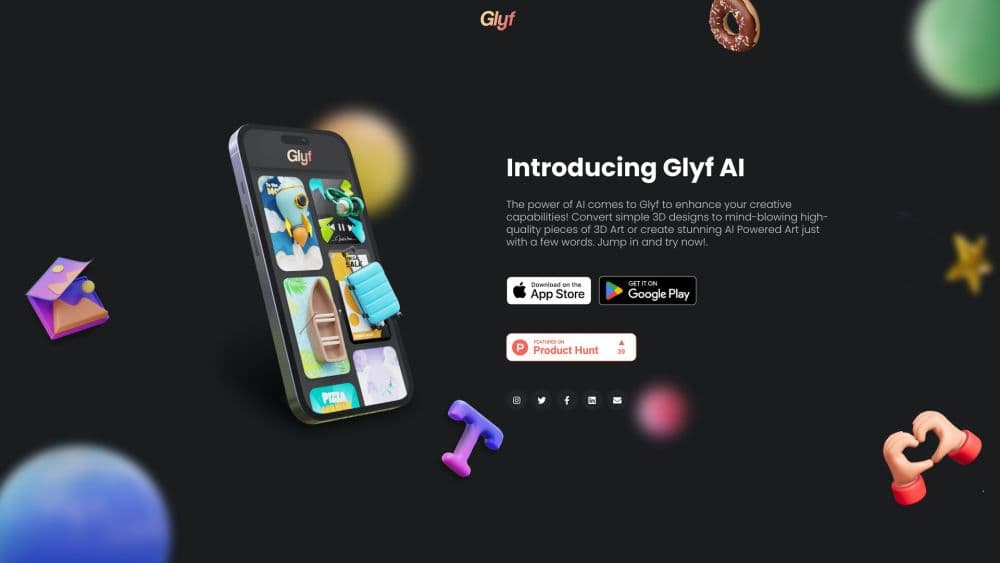
Glyf was a mobile 3D design app that turned 3D templates, 3D models, and short text prompts into 3D art and AI images for logos and social posts. It shut down in 2025.
About Glyf
What Is Glyf
Glyf was an Android and iOS app from Axndx Technologies Private Limited, an Indian studio that also publishes under the shorter name axndx. It squeezed two tools into one phone app: a 3D design editor stocked with 3D templates, 3D models, and fonts, plus an AI art generator that turned a sentence into an image. Store copy billed it as a Glyf 3D AI art generator, which covered both halves of the app. The Android build carried the package name com.axndx.canvas and passed 50,000 installs before it vanished from the store.
The pitch was speed for people who don't own a desktop 3D suite. You opened a template, dropped in a model or a line of type, pushed shapes and colors around with a finger, then let the AI finish the scene as a polished 3D visual. Small brands used it for logos, app icons, flyers, thumbnails, and wallpapers. A few minutes of tapping produced something that looked like a 3D artist had made it, which is the whole reason the app existed.
The limit sat inside the template set. Every render carried the same Glyf look, and there was no real modeling, no texture pipeline, and no clean handoff to Blender or Cinema 4D. Then the app itself went away. As of October 2026, glyf.in is a parked domain listed for sale, the Google Play page returns a 404, and Apple's store no longer lists Glyf. The directory dang.ai records the shutdown on April 30, 2025. Axndx never posted a public explanation.
Getting Started
This is the flow from the years the app was live. None of it works today, since both download links are dead.
- Install Glyf from Google Play, where it ran on Android 4.4 and up, or from the App Store on iOS. The download cost nothing.
- Open a template from the gallery, or start a blank canvas and add a 3D model, a font, or an imported image.
- Nudge size, angle, contour, and color with the touch controls until the scene reads the way you want.
- Type a prompt and run the AI art generator, or push the finished 3D scene through the art conversion.
- Export the render and post it. Free accounts hit daily limits, and the Pro subscription opened the fuller set of templates and models.
Product Information
A quick look at Glyf's pricing, supported platforms, and performance.
Best for
The users, tasks, and scenarios where this tool fits best.
Users
- Small business owners without a design team
- Social media creators on a phone-only workflow
- Beginners who bounced off Blender
Tasks
- Turning flat artwork into 3D
- Generating a quick image from a text prompt
- Building an app icon or a store graphic
Scenarios
- A launch post due the next morning and no designer on call
- Testing a visual direction before paying for custom art
- A student building a portfolio piece between classes
Key features
Template-Driven 3D Scenes
The gallery held ready-made 3D templates for logos, icons, flyers, and social covers. You opened one and edited the parts in place instead of building a scene from scratch, which cut the first render down to minutes. Templates set the composition and the lighting, so the app did the art direction for you.
3D Models and Font Libraries
Glyf shipped a library of 3D models and display fonts that you could drop into a scene and resize, rotate, or recolor. The model list covered the shapes small brands reach for most: spheres, ribbons, letters, product blocks, and abstract props. Fonts were already extruded for 3D, so text didn't need a separate modeling step.
AI Art Generator From Text Prompts
A short text prompt produced an AI image in the style the app offered, close to the Midjourney look that was popular when Glyf launched. You could generate a background, a character, or a full poster concept without leaving the editor. The output dropped straight into the canvas, ready to sit behind a 3D model or a logo.
3D to Art Conversion
The second path started from your own layout. You built a simple 3D design, then ran it through a conversion step that added depth, reflections, and studio lighting. It was the app's answer to a render engine, and it worked best on bold shapes with clean edges rather than busy compositions.
Touch Editing for Shapes and Color
Controls were built for fingers: drag to move, pinch to scale, slide to change contour and color. You could adjust the bevel on a letter or shift a model's finish without opening a properties panel. The tradeoff is precision, since fine alignment on a phone screen takes patience.
AI Photo Editor
The app also carried an AI photo editor for touching up imported images before they went into a scene: cleanup, restyling, and background work. It was a convenience feature rather than a reason to install Glyf, and dedicated photo apps did the same job with more control.
Pros and cons
Pros
- Phone-only workflow: the entire job ran on Android or iOS, with no desktop, GPU, or render queue involved.
- Fast first result: templates, 3D models, and extruded fonts meant a usable visual in minutes rather than an afternoon.
- Two jobs in one app: a 3D layout tool and an AI image generator shared a canvas, so you didn't export between them.
- Low entry cost: the download was free and the Pro subscription carried the heavier template and model access.
- Small install: the Android build sat around 28 MB, which kept it usable on budget phones with limited storage.
Cons
- It no longer exists: the store listings are gone and the website is a parked domain, so there is nothing to install, no support channel, and no updates.
- Server features are dead weight: AI generation ran on Glyf's own backend, so an old install can open but can't reliably produce new art.
- Shallow 3D control with a house style: no real modeling, UV mapping, or texture authoring, and shared templates meant brand visuals that resembled everyone else's Glyf posts.
- Mobile only, no team layer: no web app, no desktop build, no shared brand workspace for a small team.
Frequently asked questions
No. The Google Play listing returns a 404, the App Store no longer carries the app, and glyf.in is a parked domain listed for sale. The directory dang.ai marks Glyf as shut down on April 30, 2025.
Related content
Explore related tools, skills, and articles for Glyf.
Glyf Alternatives

Imejis.io
Imejis.io · Image · MarketingImejis.io is an AI design studio for agents and marketing teams. Describe an image in plain words, and it writes the copy, builds the layout, reflows it to every size, then exports a finished file.

Layoutr
Van Dijk Ontwikkeling · Image · China AILayoutr is a browser floor plan tool that scales your own plan, places furniture at true size, shows the room in 3D and renders it with AI.

Storytailor®
Storytailor Inc. · Writing · Image · LeaningStorytailor is an AI story generator for kids that turns a drawing or a small idea into a personalized children's book you can read, listen to, and play out together.