

Google NotebookLM Plus
Google · Productivity
Google NotebookLM Plus is a premium AI research assistant from Google for heavy users, teams, and schools that adds higher limits and shared notebooks.
About Google NotebookLM Plus
What Is Google NotebookLM Plus
Google NotebookLM Plus is the paid tier of NotebookLM, Google's AI research assistant and AI note taking tool. You upload sources such as PDFs, docs, and links, then ask questions and get answers that cite the exact passages they came from. Plus removes the ceilings that slow down regular users. You get more than five times the Audio Overviews, notebooks, and sources per notebook of the free version.
The point is scale. A student juggling a dozen readings, a team building a shared knowledge base, or a department drafting briefing docs all hit free-tier limits fast. Plus is built for them, and it adds sharing, usage analytics, and stronger privacy controls on top. You don't get a different tool. You get the same one with the brakes off. That matters more than it sounds.
The main catch is how you buy it. NotebookLM Plus isn't sold as a standalone monthly subscription for individuals in most regions. It comes bundled with Google One AI Premium, or through Google Workspace and Google Cloud for organizations. So the real cost is the plan you already need, not a separate line item. That's a snag for solo users who want it alone.
Getting Started
- Sign in to NotebookLM with a Google account, then check whether your account already includes Plus through Google One AI Premium, Workspace, or Cloud.
- Create a notebook and add your sources, like PDFs, Google Docs, slides, or website links.
- Ask questions in the chat panel and use inline citations to jump back to the source passage behind each answer.
- Generate an Audio Overview or a study guide from the Studio panel when you want a summary you can listen to or skim.
- If you're on a team plan, share the notebook with coworkers and review the usage analytics to see how it's being used.
Product Information
A quick look at Google NotebookLM Plus's pricing, supported platforms, and performance.
Best for
The users, tasks, and scenarios where this tool fits best.
Users
- Students
- Researchers
- Teams and schools
Tasks
- Summarizing dense documents
- Building a study guide
- Drafting briefing docs
Scenarios
- Exam prep the night before, when you need the highlights without rereading everything.
- Onboarding onto an unfamiliar topic at work, where you drop in the reports and ask what actually matters.
- Keeping a shared research hub for a team so nobody redoes the same digging.
Key features
Higher usage limits
Plus raises the caps that stop free users mid-project. You get over five times more Audio Overviews, notebooks, and sources per notebook. If you use NotebookLM every day, that headroom is the single biggest reason to upgrade. No limits, no interruptions.
Audio Overviews you can join
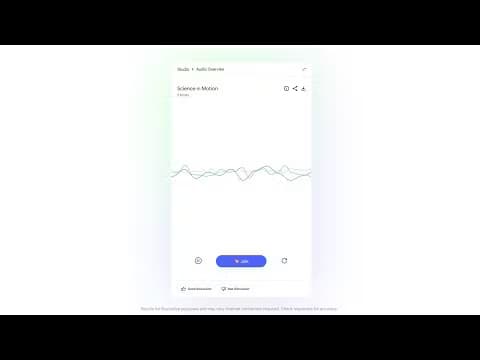
NotebookLM turns your sources into a podcast-style conversation between two AI hosts. In Plus, you can jump in and ask the hosts to explain something differently, drawing on your own sources. Think of it as a tutor who pauses the lecture to answer you.
Response customization
You can customize the style and length of the answers NotebookLM gives you. Ask for a concise bullet summary or a longer walkthrough, and the assistant adapts. It's a small control that makes a big difference when you need the same material for different audiences.
Shared team notebooks
Teams can build notebooks together and see usage analytics on how the shared work is going. This is where Plus stops being a personal tool and starts acting like a team knowledge base. Getting there needs a Workspace or Cloud plan.
Enterprise-grade privacy and security
Plus adds stronger data protections aimed at businesses, schools, and universities. For organizations handling sensitive material, the security layer matters as much as the features, since it decides whether the tool is allowed in the building at all.
Cited answers from your own sources
Every answer points back to the exact passage it came from. That grounding separates NotebookLM from a general chatbot. It's the feature that keeps people coming back for serious work. Others talk. This one shows its receipts.
Pros and cons
Pros
- Answers cite the passage they came from, so you can verify a claim instead of trusting it.
- More than five times the free limits on audio, notebooks, and sources per notebook.
- Shared notebooks and analytics make it workable for teams and classrooms.
- Bundled into Google One AI Premium, so it can cost nothing extra if you already pay for that plan.
Cons
- No standalone subscription for individuals in most regions, so you can't buy it on its own.
- Team features like shared notebooks require a Workspace or Cloud plan, which smaller groups may not have.
- It works only with the sources you upload, so it won't answer general questions outside your notebook.
Frequently asked questions
No. NotebookLM has a free tier, but Plus is the paid version. So how do you actually buy it? You get it through Google One AI Premium or an organizational plan rather than paying for it on its own.
Related content
Explore related tools, skills, and articles for Google NotebookLM Plus.
Google NotebookLM Plus Alternatives

Base Code
Base44 (Wix) · Coding · ProductivityBase Code is a shared cloud development environment from Base44. Teammates describe changes to an existing GitHub codebase in chat, preview them live and send them back as pull requests.

Knocket
Knocket (Tencent RTC team) · Productivity · Business · ChatbotKnocket is a free live chat and contact page tool that lets visitors message you from your website, app, or a shareable link, with every reply handled from Telegram or one inbox.

FloorGen
Vinit Kumar (FloorGen) · Productivity · China AIFloorGen is a browser-based floor plan maker that turns a sentence or a sketch into an editable 2D plan and a 3D walkthrough. Export to PDF, DXF or video, and draw without an account.