

Grade My Resume
Grade My Resume (@archetapp) · Leaning · AI Assistant
Grade My Resume is a free AI resume grader that scores your resume section by section and returns plain-language feedback. Upload a PDF or Word file and get fixes you can apply right away.
About Grade My Resume
What Is Grade My Resume
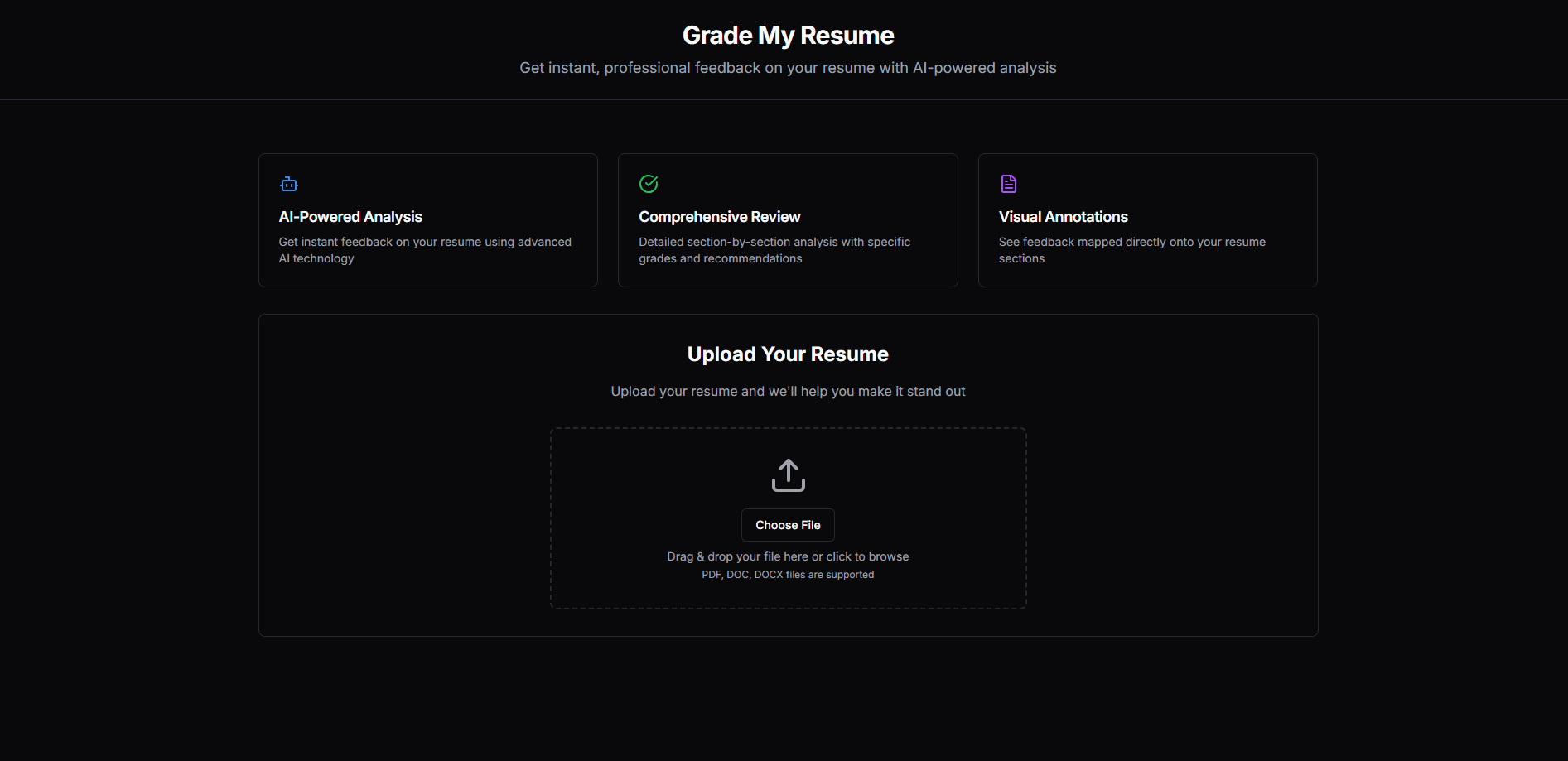
Grade My Resume is a browser-based AI resume checker that reads your resume and hands back a grade for each part of it. Think of it as a resume score checker you can reach in a browser tab. There's no account wall and no pricing page. You upload a file, the tool grades it, and you get back feedback you can act on.
Most resume tools push you toward a paid rewrite. This one stays narrow and works as a free resume review tool. It grades, it points at weak lines, and it lets you decide what to change. The design is plain to the point of being bare, which fits what it does.
The trade-off is depth. There's no cover letter builder, no template library, and no job-description matching. If you want a full career suite, this isn't it. If you want a fast read on whether your resume is pulling its weight, it does that job without asking for a card.
Getting Started
- Open grademyresume.com in any modern browser.
- Drag your PDF, DOC, or DOCX file onto the upload box, or click to browse for it.
- Wait while the AI reads every section and works out a grade.
- Review the feedback, which is mapped onto the parts of your resume it refers to.
- Fix the weak sections and re-upload to see whether your grade moves.
Product Information
A quick look at Grade My Resume's pricing, supported platforms, and performance.
Best for
The users, tasks, and scenarios where this tool fits best.
Users
- Job seekers who want a fast second opinion
- New graduates with little feedback
- Career changers rewriting old experience
Tasks
- Checking a resume before you apply
- Spotting weak bullet points
- Sanity-checking an ATS-friendly format
Scenarios
- Rewriting a resume the night before a deadline
- Deciding between two resume versions
- Preparing for a competitive role
Key features
Section-by-Section Grading
The tool doesn't return one score for the whole document. It grades each part of your resume, so a strong experience section can sit next to a weak summary, and you can see both. That split is the point: it tells you where the resume is carrying weight and where it's thin.
Instant AI Feedback in Plain Language
AI resume analysis runs in seconds, and the feedback reads like a person wrote it, not a checklist of keywords. It points at specific lines and explains what's wrong about them. You get fixes you can apply, not a vague nudge to improve your wording.
Visual Annotations on Your Resume
Comments are mapped onto the sections they refer to, so you don't hunt for the line being criticized. Seeing the note next to the passage makes the fix obvious. It's the part that keeps the whole review from feeling like a wall of text.
Broad File Format Support
You can upload PDF, DOC, or DOCX files, which covers what most people already have saved from Word, Google Docs, or a LaTeX export. No reformatting needed before you start. That matters for older resumes saved in whatever format was handy at the time.
Free Access Without Sign-Up
There's no card, no trial timer, and no account to create before you see a result. That lowers the friction to near zero: you upload, you get feedback, you leave. For a task you do a few times a year, that's the right call.
ATS-Oriented Reading
The scan looks at your resume the way parsing software does, which surfaces sections that a machine might choke on. Formatting that hides keywords from an applicant tracking system shows up as a weak grade. It's a useful check before you apply to a company that filters automatically.
Pros and cons
Pros
- Free to use, with no account or card required before you see results
- Grades each section separately, so weak parts stand out from strong ones
- Feedback reads in plain language and points at specific lines to fix
- Supports PDF, DOC, and DOCX uploads without reformatting
- Fast turnaround, which makes it easy to re-check a draft after edits
Cons
- No cover letter builder or resume templates, so it isn't a full job-search suite
- No job-description matching to grade your resume against a specific posting
- You see a grade and comments, but no way to track changes over time across versions
- Results depend on how cleanly the AI reads your file, so an odd layout can skew the feedback
Frequently asked questions
Yes. You can upload a resume and get feedback without paying or creating an account. There's no visible paid tier or subscription on the site.
Related content
Explore related tools, skills, and articles for Grade My Resume.
Grade My Resume Alternatives

HireKey
HireKey · Voice & Language · Productivity · LeaningHireKey is an AI job search copilot built by a former tech recruiter. It checks role fit, tailors resumes, runs interview practice and tracks every application.

Lune
Retrograde Labs · Productivity · LeaningLune is a research search engine for scientific AI agents. It runs as an MCP server that lets Claude, ChatGPT and Cursor search peer-reviewed computer science papers and cite them.
Coddy
Coddy · Coding · LeaningCoddy is a gamified platform to learn to code through short interactive lessons in 20+ languages, with a browser editor, an AI tutor and free certificates.