

Graft AI
Axcelner · Coding
Graft AI is a private-beta product that turns bounded workflows in existing software into governed tools AI agents can safely call. Instead of rebuilding a legacy ERP, a mainframe screen, or a desktop app, it connects to the interface your team already uses and compiles that workflow into a stable, versioned contract. Everything runs in your environment, with approvals, roles, and an action log baked in. It's a fit for ops and engineering teams that run software they can't replace but want agents to handle the repetitive parts.
About Graft AI
What Is Graft AI
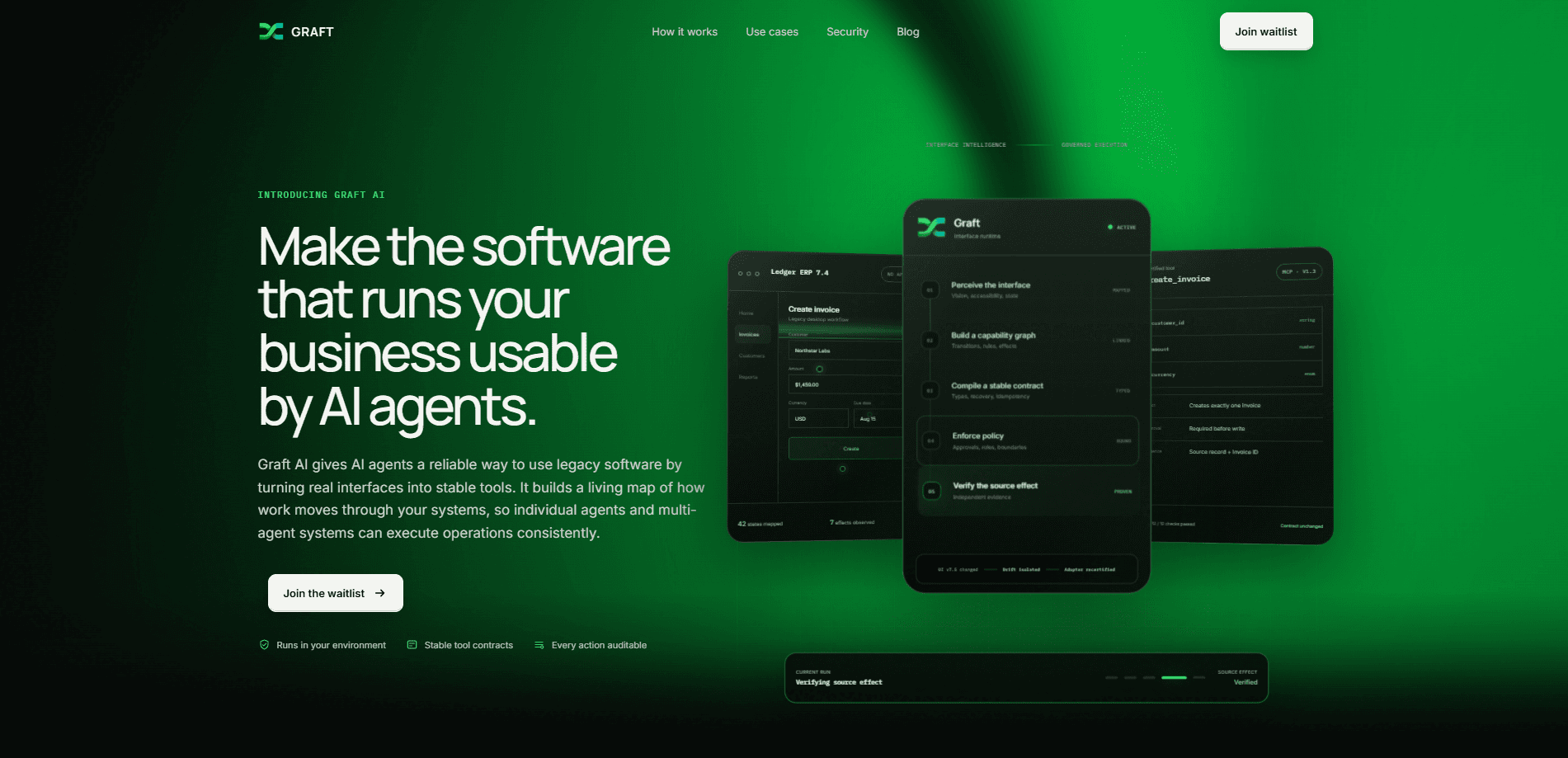
Graft AI is an AI agent integration layer for the software that businesses already run. It watches how a workflow behaves in a real interface, builds a capability graph of the transitions and rules behind it, then compiles that into a typed tool an agent can call safely. The output is a stable tool contract, not a brittle screen-scraper, so the agent gets predictable inputs and outputs instead of pixels.
Under the hood, an agent interface runtime does the hard part. It perceives the interface, maps the states, and keeps the tool bound to what's really on screen.
The problem it addresses is the gap between modern agents and old systems. Plenty of critical tools run on ERPs, mainframes, virtual desktops, and web portals that have no API at all, and they aren't going anywhere soon. Graft AI works at the interface level, so those systems can become agent-callable without a rewrite.
The catch is scope and access. Graft AI is in private beta, and availability is judged workflow by workflow, not for a whole product. Suitability depends on the application, the environment, the controls you need, the exceptions involved, and what source evidence exists. It also runs in your environment rather than as a hands-off cloud service, so someone on your side has to be involved in setup and review.
Getting Started
- Request access to the private beta, then pick one bounded workflow, such as creating an invoice or updating a customer record, to evaluate first.
- Point Graft AI at the interface that workflow runs in, whether that's an ERP screen, a desktop app, or a web portal.
- Let it map the interface states and build the capability graph, reviewing the transitions and rules it found.
- Approve the compiled tool contract, checking the input types, the recovery behavior, and whether writes need approval.
- Run the bounded action and check the source evidence it returns, then widen coverage one workflow at a time.
Product Information
A quick look at Graft AI's pricing, supported platforms, and performance.
Best for
The users, tasks, and scenarios where this tool fits best.
Users
- Operations teams
- IT and platform engineers
- Finance and back-office staff
Tasks
- Bounded record actions
- Legacy software automation
- Guarded writes
Scenarios
- An old ERP with no API that finance staff still use every day.
- A desktop app or virtual desktop that holds a repeatable, well-understood process.
- An internal web portal where a handful of actions cover most of the manual work.
Key features
Interface-Level Integration
Graft AI connects at the interface, using vision, accessibility signals, and UI state to understand what's actually on screen at any given moment. That means a system with no API can still become agent-callable. For teams staring at a green-screen mainframe or a stubborn desktop tool, this is the part that makes the rest possible. No API? Not a dealbreaker.
Stable Tool Contracts
Each workflow compiles into a versioned tool with a clear schema, typed inputs, and defined outputs. An agent calls create_invoice with a customer ID, an amount, and a currency, and knows what it gets back. Versioning matters here. When the UI assumption changes, Graft isolates the affected action and flags it for a retest instead of letting the whole thing drift.
Policy and Approval Enforcement
Roles, boundaries, and approvals are part of the tool, not an afterthought. A write action can require approval before it runs, so an agent doesn't quietly change production data. The effect is spelled out up front, for example that a create action makes exactly one record, which keeps the blast radius small. Small blast radius. That's the whole game.
Independent Source Evidence
Every action returns evidence tied to the source system, such as the source record plus the ID of what was created. That's what makes agent actions auditable. You can confirm the effect happened in the real system rather than trusting a model's summary of what it thinks it did. Proof beats trust.
AI Agent Governance Controls
Governance here means roles, boundaries, approvals, and an audit trail all describe the same action. That's the point of AI agent governance baked into a tool contract: an approved action has a defined effect, a required approver, and a record of what changed. Auditors get specifics, not vibes.
Permission-Aware Action Log
Graft AI logs each step with full context and respects the roles and constraints of the environment it runs in. You get a running view of what agents created, updated, or cancelled, and when. Full context, every time. For anyone who has to answer to an auditor, this is the difference between a demo and something you'd actually deploy.
Deployment-Specific Controls
Security controls are evaluated for the workflow and the environment, not applied as a blanket policy that treats every action the same way regardless of risk. Why does that matter? Because a payroll workflow and a support lookup don't deserve the same guardrails. Data handling is scoped too, keeping inputs, evidence, and logs limited to the workflow being evaluated. If your environment has strict data rules, that per-workflow approach is easier to justify than a generic cloud connector.
Pros and cons
Pros
- Works with systems that have no API, including ERPs, mainframes, desktop apps, and web portals.
- Compiles workflows into versioned, typed tool contracts instead of fragile screen automation.
- Builds approvals, roles, and an audit log into every action, so guarded writes are the default.
- Returns source evidence for each action, which makes agent behavior checkable.
- Runs in your own environment, keeping sensitive workflows closer to home.
Cons
- Private beta, and availability is decided workflow by workflow, so not every process qualifies.
- Suitability depends on the specific app, environment, and available source evidence, which means some workflows just won't be a fit.
- No published pricing, so cost has to be worked out through sales rather than a public page.
- Running it in your environment means your team owns part of the setup and review work.
Frequently asked questions
It turns bounded workflows in existing software into governed tools that AI agents can call. Graft AI maps how a workflow behaves in a real interface, compiles it into a stable tool contract, and adds approvals, roles, and an audit log so the action is safe to run.
Related content
Explore related tools, skills, and articles for Graft AI.
Graft AI Alternatives
Forefront
Forefront · CodingForefront is a web platform for building with open-source AI. It lets you fine-tune leading open-source language models on your own data, evaluate how they perform, and run them through an API or export them to host yourself. Developers who want the convenience of a closed-source platform but insist on owning their models and data are the target audience here.

Startkit
StartKit.AI · CodingStartkit is a boilerplate for building AI SaaS and AI wrapper products. Think of it as an AI startup boilerplate with the boring parts already wired up: authentication, Stripe and Lemon Squeezy payments, usage limits, transactional email, and an AI API starter that talks to OpenAI, Anthropic, Groq, or Llama. You clone the repo, set your price, and start on the part of your product that people actually pay for. It's Next.js under React and Tailwind, so most of the boilerplate code already feels familiar.
Testim
Tricentis · CodingTestim is an AI-powered test automation platform for building and running end-to-end tests across web, mobile, and Salesforce applications. It leans on machine learning to keep tests stable when an interface changes, so teams spend less time fixing broken selectors. Not bad for an automated testing tool you can start using today. You create tests by recording actions in a browser, then optionally add JavaScript when you need more control. It's a solid pick for busy QA teams.