

Granola for iOS
Granola inc · Productivity
Granola for iOS is an AI notepad that transcribes in-person meetings and outbound phone calls on your iPhone, then turns each conversation into a shareable summary with decisions and action items.
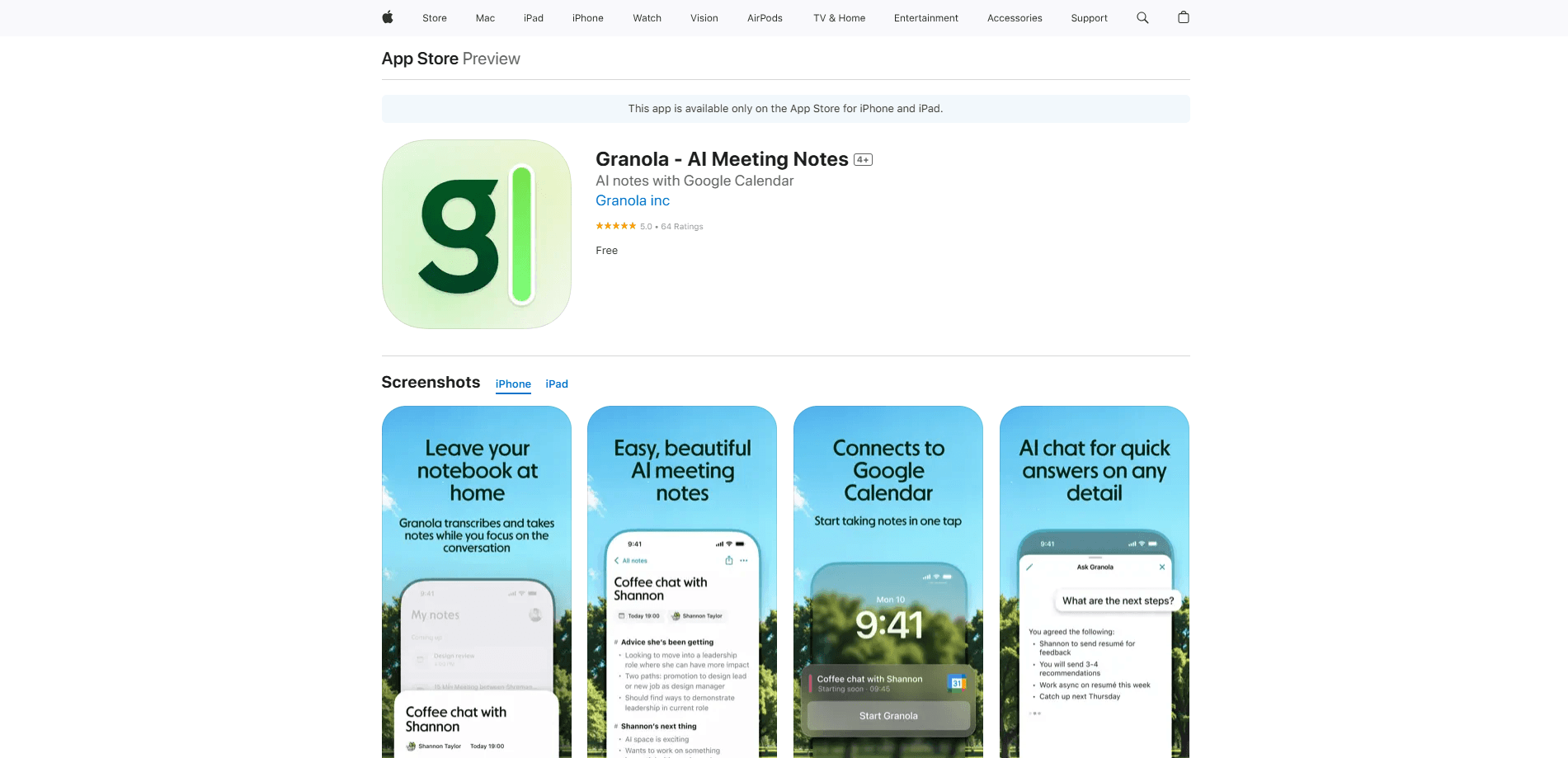
About Granola for iOS
What Is Granola for iOS
Granola for iOS is the mobile version of Granola, an AI notepad built for people who sit in back-to-back meetings. The desktop app is the main workspace, and the iPhone app extends it to conversations that happen away from your desk: coffee catch-ups, conference halls, client calls on the go. Instead of sending a bot into the call, Granola records audio around you and blends its transcript with the rough notes you type, so the final summary reflects both what was said and what you cared about.
The app targets a specific gap. Most AI notetakers live inside video-call tools and stop working the moment you step into a room or dial a number. Granola for iOS covers those offline moments, and on iPhone it can also record outbound phone calls, which Android cannot. You open the app, tap start or place a call, and it begins transcribing.
There are real limits. Phones do not let apps capture audio from other apps, so Granola cannot transcribe virtual meetings on mobile; that stays on macOS and Windows. The mobile app is for in-person meetings and, on iOS only, outbound calls you make through its built-in dialer. It also does not replace the desktop app for power features: creating workspaces, templates, folders, and integrations still happens on desktop, and on the free Basic plan you can only see the last 30 days of notes in the app.
Getting Started
- Download Granola from the App Store (iOS 18.0 or later) and sign in with Google, Microsoft, or SSO.
- Connect your calendar so upcoming meetings appear under Coming up, then tap an event to pre-create a note.
- Tap start to record an in-person meeting, or use the phone icon to register your number and place an outbound call.
- Type a few rough notes while you talk; Granola merges them with the transcript after the meeting ends.
- Review the generated summary, edit it if needed, and share it with attendees or sync it to your desktop.
Product Information
A quick look at Granola for iOS's pricing, supported platforms, and performance.
Best for
The users, tasks, and scenarios where this tool fits best.
Users
- Founders and recruiters
- Sales and customer-facing teams
- Students and researchers
Tasks
- Note-taking during in-person meetings
- Capturing outbound phone calls
- Distilling quick conversations
- Drafting follow-ups
Scenarios
- A day packed with back-to-back meetings
- Conference or networking days
- Hands-free moments
Key features
In-person meeting notes
Granola records the conversation happening around you and transcribes it. Type a few rough lines while people talk, and the app folds your notes into a structured summary that keeps your framing. This is the core use case on mobile, since phones cannot capture audio from other apps the way the desktop app does.
Outbound phone call notes
On iOS, Granola includes a built-in dialer for outbound calls. You register your number once with a verification call, then dial a contact and let the app transcribe the conversation and generate a summary afterward. Inbound calls are not supported because of iOS restrictions, so the workaround is to call the person back.
AI-enhanced summaries
After a note finishes processing, Granola produces a summary with highlights, decisions, and action items drawn from the transcript. You can edit the text and formatting before sharing it, and the summary syncs to your other devices.
Granola Chat for follow-ups
Granola Chat lets you ask questions about a note, surface action items, and draft follow-ups. On mobile it runs on iPhone only, not iPad or Android, and the free Basic plan is limited to automatic model selection.
Speaker identification
Granola separates different speakers in a conversation so the transcript is easier to follow. On mobile it works from the audio it captures, while fuller speaker tags tied to specific meeting apps are a desktop feature.
Apple Watch support
With an iPhone and an Apple Watch running watchOS 11 or later, you can start meeting notes from your wrist. It is a small addition, but a useful one when your phone is in a bag or pocket.
Sync across devices
Notes created on your iPhone sync to the desktop app and back. You can also switch between existing workspaces on mobile. Creating new workspaces, templates, and folders still requires the desktop app.
Pros and cons
Pros
- Covers in-person meetings and, on iPhone, outbound phone calls that other AI notetakers skip
- No meeting bot joins your calls, so there is nothing for the other side to accept
- Rough notes you type get merged with the transcript, keeping the summary in your framing
- Free basic plan with no daily transcription limit, and mobile apps are free to use
- Notes sync across iPhone, Mac, and Windows for one connected record
Cons
- Cannot transcribe virtual meetings on mobile, since phones block apps from capturing other apps' audio
- Inbound phone calls are not supported on iOS, only outbound calls through Granola's dialer
- One account per device at a time, so switching between work and personal logins means signing out
- Workspaces, templates, folders, and most integrations are desktop-only
- On the free Basic plan, only the last 30 days of notes are visible in the app
Frequently asked questions
It is the iPhone and iPad app for Granola, an AI notepad that transcribes in-person meetings and outbound phone calls, then turns them into summaries with highlights, decisions, and action items.
Related content
Explore related tools, skills, and articles for Granola for iOS.
Granola for iOS Alternatives

Base Code
Base44 (Wix) · Coding · ProductivityBase Code is a shared cloud development environment from Base44. Teammates describe changes to an existing GitHub codebase in chat, preview them live and send them back as pull requests.

Knocket
Knocket (Tencent RTC team) · Productivity · Business · ChatbotKnocket is a free live chat and contact page tool that lets visitors message you from your website, app, or a shareable link, with every reply handled from Telegram or one inbox.

FloorGen
Vinit Kumar (FloorGen) · Productivity · China AIFloorGen is a browser-based floor plan maker that turns a sentence or a sketch into an editable 2D plan and a 3D walkthrough. Export to PDF, DXF or video, and draw without an account.