

Graphis
Graphis · Image · Other
Graphis is an AI-powered creative canvas that puts generation, editing, and upscaling for images, videos, and text onto one shared whiteboard. Think of it as an AI image generator, an AI video generator, and a writing space rolled into one board. Instead of juggling a dozen separate apps, you pick the model that fits each idea, drop the result onto the canvas, and keep building from there, alone or with a team. It runs in the browser. It also works across devices and connects to a large library of third-party models.
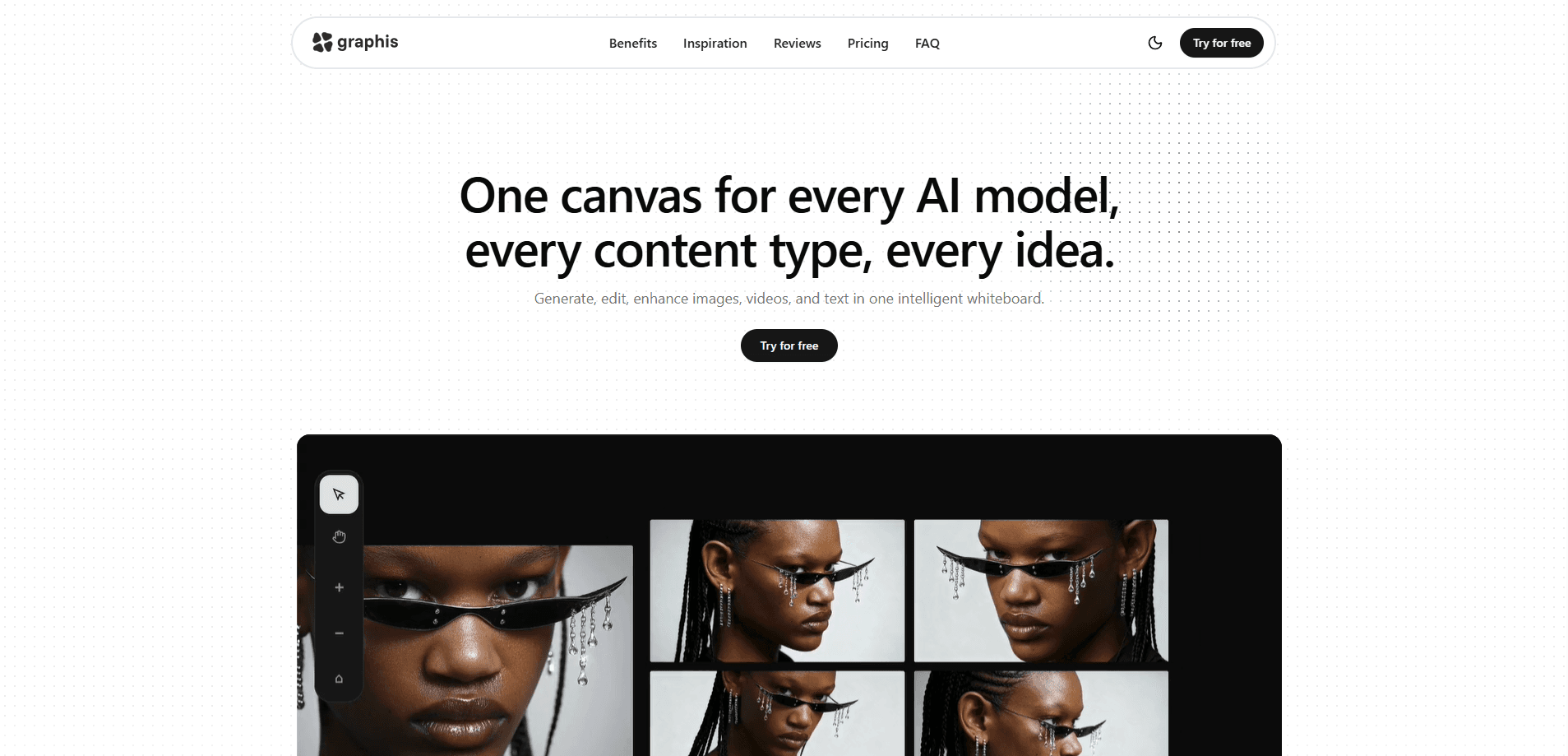
About Graphis
What Is Graphis
Graphis is a web-based creative workspace built around a single infinite canvas. You generate images, videos, and text, then arrange, edit, and refine them in place without exporting files between tools. Call it a multi-model AI platform with a board on top. The pitch is simple: one surface for every model and every content type, so a project stays in one piece instead of scattering across tabs.
The platform leans on models from other providers rather than one in-house engine. You can pull in Veo 3, Gemini, Qwen, Kling, Wan, LTX, and others, then save your own model sets for the work you repeat most. That flexibility is the main draw. It's also the main catch. Model quality, speed, and cost still depend on whichever provider you select, and Graphis doesn't guarantee identical behavior across them.
Where it stands out is collaboration and organization. Multiple people can work on the same canvas, assets stay attached to the work that produced them, and a plugin and actions system extends what the canvas can do. The trade-off is that there's a lot to learn before the workspace feels natural, and new users often spend their first session just figuring out where everything lives.
Getting Started
- Sign up at graphis.ai with an email or linked account and open a fresh canvas.
- Pick a model for your first idea from the model palette, or start with a default set.
- Type a prompt or drop in reference material, then generate your first image, clip, or block of text.
- Rearrange the output on the canvas and run an edit or upscale pass on what you keep.
- Invite teammates to the same board if you want feedback or shared work in real time.
Product Information
A quick look at Graphis's pricing, supported platforms, and performance.
Best for
The users, tasks, and scenarios where this tool fits best.
Users
- Content creators and social media teams who need images, clips, and copy without switching between five different generators.
- Designers and art directors who want to compare how several AI models handle the same brief side by side on one board.
- Small studios and remote teams that need a shared space where everyone can see and build on the same assets.
Tasks
- Turning a rough idea into a first-pass image or short video with whichever model suits the style.
- Retouching and upscaling generated assets in place instead of exporting them to a separate editor.
- Sketching storyboards or campaign concepts where text, stills, and clips sit together in one layout.
Scenarios
- Brainstorming sessions where you test several models on one prompt and keep the strongest result.
- Building a running board of approved visuals for a brand or product launch.
- Juggling client work that needs quick variants across formats before a deadline.
Key features
One Infinite Canvas
Everything you create lands on the same board. You generate an image, edit it, then place a video or a block of text right next to it, with no exports or file juggling in between. The canvas pans and zooms without a fixed edge, so long projects stay organized instead of getting buried. In practice one project lives in one place. That's the whole point of the tool.
Hundreds of Models, One Workspace
Graphis pulls in many image, video, and text models, including Veo 3, Gemini, ByteDance's generators, Wan, Qwen, Kling, LTX 2.3, and Black Forest Lab. You can compare outputs and keep the one that fits, all from the same interface. The catch? Quality and speed vary by provider. That means the best model for a job isn't always obvious on the first try.
Custom Model Sets and Parameters
You can build your own model palettes and tune parameters for each project, then reuse those setups on later work. If a certain combination nails your product shots or your house style, you save it and skip the guesswork next time. Sound useful? It really is. This is what separates repeatable production from one-off experiments that you have to rebuild from scratch every single time.
Real-Time Collaboration
Multiple people can work on the same canvas at once, which turns the board into a shared studio rather than a personal scratch pad. Teams leave comments, move assets, and build on each other's work in the same space. For remote groups, that's a real time-saver. No more emailing files back and forth.
Editing, Upscaling, and LoRA Tools
The canvas doesn't stop at generation. Built-in editing tools let you refine what you made, upscale low-resolution results, and apply LoRA models for a specific look, which keeps the tweak-heavy part of the workflow inside Graphis instead of pushing you into external software and then dragging files back in.
Plugins, Actions, and an AI Agent
A plugin system, an actions system, and a built-in AI agent extend what the canvas can do. You can automate repeated steps, wire the board into other tools, and let the agent handle multi-step tasks you'd rather not do by hand. This part is aimed at people who want a workflow, not just a generator. It's where the product stops being a novelty.
Pros and cons
Pros
- Keeps generation, editing, and upscaling for images, video, and text in one browser workspace.
- Access to a large roster of third-party models, so you can match the tool to the task.
- Custom model sets and saved parameters make repeatable work faster.
- Real-time collaboration suits teams working remotely on shared assets.
Cons
- The depth of options means a real learning curve before the canvas feels fast.
- Output quality and speed depend on the external model you pick, not on Graphis itself.
- Public pricing details are thin, so you may have to sign up to see exact plan limits.
Frequently asked questions
Images, short videos, and text, all inside one canvas. You generate a first pass with a model of your choice, then edit and upscale it without leaving the board. Why does that matter? Because most people would rather keep a project in one place than move files between apps. The canvas holds stills, clips, and copy together so a single idea never splits across five windows.
Related content
Explore related tools, skills, and articles for Graphis.
Graphis Alternatives

X Ray Interpreter
X-ray Interpreter · ImageX Ray Interpreter is a web-based AI radiology tool that turns X-rays, CT scans, MRI, ultrasound, and PET images into plain-language reports. You upload a scan, get a preliminary X-ray interpretation in moments, then ask follow-up questions if something needs explaining. It works as a second opinion and a learning aid, not as a medical diagnosis.

Aieasypic
AIEasyPic · ImageAIEasyPic is an AI image generator that turns plain text prompts into finished artwork in seconds. You can also train custom models on your own photos, swap faces in existing images, and create short video clips from text, all from a browser. It suits casual creators who want quick visuals and hobbyists who want to build a personal model without touching any code.

Chargen
Chargen · ImageChargen is an AI character generator and worldbuilding toolkit built for Dungeons & Dragons and other tabletop RPGs. It turns a one-line idea into a painted character portrait, spins up NPCs, monsters, maps and encounters from the same session, and keeps every creature's details close at hand. The tabletop RPG art side runs on a credit system called Gold, while the text generators stay free for everyone.