

Graphloom
Graphloom · Image
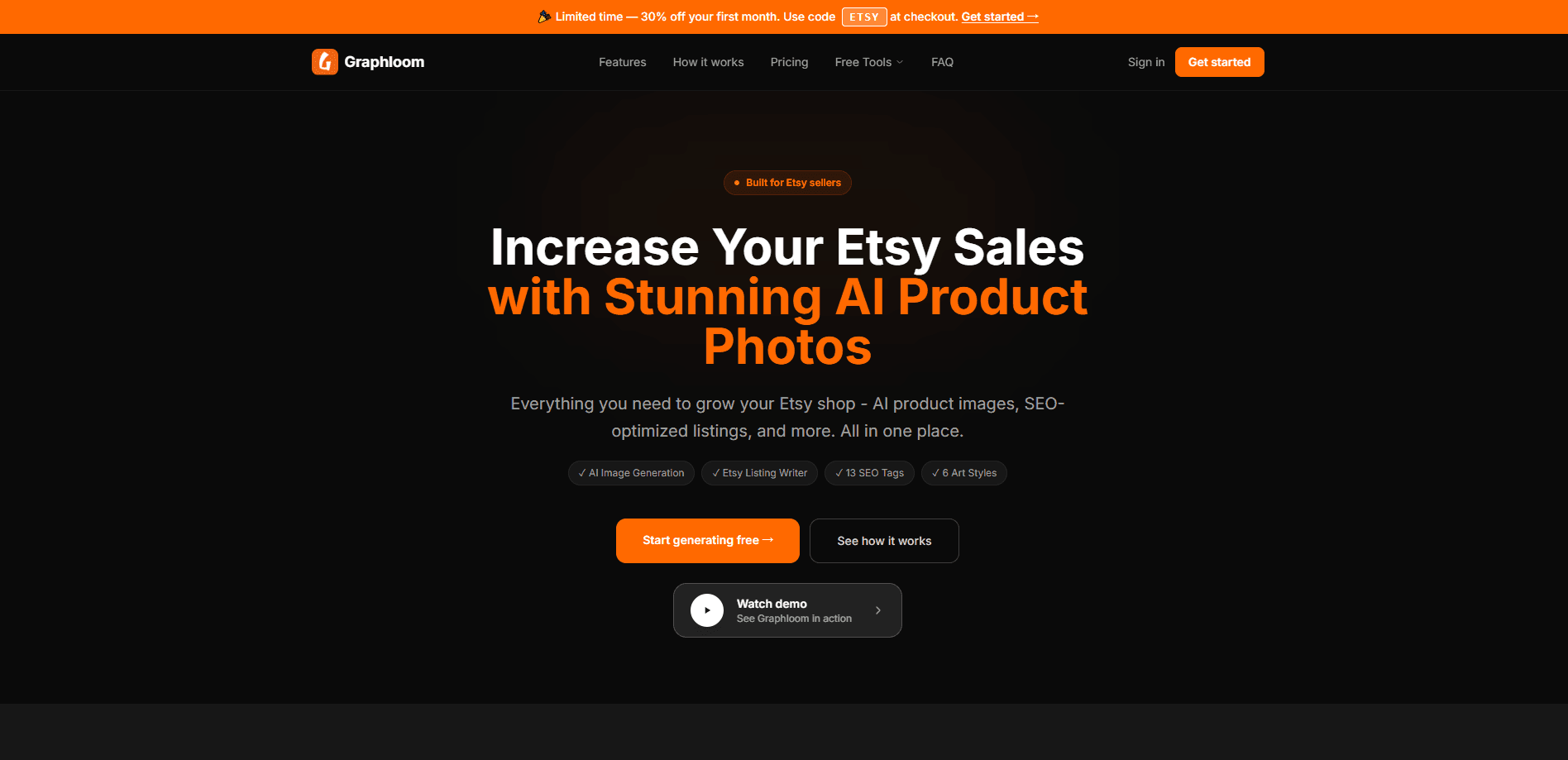
Graphloom is an AI tool for Etsy sellers that turns an ordinary phone photo into a professional product image and a complete, SEO-optimized listing. It handles both halves of a shop's biggest chore: product photography and the title, 13 tags, and description that decide whether buyers ever see the listing. Clean AI photos for Etsy, plus copy you can paste straight in. You upload one photo, pick a scene, and you're done.
About Graphloom
What Is Graphloom
Graphloom is a web-based AI product image generator and Etsy listing generator built for one type of user: the small Etsy seller who doesn't have a photographer, a copywriter, or an SEO consultant on call. Upload a photo you already took on your kitchen table, and the tool places your exact same product into professional scenes like studio white, lifestyle, jewelry, home decor, and fashion. The same upload also feeds an analysis pass that writes a ready-to-publish listing.
The pitch is consolidation. One subscription covers your product photos and your listing copy, instead of three apps or three freelancers. For sellers listing dozens of items a week, that's the difference between a shop that looks handmade and one that looks professional.
The main limits are worth stating up front. Graphloom is built around Etsy. The tags, title length, and description structure are tuned to that marketplace. They won't fit Amazon or Shopify listings without editing. Image generation runs on FLUX Kontext, which preserves your product but means results depend on the quality of the original photo. And the free tools on the site are separate calculators, not a free trial of the paid image and listing generation.
Getting Started
- Create an account on the Graphloom website and sign in to the dashboard. No card is required to start.
- Upload a product photo from your camera roll. A plain phone shot is enough, no lightbox or tripod needed.
- Choose an art direction and an aspect ratio, then generate up to 10 images in one run at about 40 seconds per batch.
- Run the listing generator on the same upload to get an SEO title, exactly 13 tags, and a 200 to 300 word description.
- Copy the listing into Etsy, attach your downloaded images, and publish.
Product Information
A quick look at Graphloom's pricing, supported platforms, and performance.
Best for
The users, tasks, and scenarios where this tool fits best.
Users
- Etsy sellers with small shops
- Handmade and craft sellers
- Print-on-demand and digital sellers
Tasks
- Generating product photos
- Writing Etsy listings
- Refreshing old listings
Scenarios
- Launching a batch of new products
- Seasonal listing pushes
- Starting out with no budget
Key features
AI Product Image Generator
Upload a product photo and Graphloom rebuilds everything around your product while keeping the item itself unchanged. It's powered by FLUX Kontext, so the watch, candle, or necklace stays exactly what you photographed while the background becomes a studio or a styled room. One upload yields up to 10 images across six art directions and five aspect ratios.
Etsy Listing Generator
The same product image drives a listing pass that writes a title capped at 140 characters, exactly 13 Etsy tags, and a 200 to 300 word description. It reads what your product actually is from the photo, then drafts copy you can copy to your clipboard with one click. That's the full listing, not a starting draft you still have to rewrite.
Six Art Directions and Five Aspect Ratios
You pick how the product should look before generating: studio white for the first listing image, warm lifestyle for social scroll, marble flat lay for gifting shots. Five aspect ratios cover square and wide formats, so the same photo works for a listing thumbnail and a wide banner. You're not locked into one look per product.
Under-a-Minute Generation
Batches finish in roughly 40 seconds, and the whole loop from upload to a written listing takes under a minute. For sellers who list in bulk, that speed is the point. Clearing a week of listings stops being an evening of work.
Private Cloud Storage
Uploads and generated images sit on encrypted ImageKit CDN storage, kept private and never used to train AI models. You can download your images at any time. For sellers worried about competitors seeing unreleased products, that privacy promise matters.
Free Etsy Seller Tools
The site includes a set of free calculators that need no signup: an Etsy fee calculator, a listing grader, a break-even tool, a discount calculator, a pricing calculator, a bundle calculator, and an ads ROI calculator. They're handy for pricing decisions even if you never touch the image tool. Think of them as a separate toolbox bolted onto the main product.
Pros and cons
Pros
- Handles both product images and listing copy, so you drop one workflow instead of two.
- The FLUX Kontext approach keeps your product unchanged, which is the main thing sellers worry about with AI images.
- Strong scene and ratio options, with six art directions and five aspect ratios from one upload.
- Fast batches, around 40 seconds for up to 10 images, so bulk listing stays practical.
- Privacy terms are clear: private storage and no training on your uploads.
Cons
- Locked to Etsy. The title length, tag count, and description format won't map cleanly to Amazon or Shopify.
- No public API, so you can't automate listing creation from your own tools or a bulk uploader.
- Output quality leans on your source photo; a blurry or badly lit shot will still produce weaker scenes.
- Free tools on the site are standalone calculators, not a free tier of the image and listing generation.
Frequently asked questions
It turns a single product photo into professional product images and a full SEO-optimized Etsy listing. The image side places your exact product into styled scenes, and the listing side writes a title, all 13 tags, and a description.
Related content
Explore related tools, skills, and articles for Graphloom.
Graphloom Alternatives

Google EmbeddingGemma 2
Google DeepMind · Writing · Image · CodingGoogle EmbeddingGemma 2 is a 740M-parameter open model that turns text, code, images, audio, and video frames into vectors in one 768-dimension space, running on phones and laptops.

Tractionwave
TractionWave · Image · MarketingTractionWave is an AI attention heatmap tool for static ads. Upload a PNG or JPG and it returns predicted attention, ranked hotspots, and fixes before you spend budget.

Imejis.io
Imejis.io · Image · MarketingImejis.io is an AI design studio for agents and marketing teams. Describe an image in plain words, and it writes the copy, builds the layout, reflows it to every size, then exports a finished file.